Critical Windows Notepad Vulnerability Patched: What Users Need to Know
Critical Windows Notepad Vulnerability Patched: What Users Need to Know
- Why Enterprise RAID Rebuilding Succeeds Where Consumer Arrays Fail?
- Linus Torvalds Rejects MMC Subsystem Updates for Linux 7.0: “Complete Garbage”
- The Man Who Maintained Sudo for 30 Years Now Struggles to Fund the Work That Powers Millions of Servers
- How Close Are Quantum Computers to Breaking RSA-2048?
- Why Windows 10 Users Are Flocking to Zorin OS 18 Instead of Linux Mint?
- How to Prevent Ransomware Infection Risks?
- What is the best alternative to Microsoft Office?
Critical Windows Notepad Vulnerability Patched: What Users Need to Know
Microsoft Addresses High-Severity Remote Code Execution Flaw in February 2026 Security Update
February 11, 2026 — Microsoft has patched a critical security vulnerability in the Windows Notepad application that could allow attackers to execute malicious code on users’ computers through specially crafted Markdown files.
The flaw, tracked as CVE-2026-20841, was fixed as part of the company’s February 10, 2026 Patch Tuesday security update.
The Vulnerability Explained
CVE-2026-20841 is a command injection vulnerability affecting the modern version of Windows Notepad distributed through the Microsoft Store. The flaw carries a CVSS severity score of 8.8 out of 10, rating it as “High” or “Important” severity.
The vulnerability exploits Notepad’s Markdown preview feature, which was added to the application in recent Windows updates. An attacker can embed malicious links in a Markdown (.md) file and trick a user into opening the file in Notepad. When the user clicks on the embedded link, the application fails to properly validate the protocol handler, allowing it to launch unverified protocols that can download and execute remote files with the user’s permissions.
“An attacker could trick a user into clicking a malicious link inside a Markdown file opened in Notepad, causing the application to launch unverified protocols that load and execute remote files,” Microsoft’s security advisory states.
Attack Vector and Risk Level
The attack requires user interaction—specifically, opening a malicious Markdown file and clicking on a crafted link within it. This makes the vulnerability particularly suited for phishing campaigns, where attackers could distribute weaponized .md files via email attachments, file-sharing services, or website downloads.
Security researchers note that the vulnerability’s CVSS vector string (CVSS:3.1/AV:N/AC:L/PR:N/UI:R/S:U/C:H/I:H/A:H) indicates:
- Network-based attack vector
- Low attack complexity
- No privileges required
- User interaction required
- High impact on confidentiality, integrity, and availability
As of Microsoft’s advisory publication, the company reported no known active exploitation in the wild. However, security researchers have noted that public proof-of-concept exploit code is already available on GitHub, lowering the barrier for potential attackers.
Which Versions Are Affected?
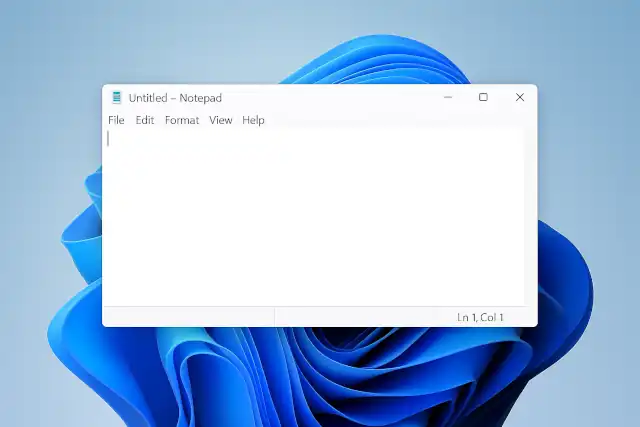
The vulnerability only affects the modern Windows Notepad app distributed through the Microsoft Store (versions prior to 11.2510). The classic Notepad application found in the Windows system directory is not affected, as it does not include Markdown rendering functionality.
This distinction is important: the vulnerability emerged as a consequence of Microsoft’s modernization of Notepad. Over the past year, the application has evolved from a simple plain-text editor to include features like:
- Markdown preview and rendering
- Clickable links and protocol handlers
- Tabbed document interface
- Optional cloud and AI integrations
While these features enhance functionality, they also expanded the application’s attack surface—transforming what was once a completely offline, local-only tool into a network-aware application with inherent security risks.
February 2026 Patch Tuesday Context
CVE-2026-20841 was one of 58 vulnerabilities addressed in Microsoft’s February 2026 Patch Tuesday release. The February update was particularly significant, as it included:
- Six actively exploited zero-day vulnerabilities
- Three publicly disclosed zero-days
- Two critical-severity flaws
- Multiple important-severity issues across Windows and Azure services
The actively exploited vulnerabilities included security feature bypass flaws in Windows Shell (CVE-2026-21510), MSHTML Framework (CVE-2026-21513), and Microsoft Office Word (CVE-2026-21514), as well as privilege escalation vulnerabilities in Desktop Window Manager (CVE-2026-21519) and Windows Remote Desktop Services (CVE-2026-21533).
How to Protect Yourself
Microsoft has released patches through multiple channels:
For Individual Users:
- Update Notepad via Microsoft Store: The fix is distributed through the Microsoft Store as Notepad version 11.2510 or later
- Enable automatic app updates: Go to Windows Settings → Apps → Microsoft Store → App updates to ensure automatic updates are enabled
- Check for updates manually: Open the Microsoft Store app and check for available updates
For Organizations:
- Deploy Windows updates: The fix is included in cumulative updates KB5077181 (Windows 11) and KB5075912 (Windows 10)
- Verify Store app updates: Ensure enterprise distribution channels are configured to deliver Microsoft Store app fixes to managed devices
- Monitor for suspicious activity: Watch for unusual Notepad.exe process behavior, particularly spawning of cmd.exe or PowerShell with suspicious arguments
Best Practices:
- Avoid opening Markdown files from untrusted sources
- Do not click links in unexpected .md documents, especially from email attachments
- Treat Markdown files with the same security scrutiny as Office documents
- Consider temporarily disabling Markdown link-clicking for high-risk users until patches are deployed
Industry Response and Implications
The discovery of CVE-2026-20841 has sparked debate within the cybersecurity community about Microsoft’s approach to modernizing legacy Windows components. Security researcher Delta Obscura, credited with discovering the vulnerability, and other experts have questioned whether network functionality should be added to historically simple, trusted applications like Notepad.
“This is not just a Notepad story: it’s a cautionary tale about feature creep, default trust, and the ongoing need for secure-by-design principles whenever a formerly local tool acquires network-aware capabilities,” noted security analysts reviewing the vulnerability.
The incident highlights a broader pattern affecting Windows inbox applications as Microsoft continues to add features that users expect—including AI assistance and rich formatting—while the security hardening required to protect these features sometimes lags behind.
Detection and Monitoring
Security teams can monitor for potential exploitation attempts by:
- Watching for Notepad.exe spawning unusual child processes (cmd.exe, PowerShell, etc.)
- Monitoring for outbound connections from user workstations to newly registered or suspicious domains shortly after Markdown files are opened
- Tracking protocol handler launches or URI scheme invocations originating from Notepad
- Flagging and quarantining incoming Markdown attachments from external senders at mail gateways
Conclusion
CVE-2026-20841 serves as a reminder that even the most trusted, long-standing Windows utilities can become security risks as they gain new features and capabilities. While Microsoft has moved quickly to patch the vulnerability, the low attack complexity and availability of proof-of-concept code mean that organizations should prioritize deploying this update.
System administrators are urged to apply the February 10, 2026 security updates without delay and to ensure that both operating system updates and Microsoft Store app updates are being delivered to all managed devices.
For the latest information and technical details, please visit:
This article is based on information from Microsoft Security Response Center, SOC Prime, WinBuzzer, and other cybersecurity sources as of February 11, 2026.