Free Project Management Software Alternatives to MS Project for Linux
Free Project Management Software Alternatives to MS Project for Linux
- Why Enterprise RAID Rebuilding Succeeds Where Consumer Arrays Fail?
- Linus Torvalds Rejects MMC Subsystem Updates for Linux 7.0: “Complete Garbage”
- The Man Who Maintained Sudo for 30 Years Now Struggles to Fund the Work That Powers Millions of Servers
- How Close Are Quantum Computers to Breaking RSA-2048?
- Why Windows 10 Users Are Flocking to Zorin OS 18 Instead of Linux Mint?
- How to Prevent Ransomware Infection Risks?
- What is the best alternative to Microsoft Office?
Free Project Management Software Alternatives to MS Project for Linux
Microsoft Project has long been the go-to tool for project management professionals, but Linux users have excellent free alternatives that can handle everything from simple task tracking to complex enterprise-level project planning.
Here are the best open-source and free options available for Linux operating systems.
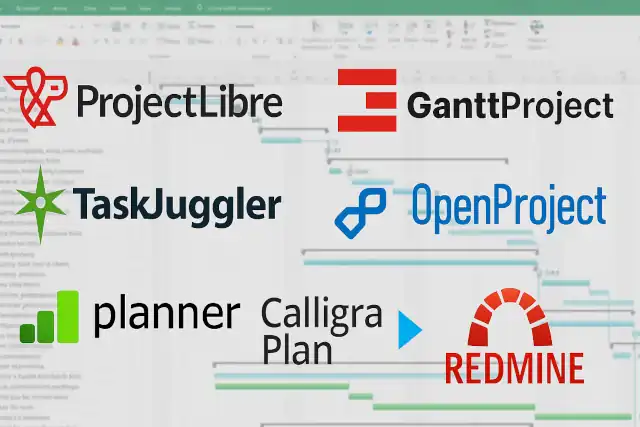
1. ProjectLibre
Highlights:
- MS Project compatibility: Opens, edits, and saves MS Project files (MPP, MPT, MPX formats), making it ideal for teams transitioning from Windows
- Familiar interface: Designed to mimic MS Project’s layout, reducing the learning curve significantly
- Gantt charts and PERT charts: Comprehensive visualization tools for project timelines and dependencies
- Resource management: Track resource allocation, costs, and availability across multiple projects
- Cross-platform: Available for Linux, Windows, and macOS
- Active community: Regular updates and strong user support
- Lightweight: Runs efficiently even on older hardware
2. GanttProject
Highlights:
- Simplicity first: Clean, intuitive interface perfect for small to medium-sized projects
- Gantt and PERT charts: Visual project timeline management with dependency tracking
- Resource load charts: Monitor team workload and identify over-allocation
- MS Project import/export: Compatible with MPP and MPX formats
- Collaboration features: Export to PDF, HTML, and PNG for easy sharing
- Milestone tracking: Set and monitor critical project milestones
- Free and open-source: Completely free with no premium tiers or restrictions
- Minimal system requirements: Java-based application that runs smoothly on most systems
3. TaskJuggler
Highlights:
- Text-based project management: Uses a domain-specific language for maximum flexibility and automation
- Enterprise-grade scheduling: Sophisticated algorithms for resource leveling and conflict resolution
- Scalability: Handles very large projects with thousands of tasks and resources
- Automatic scheduling: Intelligent task scheduling based on constraints and dependencies
- Rich reporting: Generates comprehensive HTML reports, charts, and exports
- Version control friendly: Text files integrate seamlessly with Git or other VCS
- No GUI overhead: Perfect for those who prefer command-line efficiency
- Powerful for complex projects: Ideal for experienced project managers with intricate requirements
4. OpenProject
Highlights:
- Web-based platform: Access from any device with a browser; no installation required on client machines
- Agile and traditional methods: Supports both Scrum/Agile boards and classical Gantt chart planning
- Collaboration tools: Built-in wikis, forums, and document management
- Time and cost tracking: Integrated time sheets and budget monitoring
- Multi-project management: Handle multiple projects simultaneously with portfolio views
- Customizable workflows: Adapt the tool to your team’s specific processes
- Mobile-responsive: Works well on tablets and smartphones
- Community edition: Free version with extensive features; paid plans available for enterprises
5. Planner (formerly GNOME Planner)
Highlights:
- Native GNOME integration: Feels right at home on GNOME desktop environments
- MS Project file support: Imports and exports MS Project XML files
- Resource and task management: Comprehensive project planning capabilities
- Gantt chart views: Standard project visualization tools
- Lightweight design: Fast and efficient with minimal resource usage
- Simple interface: Straightforward layout without overwhelming features
- Print and export: Generate reports and export to various formats
6. Calligra Plan (formerly KPlato)
Highlights:
- Part of Calligra Suite: Integrates with other office applications for seamless workflow
- Professional scheduling: Network diagram editing (PERT) and Gantt charts
- Resource allocation: Detailed resource management and cost tracking
- Progress tracking: Monitor actual vs. planned progress
- Reporting tools: Customizable reports and data visualization
- KDE integration: Native look and feel for KDE Plasma desktop users
- MS Project import: Can import MS Project files for compatibility
7. Redmine
Highlights:
- Issue tracking focus: Excellent for software development and bug tracking projects
- Web-based interface: Accessible from anywhere with comprehensive project oversight
- Multiple projects: Manage unlimited projects and sub-projects
- Gantt and calendar views: Visualize project timelines and deadlines
- Time tracking: Built-in time logging for accurate project accounting
- Plugin ecosystem: Hundreds of plugins to extend functionality
- Role-based access: Granular permission controls for team members
- SCM integration: Connects with Git, SVN, and other version control systems
Choosing the Right Tool
For MS Project users transitioning to Linux: ProjectLibre offers the smoothest migration path with its familiar interface and excellent file compatibility.
For simple, straightforward projects: GanttProject provides an accessible entry point with just enough features without overwhelming complexity.
For large, complex enterprise projects: TaskJuggler delivers unmatched scheduling power for those comfortable with text-based configuration.
For teams needing collaboration: OpenProject or Redmine provide comprehensive web-based platforms with built-in communication tools.
For desktop environment integration: Choose Planner for GNOME or Calligra Plan for KDE to get the most native experience.
All of these alternatives are completely free and open-source, ensuring you’re not locked into proprietary formats or subscription fees. Most support standard file formats, making it easy to collaborate with teams still using MS Project on Windows. The Linux ecosystem offers robust project management solutions that can meet virtually any project planning need.
Here are the official website links for all 7 alternatives:
1. ProjectLibre
Website: https://www.projectlibre.com/
2. GanttProject
Website: https://www.ganttproject.biz/
3. TaskJuggler
Website: https://taskjuggler.org/
4. OpenProject
Website: https://www.openproject.org/
5. Planner (GNOME Planner)
Website: https://wiki.gnome.org/Apps/Planner
Note: Planner is no longer actively maintained. The last stable release was in 2008, though it may still be available in some Linux distribution repositories.
6. Calligra Plan
Website: https://calligra.org/plan/ Main Calligra Suite: https://calligra.org/
7. Redmine
Website: https://www.redmine.org/
Important Note: While researching these links, I should mention that Planner (GNOME Planner) is a legacy application that’s no longer under active development. If you’re looking for actively maintained alternatives, you might want to focus on the other six options, which all have regular updates and active communities.
What is the best alternative to Microsoft Office?
Replacing Microsoft Outlook on Linux: The Best Email Clients Compared