How to DIY a PBX (Phone System) on VPS?
How to DIY a PBX (Phone System) on VPS?
- Why Enterprise RAID Rebuilding Succeeds Where Consumer Arrays Fail?
- Linus Torvalds Rejects MMC Subsystem Updates for Linux 7.0: “Complete Garbage”
- The Man Who Maintained Sudo for 30 Years Now Struggles to Fund the Work That Powers Millions of Servers
- How Close Are Quantum Computers to Breaking RSA-2048?
- Why Windows 10 Users Are Flocking to Zorin OS 18 Instead of Linux Mint?
- How to Prevent Ransomware Infection Risks?
- What is the best alternative to Microsoft Office?
How to DIY a PBX (Phone System) on VPS?
PBX on VPS gets more popular in the world. It benefits from the optical fiber widely depolyment and 4G cellphone network with lower latency.
There are many VPS providers in market. AWS, Azure, GCP own high market share.
It’s not expensive to deploy PBX on VPS for a middle or large scale company, and could save hardware investment. It’s also convenient to maintain PBX via SSH.
Google Cloud for PBX on VPS
Google Cloud offers 300 dollars for new registed user, but will expire in one year, so you could get a free cloud VPS. While need to provide a valid credit card linked your account, but you can cancel your account without chage in one year.
However, security issue would be a challenge if deploying PBX on VPS, so technicians must take some measure to enchance PBX security.
- Deploy strong firwall
- Limit IP access
- Use strong password
- Deploy VPN on PBX
- Upgrade IP phone with VPN
Affordable VPS plan for Small Business
Vultr is recommend for small business or PBX as a hobby. Their plans as low as $2.5 per month, but it’s only with IPv6. $3.5 per month with IP4. Much valuable!
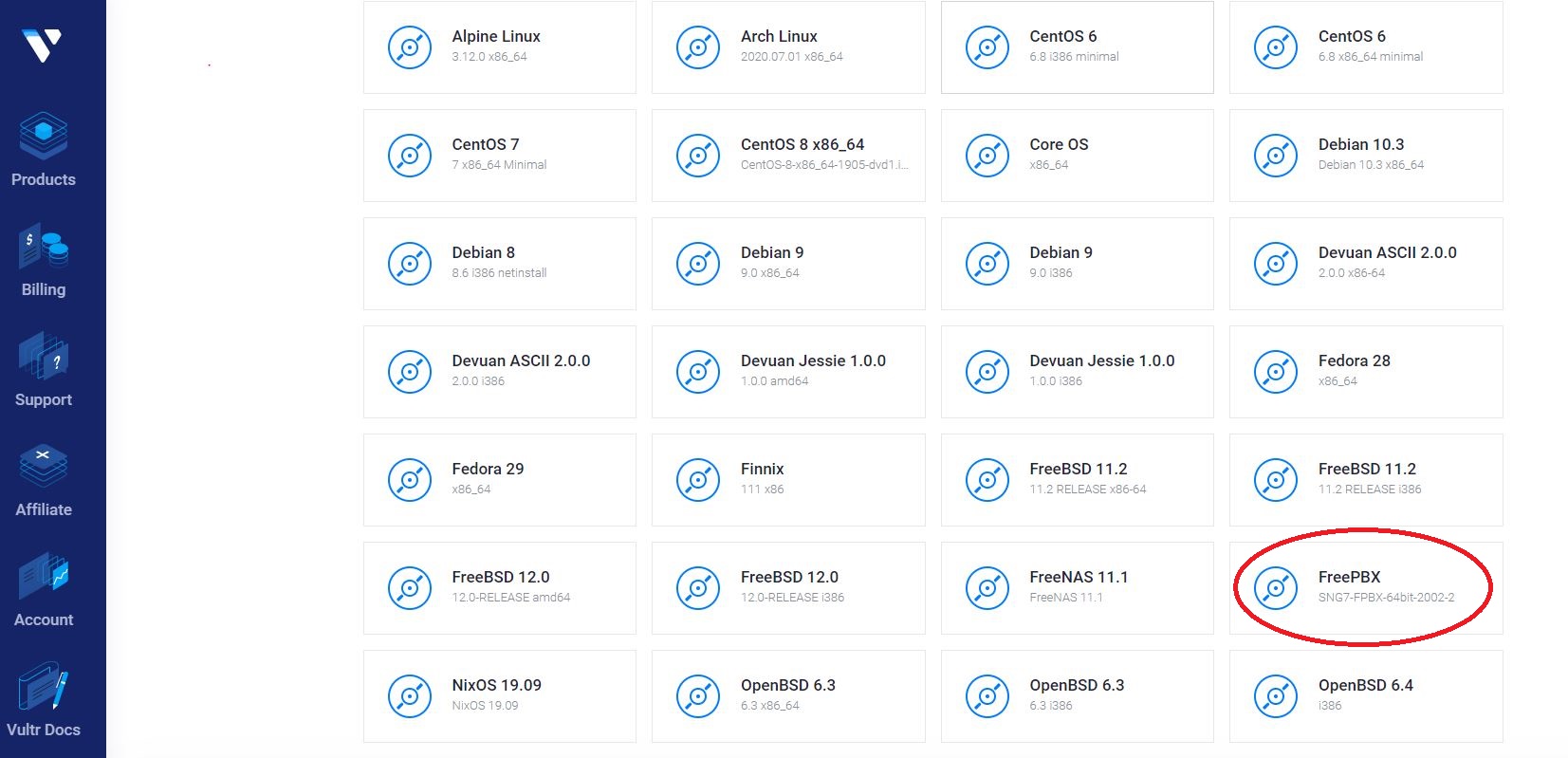
Rich ISO Library:
The important reason we recommend Vultr is that their ISO library has already included FreePBX Distro, so it’s much easy to build a PBX server on Vultr.
Vultr also allows users to upload their own ISO file, so you can upload other distro ISO file.
Firewall for PBX on VPS:
Please don’t forget to set a strong firewall. Perhaps your VPS provider has already set up firewall for you, but you need to pay more attention on this issue, or suffer hacking attacks often in future.