How to Use VoIP Phones on Store Wi-Fi When VoIP Data is Blocked
How to Use VoIP Phones on Store Wi-Fi When VoIP Data is Blocked
- Why Enterprise RAID Rebuilding Succeeds Where Consumer Arrays Fail?
- Linus Torvalds Rejects MMC Subsystem Updates for Linux 7.0: “Complete Garbage”
- The Man Who Maintained Sudo for 30 Years Now Struggles to Fund the Work That Powers Millions of Servers
- How Close Are Quantum Computers to Breaking RSA-2048?
- Why Windows 10 Users Are Flocking to Zorin OS 18 Instead of Linux Mint?
- How to Prevent Ransomware Infection Risks?
- What is the best alternative to Microsoft Office?
How to Use VoIP Phones on Store Wi-Fi When VoIP Data is Blocked
Understanding VoIP Blocking
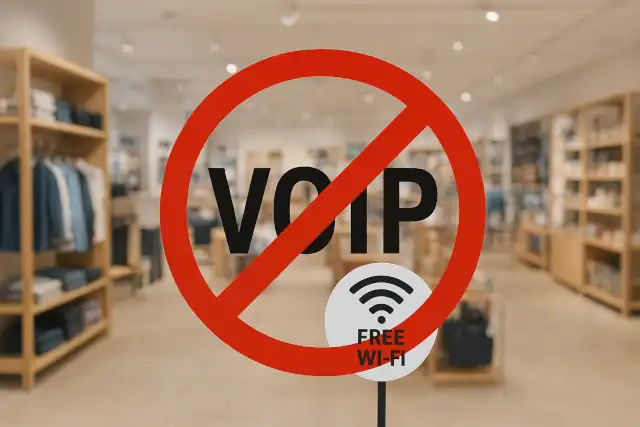
Many retail stores offer free Wi-Fi to customers, but some actively block Voice over Internet Protocol (VoIP) services.
They do this for several reasons: to preserve bandwidth for business operations, prevent network congestion, or encourage customers to use traditional cellular services.
When VoIP is blocked, apps like WhatsApp calls, Skype, Zoom, FaceTime, Discord voice chat, and similar services may fail to connect or drop calls frequently.
Which Stores Block VoIP?
While policies vary by location and change over time, several major retailers have been reported to restrict VoIP traffic on their guest Wi-Fi networks:
Coffee Shops and Restaurants:
- Some Starbucks locations have been reported to block or throttle VoIP services
- McDonald’s Wi-Fi in certain regions restricts VoIP protocols
- Panera Bread locations occasionally implement VoIP restrictions
Retail Chains:
- Walmart has been known to block VoIP on guest Wi-Fi in some stores
- Target’s Wi-Fi may restrict certain VoIP services
- Best Buy occasionally implements VoIP filtering on public networks
Hotels and Airports:
- Many hotel chains block VoIP unless you upgrade to premium Wi-Fi
- Airport Wi-Fi often restricts VoIP to manage bandwidth
Libraries and Public Spaces:
- Some public libraries block VoIP to maintain quiet environments
- Shopping malls may restrict VoIP on their shared networks
How Stores Block VoIP
Retailers typically use several methods to identify and block VoIP traffic:
- Port Blocking: Blocking specific ports commonly used by VoIP services (like ports 5060-5061 for SIP)
- Protocol Detection: Using Deep Packet Inspection (DPI) to identify VoIP protocols
- Application Blocking: Blocking traffic to known VoIP server IP addresses
- QoS Throttling: Severely limiting bandwidth for detected VoIP traffic
Methods to Bypass VoIP Restrictions
1. Use a VPN Service
A Virtual Private Network encrypts your internet traffic and tunnels it through a secure server, making it difficult for the store’s network to identify VoIP packets.
How to use:
- Install a reputable VPN app (NordVPN, ExpressVPN, ProtonVPN, Mullvad)
- Connect to a VPN server before joining the store’s Wi-Fi
- Launch your VoIP application once the VPN is active
Pros: Most effective method, provides privacy and security
Cons: May slow connection speed, requires subscription for best services
2. Use SSL/TLS-Based VoIP Services
Some VoIP services encrypt their traffic using SSL/TLS protocols (the same encryption used for HTTPS websites), making them harder to distinguish from regular web browsing.
Services that use encryption:
- WhatsApp calls (encrypted by default)
- Signal voice calls
- FaceTime (encrypted)
- Google Meet
- Microsoft Teams
How it helps: Encrypted VoIP traffic resembles regular HTTPS traffic, which stores cannot block without breaking their entire internet service.
3. Try Alternative Ports
Some VoIP applications allow you to configure custom ports. If the standard VoIP ports are blocked, try:
- Switching to port 443 (HTTPS) if your VoIP app supports it
- Using port 80 (HTTP) as an alternative
- Checking your VoIP app’s settings for “port configuration” or “firewall traversal”
4. Use Mobile Hotspot as Backup
If the store’s Wi-Fi proves unusable for VoIP:
- Use your smartphone as a mobile hotspot
- Connect your device to your phone’s cellular data
- Make VoIP calls through the hotspot connection
Consideration: This uses your cellular data, so monitor your usage if you have a limited plan.
5. Web-Based VoIP Clients
Some VoIP services offer web browser versions that may work better on restricted networks:
- Google Voice (web version)
- Skype for Web
- Zoom web client
- Discord web interface
These often use WebRTC technology, which tunnels voice data through standard web protocols that are harder to block.
6. SSH Tunneling (Advanced)
For tech-savvy users, you can create an SSH tunnel to route your VoIP traffic:
Requirements:
- Access to a remote server (VPS or home server)
- SSH client application
- Technical knowledge of port forwarding
This method encrypts and routes your traffic through an SSH connection, bypassing local network restrictions.
Best Practices
Test Multiple Solutions: Not every method works on every network. Be prepared to try several approaches.
Respect Store Policies: If a store explicitly prohibits VoIP usage in their terms of service, consider whether circumventing these restrictions is appropriate.
Use Headphones: If you successfully connect, use headphones to respect other customers’ experience.
Check Audio Quality: Free Wi-Fi networks can be congested regardless of VoIP blocking. Poor call quality may be due to bandwidth limitations rather than active blocking.
Have a Backup Plan: Don’t rely solely on store Wi-Fi for important calls. Keep cellular data as a backup option.
Legal and Ethical Considerations
While using technical methods to bypass network restrictions is generally legal in most jurisdictions, consider these points:
- Terms of Service: You may be violating the store’s Wi-Fi usage agreement
- Good Faith Use: Networks are shared resources; excessive bandwidth use affects other customers
- Privacy vs. Evasion: Using a VPN for privacy is reasonable; using it to abuse network resources is not
Conclusion
While many retail stores block VoIP data on their free Wi-Fi networks, several workarounds exist. VPNs remain the most reliable solution, followed by encrypted VoIP services and alternative port configurations. However, users should balance their need for connectivity with respect for network policies and other customers sharing the same connection.
If you frequently need reliable VoIP access, consider investing in a generous mobile data plan or portable hotspot device rather than depending on unpredictable public Wi-Fi networks.



