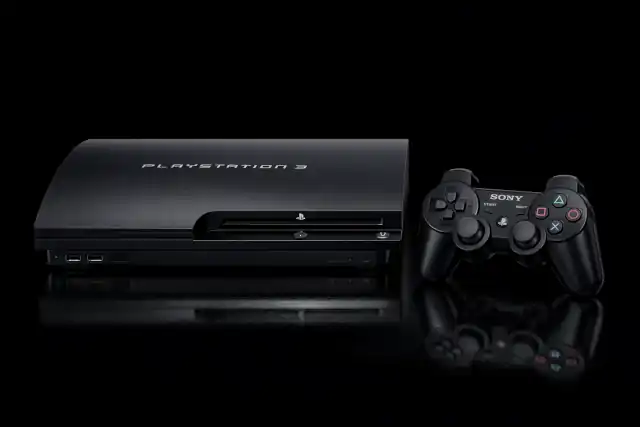
Nearly 20 Years On: Sony Quietly Updates the PS3
Nearly 20 Years On: Sony Quietly Updates the PS3
- Why Enterprise RAID Rebuilding Succeeds Where Consumer Arrays Fail?
- Linus Torvalds Rejects MMC Subsystem Updates for Linux 7.0: “Complete Garbage”
- The Man Who Maintained Sudo for 30 Years Now Struggles to Fund the Work That Powers Millions of Servers
- How Close Are Quantum Computers to Breaking RSA-2048?
- Why Windows 10 Users Are Flocking to Zorin OS 18 Instead of Linux Mint?
- How to Prevent Ransomware Infection Risks?
- What is the best alternative to Microsoft Office?
Nearly 20 Years On: Sony Quietly Updates the PS3
Firmware version 4.93 — released today with a single patch note — renews Blu-ray encryption keys, targets jailbreak exploits, and keeps an ageing icon alive ahead of its landmark anniversary this November.
Sony has rolled out PlayStation 3 system software update 4.93 today — an update that arrives as quietly as it does reliably, yet carries real consequences for owners who rely on the console to play physical Blu-ray discs. The update is available now via the PS3’s built-in network or through a manual USB installation.
“This system software update improves system performance.”
That single sentence is the entirety of the official patch notes, identical to the previous three annual updates. For the uninitiated, it reads as boilerplate. For those who follow the PS3 closely, it is a coded signal: Sony has renewed the console’s Blu-ray player encryption keys and, in doing so, has broken a fresh set of jailbreak exploits.
Why This Update Actually Matters
The most practical reason to install 4.93 is Blu-ray playback. Sony’s own support page states clearly that a renewed Blu-ray player encryption key is required to continue playing Blu-ray discs. For collectors, cinephiles, and anyone who keeps a PS3 as their primary Blu-ray player, skipping this update is not an option — without it, the disc drive may refuse to read Blu-ray media.
Sony’s official support page states: “Please note, to play Blu-ray discs, your PS3 system needs a renewed Blu-ray player encryption key.” Without installing update 4.93, Blu-ray disc playback may stop functioning entirely.
Beyond disc playback, the update serves Sony’s ongoing effort to combat the PS3’s modding ecosystem. The platform has a long-established community of custom firmware (CFW) users, and each annual update invalidates their current exploits. Once Sony releases 4.93, existing CFW builds based on version 4.92 lose access to certain functionality — including, in some cases, the Blu-ray drive itself. Modders will eventually reverse-engineer an updated workaround, but the window of disruption is real.
If your PS3 is running custom firmware or has been jailbroken, installing this official update will disable those modifications and may render CFW-dependent features non-functional. The modding community is expected to release a patched 4.93 build in due course, but no timeline is confirmed. Proceed with caution.
A Pattern of Annual Maintenance
Update 4.93 is not an isolated event. Sony has settled into a rhythm of releasing exactly one PS3 firmware update per year. The last meaningful addition of any new feature arrived with version 4.89 in May 2022. Since then, four consecutive updates — 4.90, 4.91, 4.92, and now 4.93 — have carried the same single patch note and served the same dual purpose: refreshing Blu-ray encryption keys and patching security exploits.
Contrast this with the PS Vita, Sony’s handheld that launched in late 2011 and has long since received its final update. The PS3’s continued software support — however minimal — represents an implicit commitment that Sony has not entirely abandoned a console it stopped manufacturing years ago.
Approaching Its 20th Year
The PS3 launched in November 2006 in North America and Japan, arriving in Europe the following spring. It was notorious at launch for its high price and the complexity of its Cell processor architecture, which made multi-platform development challenging. Yet it went on to define an era: it mainstreamed Blu-ray, brought online gaming to a broad PlayStation audience, and hosted seminal titles across its decade-long lifespan.
That lifespan, in software terms, is not quite over. The console will turn 20 this November — and today’s update means it enters that anniversary year still capable of playing every Blu-ray disc thrown at it. Whether Sony will mark the milestone with anything more ceremonial remains to be seen. If the pattern holds, the next update will arrive quietly around March 2027, carrying the same eleven-word patch note.
- VER PS3 System Software version 4.93, released March 18, 2026.
- SIZE Approximately 200 MB — same whether downloaded via network or installed from USB storage.
- WHY Renews Blu-ray player encryption keys; without it, Blu-ray disc playback may stop working.
- SEC Patches current jailbreak exploits. Existing custom firmware based on 4.92 will be disrupted.
- NOTE No new features. The patch note is identical to those of the previous three annual updates.
How to Install Update 4.93
For most users, the simplest path is a direct network update. Navigate to Settings → System Update → Update via Internet on your PS3, and the console will download and install version 4.93 automatically. Ensure at least 200 MB of free storage is available beforehand.
If your PS3 is not connected to the internet, Sony also supports a manual installation via USB storage:
- Download the firmware file (
PS3UPDAT.PUP) from the official PlayStation support website on a PC. - On a FAT32-formatted USB drive, create a folder named
PS3, and inside it, create a subfolder namedUPDATE(both in uppercase). - Place
PS3UPDAT.PUPinside theUPDATEfolder. - Insert the USB drive into the PS3, then navigate to Settings → System Update → Update via Storage Media.
- Follow the on-screen prompts. Do not turn off the console or remove the drive during the process.
After installation, confirm success by checking Settings → System Settings → System Information — the System Software field should read 4.93.