Possible to run an IP PBX system on an Android phone or tablet?
Possible to run an IP PBX (Private Branch Exchange) system on an Android phone or tablet?
- Why Enterprise RAID Rebuilding Succeeds Where Consumer Arrays Fail?
- Linus Torvalds Rejects MMC Subsystem Updates for Linux 7.0: “Complete Garbage”
- The Man Who Maintained Sudo for 30 Years Now Struggles to Fund the Work That Powers Millions of Servers
- How Close Are Quantum Computers to Breaking RSA-2048?
- Why Windows 10 Users Are Flocking to Zorin OS 18 Instead of Linux Mint?
- How to Prevent Ransomware Infection Risks?
- What is the best alternative to Microsoft Office?
The hardwares on Android Smartphones are getting stronger and stronger, so it is possible to run an IP PBX (Private Branch Exchange) system on an Android phone or tablet.
However, there are some considerations and limitations to keep in mind:
1. Software:
To run an IP PBX on an Android device, you’ll need to install a Linux OS on Android device first, then install and configure PBX server software.
The best way is to replace Android firmware by a Linux OS directly, but it needs the support from the manufacturers of Android devices. Unfortunately no one is willing to provide such support till now.
So the only solution is to install Linux via Android APP like Andronix, but need more memory on Android devices.

After Linux is installed on Android devices, your can install free open-sources PBX.
There are several open-source PBX solutions available, such as Asterisk, FreePBX or FusionPBX.
2. Performance:
The performance of the Android device will be a limiting factor. While modern smartphones and tablets have powerful processors and sufficient memory, the number of concurrent calls and features you can support may be limited compared to dedicated hardware or cloud-based PBX solutions.
3. Network Connectivity:
Ensure that your Android device has a stable and reliable internet connection, whether through Wi-Fi or cellular data, as this is crucial for handling VoIP calls.
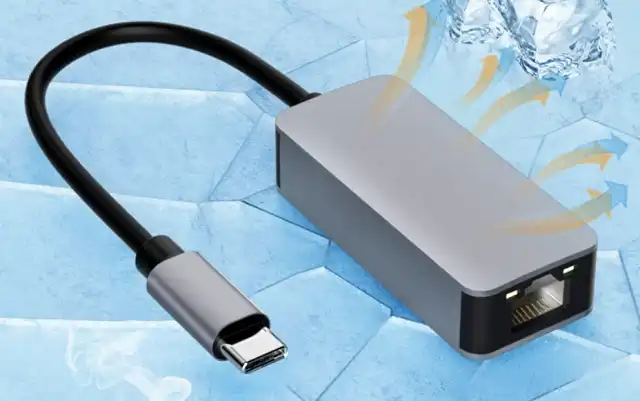
However some Android devices support wired Ethernet connectin via USB-C type, just need a Ethernet to USB-C adapter.
4. Battery Life:
Running a PBX server on an Android device can be resource-intensive and may drain the battery quickly. You might need to keep the device connected to a power source for extended use.
5. Configuration:
Setting up and configuring an IP PBX on Android may require some technical expertise. You’ll need to configure SIP trunks, extensions, dial plans, and other PBX settings.
6. App Availability:
Some third-party apps on the Google Play Store offer PBX functionality and can turn your Android device into an extension of an existing PBX system. These apps may simplify the setup process and provide a user-friendly interface.
7. Security:
Ensure that you take security precautions when running an IP PBX on an Android device, as it will be exposed to the internet. Implement strong authentication, encryption, and firewall rules to protect your system from security threats.
8. Licensing:
Be aware of licensing requirements for any PBX software you use, especially if you plan to use it for commercial purposes.
Moreover, as a lot of technical issues need to address, it would be much easier to install IP PBX on an used X86 PC or a Raspberry Pi 3/4/5 for your personal use.
Running an IP PBX on an Android device can be a practical solution for small-scale or personal use cases, such as home offices or small businesses.
However, for larger or more complex deployments, dedicated hardware or cloud-based PBX solutions are typically more reliable and scalable.



