What is Open-Source Data Recovery Software?
What is Open-Source Data Recovery Software?
- Why Enterprise RAID Rebuilding Succeeds Where Consumer Arrays Fail?
- Linus Torvalds Rejects MMC Subsystem Updates for Linux 7.0: “Complete Garbage”
- The Man Who Maintained Sudo for 30 Years Now Struggles to Fund the Work That Powers Millions of Servers
- How Close Are Quantum Computers to Breaking RSA-2048?
- Why Windows 10 Users Are Flocking to Zorin OS 18 Instead of Linux Mint?
- How to Prevent Ransomware Infection Risks?
- What is the best alternative to Microsoft Office?
What is Open-Source Data Recovery Software?
The Best Free and Open-Source Data Recovery Software: A Comprehensive Guide.
Losing important files can be a nightmare. Whether it’s due to accidental deletion, a formatted drive, system crashes, or corrupted storage devices, data loss happens to everyone at some point.
While many commercial data recovery solutions exist, several open-source and free alternatives offer powerful features that often rival or surpass their paid counterparts.
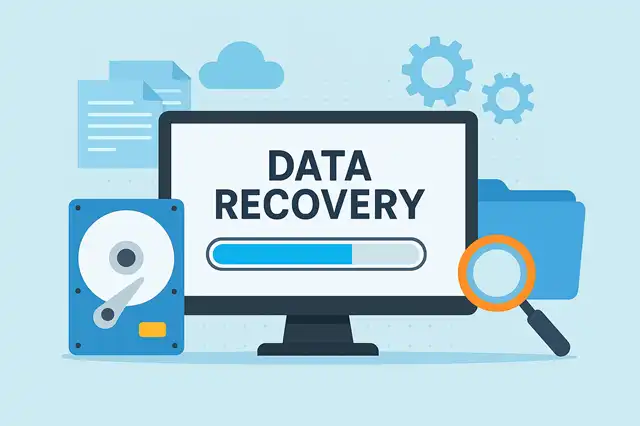
What is Open-Source Data Recovery Software?
Open-source data recovery software is recovery tools whose source code is publicly available for anyone to inspect, modify, and distribute.
These programs are typically developed by communities of programmers and are free to use.
Unlike proprietary software, open-source solutions offer transparency, allowing users to verify exactly what the software does with their data—a crucial consideration when dealing with sensitive information.
Why Choose Open-Source Data Recovery Tools?
Cost-Effective: The most obvious advantage is that they’re completely free. You won’t encounter hidden fees, subscription models, or upgrade costs.
Transparency and Security: With open-source software, you can examine the code yourself or rely on the community’s scrutiny. This transparency ensures no hidden malware or data collection practices exist.
Community Support: Active communities often provide excellent support through forums, documentation, and regular updates.
No Artificial Limitations: Many commercial data recovery programs limit the amount of data you can recover in their free versions. Open-source alternatives typically have no such restrictions.
Cross-Platform Availability: Most open-source tools work across Windows, macOS, and Linux, giving you flexibility regardless of your operating system.
Top Open-Source Data Recovery Software
TestDisk and PhotoRec
TestDisk is widely regarded as one of the most powerful open-source data recovery tools available. Developed by CGSecurity, it excels at recovering lost partitions and making non-booting disks bootable again.
Key Features:
- Recovers deleted partitions from various file systems including FAT, NTFS, ext2/3/4, and more
- Repairs partition tables and boot sectors
- Recovers files from damaged or formatted drives
- Works with hard drives, SSDs, USB drives, and memory cards
- Command-line interface for advanced users
- Completely portable—no installation required
PhotoRec, bundled with TestDisk, specializes in recovering photos, videos, documents, and archives from storage media. It works by ignoring the file system and scanning for underlying data, making it effective even when the file system is severely damaged.
Why It’s Better: Unlike many commercial tools that rely on file system metadata, PhotoRec performs raw data scanning, allowing it to recover files even from heavily corrupted drives. Its file signature recognition supports over 480 file formats, far exceeding most proprietary alternatives.
Recuva (Free Version)
While not fully open-source, Recuva by Piriform offers a robust free version that deserves mention for its user-friendly approach to data recovery.
Key Features:
- Intuitive wizard-based interface for beginners
- Deep scan mode for thorough recovery
- Recovers files from damaged or formatted drives
- Secure file deletion feature
- Preview files before recovery
Why It’s Competitive: Recuva strikes an excellent balance between power and usability. While commercial tools often hide their best features behind paywalls, Recuva’s free version provides genuine deep-scan capabilities without artificial limitations.
Foremost
Foremost is a console-based forensic data recovery tool originally developed by the US Air Force Office of Special Investigations.
Key Features:
- Designed for forensic analysis
- Recovers files based on headers, footers, and data structures
- Supports multiple file types
- Extremely fast scanning
- Works on disk images and physical drives
Why It’s Better: Foremost’s forensic-grade algorithms are comparable to tools used by law enforcement and data recovery professionals. It’s particularly effective for recovering fragmented files, where other tools often fail.
Ddrescue (GNU Ddrescue)
Ddrescue specializes in recovering data from failing drives with bad sectors—a scenario where many commercial tools struggle or give up entirely.
Key Features:
- Reads failing drives multiple times to maximize data recovery
- Intelligently skips bad sectors to save time
- Creates drive images for safe data extraction
- Resumes interrupted recovery sessions
- Minimizes further damage to failing drives
Why It’s Superior: Commercial software often becomes ineffective when dealing with physically damaged drives. Ddrescue’s sophisticated algorithms specifically target this scenario, making multiple passes with varying read strategies to extract every possible byte of data.
Features That Make Open-Source Solutions Stand Out
No Recovery Size Limits
Commercial data recovery software often limits free versions to recovering just 500MB or 2GB of data. Open-source alternatives impose no such restrictions—you can recover terabytes of data without paying a cent.
Advanced File System Support
Open-source tools typically support a wider range of file systems, including:
- Windows: FAT12/16/32, exFAT, NTFS
- Linux: ext2/3/4, Btrfs, XFS, ReiserFS
- macOS: HFS+, APFS
- Others: UFS, ZFS, and more
Raw Data Recovery
The ability to perform raw data scans—ignoring file system structures entirely—allows open-source tools to recover data in situations where commercial software declares the drive unrecoverable.
Forensic-Grade Algorithms
Many open-source data recovery tools were originally developed for forensic purposes, meaning they employ sophisticated techniques used by law enforcement and professional data recovery services.
Regular Updates and Active Development
Popular open-source projects benefit from active communities that quickly address bugs, add features, and improve compatibility with new storage technologies and file systems.
Choosing the Right Tool for Your Needs
For Beginners: Start with PhotoRec (using its GUI version, QPhotoRec) or Recuva. Both offer straightforward interfaces while maintaining powerful recovery capabilities.
For Partition Recovery: TestDisk is unmatched in its ability to repair partition tables and recover lost partitions.
For Failing Drives: Ddrescue should be your first choice when dealing with drives that have bad sectors or mechanical issues.
For Forensic Recovery: Foremost offers professional-grade file carving capabilities without the professional price tag.
Best Practices for Data Recovery
Regardless of which tool you choose, follow these guidelines to maximize your chances of successful recovery:
-
Stop Using the Drive Immediately: Continued use can overwrite deleted data, making it unrecoverable.
-
Work on a Copy: When possible, create a disk image first and work on the copy rather than the original drive.
-
Save Recovered Files to a Different Drive: Never save recovered files back to the same drive you’re recovering from.
-
Try Multiple Tools: If one tool doesn’t find your files, try another. Different algorithms excel in different scenarios.
-
Be Patient: Deep scans can take hours on large drives, but they’re often worth the wait.
Conclusion
Open-source data recovery software has matured to the point where it often surpasses commercial alternatives in capability, flexibility, and reliability. Tools like TestDisk, PhotoRec, and Ddrescue offer professional-grade recovery features without cost barriers, artificial limitations, or privacy concerns.
The transparency of open-source development means these tools are continuously improved by communities of experts worldwide. Whether you’re recovering family photos from a corrupted memory card or attempting to salvage data from a failing hard drive, open-source solutions provide powerful, trustworthy options that respect both your data and your wallet.
For anyone facing data loss, these free and open-source tools should be your first line of defense. They prove that sometimes the best solutions in technology don’t come with a price tag—they come from passionate communities dedicated to helping others recover what matters most.