What’s difference between USB4 and USB3.2?
What’s difference between USB4 and USB3.2?
- Why Enterprise RAID Rebuilding Succeeds Where Consumer Arrays Fail?
- Linus Torvalds Rejects MMC Subsystem Updates for Linux 7.0: “Complete Garbage”
- The Man Who Maintained Sudo for 30 Years Now Struggles to Fund the Work That Powers Millions of Servers
- How Close Are Quantum Computers to Breaking RSA-2048?
- Why Windows 10 Users Are Flocking to Zorin OS 18 Instead of Linux Mint?
- How to Prevent Ransomware Infection Risks?
- What is the best alternative to Microsoft Office?
USB4, also known as USB 4.0, is the latest iteration of the Universal Serial Bus (USB) standard.
It was officially announced by the USB Promoter Group in 2019 and represents a significant advancement in USB technology.
USB4 builds upon the features of its predecessors, including USB 3.2 and USB-C, and introduces several improvements and enhancements.
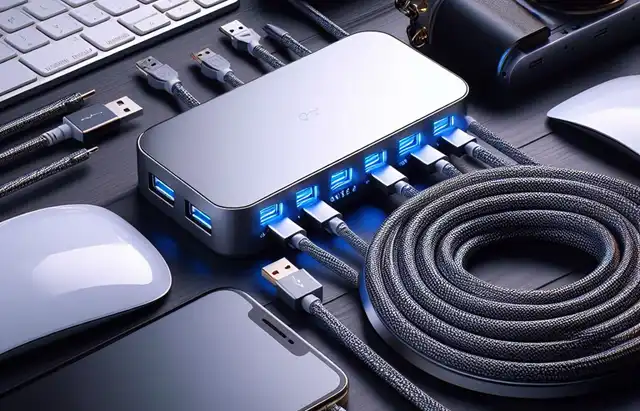
USB4 and USB 3.2 are two different generations of the USB (Universal Serial Bus) standard, each with its own set of features and capabilities. Here are the key differences between USB4 and USB 3.2:
-
Data Transfer Speed:
- USB4: USB4 offers significantly faster data transfer speeds compared to USB 3.2. It can provide a maximum data transfer rate of up to 40 Gbps, which is twice the speed of USB 3.2.
- USB 3.2: USB 3.2, also known as USB 3.2 Gen 2×2, provides a maximum data transfer rate of 20 Gbps, which is still quite fast but half the speed of USB4.
-
Compatibility:
- USB4: USB4 is designed to be backward compatible with USB 3.2, USB 2.0, and earlier USB generations. This means that USB4 devices can work with older USB ports and cables, but the data transfer speeds will be limited by the lowest common denominator.
- USB 3.2: USB 3.2 is also backward compatible with older USB standards, but the compatibility is limited to USB 3.2 and earlier versions. It may not work with USB4 devices without an adapter.
-
Connector Type:
- USB4: USB4 primarily uses USB Type-C connectors, which are reversible and versatile. It’s the most common connector for USB4 devices.
- USB 3.2: USB 3.2 also uses USB Type-C connectors in most cases, but it can be found with other connector types like USB Type-A or USB Type-B, depending on the specific implementation.
-
Charging and Power Delivery:
- Both USB4 and USB 3.2 support USB Power Delivery (PD), allowing for the charging of devices, including laptops, smartphones, and other peripherals, through the same cable that is used for data transfer.
-
Display Support:
- USB4: USB4 has enhanced support for DisplayPort, which means it can carry video signals, including high-resolution displays and multiple monitors, over the same cable used for data and power. This feature is known as “Alt Mode.”
- USB 3.2: USB 3.2 can also support DisplayPort through Alt Mode but may not be as widely adopted or as feature-rich as in USB4.
In summary, USB4 is the latest and most advanced USB standard, offering faster data transfer speeds, enhanced compatibility, and improved support for features like DisplayPort.
USB 3.2, while still fast and versatile, has half the maximum data transfer speed of USB4 and may not have all the features and compatibility of the newer standard.
The choice between them depends on your specific needs and the devices you intend to connect.
What are disadvantages of USB4 comparing to USB3.2?
While USB4 is an advanced and versatile USB standard, it’s essential to note that it may have some disadvantages when compared to USB 3.2 in certain contexts.
Some potential disadvantages of USB4 compared to USB3.2:
-
Compatibility:
- USB4 is a relatively newer standard, and not all devices and systems support it. In contrast, USB 3.2 is more widely adopted and compatible with a broader range of existing hardware.
-
Cost:
- USB4 implementations, including cables and devices, may be more expensive than USB 3.2 counterparts. This cost can be a significant factor for budget-conscious consumers.
-
Cable Availability:
- USB4 cables may not be as readily available as USB 3.2 cables, especially in the early stages of adoption. Users might have to seek out specific USB4 cables, which could be less convenient.
-
Overkill for Some Applications:
- USB4’s maximum data transfer speed of 40 Gbps is significantly faster than what many consumers or common use cases require. For tasks like connecting a keyboard, mouse, or external hard drive, USB4’s capabilities might be excessive.
-
Power Consumption:
- USB4’s higher data transfer speeds can result in increased power consumption, which may not be suitable for battery-powered devices that aim to conserve energy.
-
Complexity:
- The increased capabilities of USB4, including its support for multiple protocols and display standards, can make it a more complex and potentially challenging standard to implement and troubleshoot.
-
Backward Compatibility Challenges:
- While USB4 is designed to be backward compatible, older devices with USB Type-A or USB Type-B ports may require adapters or dongles to work with USB4, which can be inconvenient.
-
Transition Period:
- During the transition from USB 3.2 to USB4, users may face a period where some devices and peripherals are USB4, while others are still USB 3.2. This can lead to confusion and the need for various cables and adapters.
It’s important to consider your specific needs and the devices you plan to connect when choosing between USB4 and USB 3.2.
USB4 excels in terms of speed and versatility, making it a great choice for cutting-edge applications and devices.
However, for older hardware and more basic connectivity needs, USB 3.2 may offer a more cost-effective and readily available solution.



