Windows 10 Era Ends: Try This Windows 11-Like Linux Distribution That Even Runs Steam Games
Windows 10 Era Ends: Try This Windows 11-Like Linux Distribution That Even Runs Steam Games
- Why Enterprise RAID Rebuilding Succeeds Where Consumer Arrays Fail?
- Linus Torvalds Rejects MMC Subsystem Updates for Linux 7.0: “Complete Garbage”
- The Man Who Maintained Sudo for 30 Years Now Struggles to Fund the Work That Powers Millions of Servers
- How Close Are Quantum Computers to Breaking RSA-2048?
- Why Windows 10 Users Are Flocking to Zorin OS 18 Instead of Linux Mint?
- How to Prevent Ransomware Infection Risks?
- What is the best alternative to Microsoft Office?
Windows 10 Era Ends: Try This Windows 11-Like Linux Distribution That Even Runs Steam Games
October 14, 2025 – As Microsoft officially ends support for Windows 10, millions of users worldwide face a critical decision about their computing future.
While the tech giant pushes upgrades to Windows 11, a compelling alternative has emerged for those seeking a different path: LinuxFX 11.25.10, a cleverly modified Linux distribution that mimics Windows 11’s appearance while offering unique advantages.
The Windows 10 Dilemma
Microsoft has officially terminated support for Windows 10, leaving users at a crossroads. While Extended Security Updates (ESU) remain available for some, most users must now choose between three distinct paths forward.
Continuing with unsupported Windows 10 means no more automatic security patches and updates—which admittedly eliminates those inconvenient automatic restarts. However, Microsoft warns that running an unmaintained operating system significantly increases vulnerability to viruses, malware, and security exploits.
The official route involves upgrading to Windows 11, which requires passing Microsoft’s hardware compatibility checks. Alternatively, users can purchase a new PC with Windows 11 pre-installed—the option Microsoft most enthusiastically promotes.
A Third Way: LinuxFX Offers Windows 11 Experience Without Microsoft
For users unwilling to choose either option, LinuxFX 11.25.10 presents an intriguing alternative. This Linux distribution specializes in what developers call a “magic modification”—meticulously replicating Windows 11’s interface and settings while delivering an entirely different computing experience underneath.
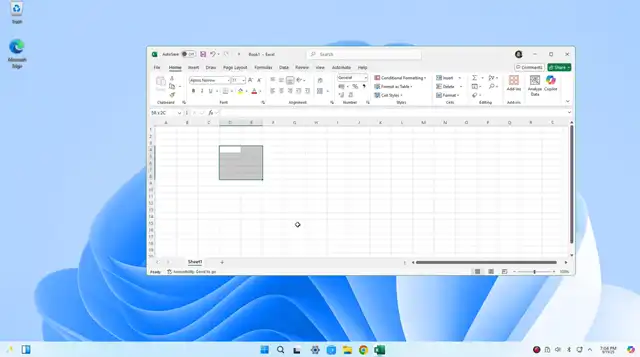
At first glance, LinuxFX is virtually indistinguishable from Windows 11. The desktop environment, visual design, and user interface elements closely mirror Microsoft’s latest operating system, making the transition seamless for Windows users.
Technical Specifications and Features
LinuxFX 11.25.10 is built on Ubuntu 24.04.3 LTS, utilizing the KDE 5 desktop environment and running on Linux kernel 6.1.4. This solid foundation ensures stability and long-term support.
The distribution comes pre-loaded with essential software including:
- OnlyOffice 9 for productivity tasks
- Microsoft Edge browser for familiar web browsing
- Steam, EPIC Games Store, GOG, and Amazon Games platforms for gaming
Since LinuxFX is built on Ubuntu 24.04.3 LTS with KDE 5 desktop environment, we can estimate the requirements based on Ubuntu/KDE standards:
Estimated Minimum Requirements:
- Processor: 2 GHz dual-core processor or better
- RAM: 4 GB (8 GB recommended for smooth performance, especially with gaming)
- Storage: 25-30 GB of free disk space (more if you plan to install games)
- Graphics: Graphics card capable of 1024×768 resolution
- Internet: Required for updates and downloading additional software
Practical Considerations:
Since LinuxFX includes:
- Pre-installed gaming platforms (Steam, EPIC, GOG, Amazon Games)
- Multiple application compatibility layers (Linux, Android, Windows .exe)
- A feature-rich KDE desktop environment
At least 8 GB RAM and 50+ GB storage are recommended for a comfortable experience, especially if you plan to use it for gaming.
Breaking Linux’s Traditional Limitations
LinuxFX addresses several pain points that have historically kept users away from Linux. The system supports three types of applications simultaneously: native Linux applications, Android apps, and Windows .exe executables. This versatility eliminates the compatibility concerns that often plague Linux adoption.
Perhaps most significantly, LinuxFX tackles gaming—traditionally Linux’s weakest area. By pre-installing multiple gaming platforms including Steam, EPIC, GOG, and Amazon Games, the distribution positions itself as a viable option for gamers who might otherwise feel locked into Windows.
Who Should Consider LinuxFX?
This distribution is particularly appealing for:
- Windows 10 users whose hardware doesn’t meet Windows 11 requirements
- Users seeking to avoid Windows 11’s system requirements and potential licensing costs
- Those concerned about privacy and data collection in modern Windows versions
- Gamers wanting to maintain their Steam library without purchasing new hardware
The Bottom Line
As Windows 10’s support officially ends, LinuxFX 11.25.10 offers a compelling middle ground between staying on an unsupported system and investing in Windows 11 hardware. While it requires some adjustment to a new ecosystem, its familiar interface and comprehensive software compatibility make it one of the most accessible Linux distributions for Windows refugees.
For users curious about alternatives to Microsoft’s ecosystem, LinuxFX represents an opportunity to explore Linux without sacrificing the familiar Windows experience they’ve grown accustomed to over the years.
Interested users can download LinuxFX 11.25.10 from the project’s official website.
Can Microsoft Office 365 run in LinuxFX?
Based on the information provided, LinuxFX does not run Microsoft Office 365. Instead, it comes pre-installed with OnlyOffice 9 as its productivity suite.
However, there are a few ways you might be able to access Office 365 on LinuxFX:
-
Web-based Office 365: You can use Office 365 through your web browser (like the pre-installed Edge browser) by accessing office.com. This gives you access to the online versions of Word, Excel, PowerPoint, etc.
-
Wine compatibility: Since LinuxFX claims to run .exe applications, you might be able to install desktop Office applications through Wine (a Windows compatibility layer), though this isn’t guaranteed to work smoothly with Office 365 and may have limitations.
-
OnlyOffice as an alternative: OnlyOffice 9 (which comes pre-installed) is designed to be highly compatible with Microsoft Office formats (.docx, .xlsx, .pptx) and offers a similar interface, making it a decent substitute for many users.
If you absolutely need the full native Microsoft Office 365 desktop applications, LinuxFX may not be the ideal choice. However, if you can work with the web version of Office 365 or adapt to OnlyOffice, it should meet most productivity needs.
Why Microsoft Office Can’t Run on Linux via Wine



