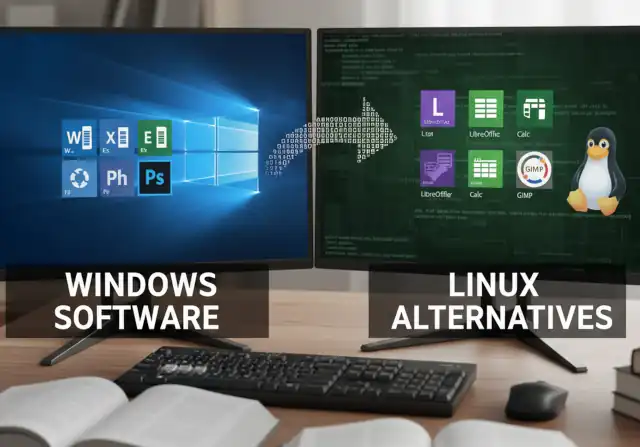
Windows Software Alternatives in Linux OS
- Why Enterprise RAID Rebuilding Succeeds Where Consumer Arrays Fail?
- Linus Torvalds Rejects MMC Subsystem Updates for Linux 7.0: “Complete Garbage”
- The Man Who Maintained Sudo for 30 Years Now Struggles to Fund the Work That Powers Millions of Servers
- How Close Are Quantum Computers to Breaking RSA-2048?
- Why Windows 10 Users Are Flocking to Zorin OS 18 Instead of Linux Mint?
- How to Prevent Ransomware Infection Risks?
- What is the best alternative to Microsoft Office?
Windows Software Alternatives in Linux OS
Key Considerations
Compatibility: Most everyday tasks work great on Linux – web browsing, email, office work, media playback, and development. However, some specific Windows software won’t run natively, including:
- Microsoft Office (though alternatives exist)
- Adobe Creative Suite
- Many PC games (though gaming has improved dramatically)
- Some specialized professional software
Alternatives Available:
- Office work: LibreOffice, OnlyOffice, or web-based Google Docs/Microsoft 365
- Photo editing: GIMP, Krita, Darktable
- Video editing: Kdenlive, DaVinci Resolve
- Gaming: Steam Proton makes many Windows games playable on Linux
Workarounds for Windows Software:
- Wine/Proton: Compatibility layer to run some Windows apps
- Dual-booting: Keep Windows alongside Linux
- Virtual machines: Run Windows inside Linux
- Web apps: Many tools now work in browsers
Getting Started
- Try before switching: Use a live USB to test Linux without installing
- Choose a beginner-friendly distribution: Ubuntu, Linux Mint, or Pop!_OS are excellent starting points
- Check your hardware: Most hardware works fine, but verify specific items like printers, webcams, or specialized peripherals
- Make a list: Document what Windows software you actually use regularly
Best Approach
Start with dual-booting so you have Windows as a backup while you learn Linux. Many people find they gradually use Windows less and less.
What specific software or tasks do you rely on most? I can give you more targeted advice about Linux alternatives.
The Most Windows-Friendly Linux Distributions for General Consumers: A Complete Guide
Modern Linux distributions offer polished, user-friendly experiences that rival or exceed Windows in many areas—all while being completely free and open-source.
The Most Windows-Friendly Linux Distributions for General Consumers: A Complete Guide
What is the best alternative to Microsoft Office? WPS Office vs LibreOffice: A Comprehensive Comparison
Choosing the right office suite can significantly impact your productivity and workflow. While Microsoft Office dominates the market, two popular alternatives have gained substantial traction: WPS Office and LibreOffice.
What is the best alternative to Microsoft Office?
Free Project Management Software Alternatives to MS Project for Linux
Why Microsoft Office Can’t Run on Linux via Wine
Replacing Microsoft Outlook on Linux: The Best Email Clients Compared
For many professionals migrating from Windows to Linux, one of the biggest questions is: What email client on Linux can replace Microsoft Outlook?
Replacing Microsoft Outlook on Linux: The Best Email Clients Compared
Multimedia Processing
The Best Free Photoshop Alternatives for Linux OS
The Best Free Adobe Acrobat Alternatives for Linux
The Best Free Video Editing Software for Linux OS
Linux Disk Encryption: A Comprehensive Guide to BitLocker Alternatives
Will China be the first and only country to complete the replacement of domestic software?
Windows Alternatives
Due to the potential geopolitical conflict between the United States and China, and the United States’s tendency to pursue a long-term trend of curbing China’s technological development, China is having the opportunity to systematically replace the US operating system in order to cope with possible US export restrictions.
Windows 10’s End of Support Creates Opening for China’s Domestic Linux-Based Operating Systems
Microsoft-Office Alternativers
China is not only replacing its operating system, but is also accelerating the domestic substitution of office software and various application software.
China Officially Replaces Microsoft Office with Domestic WPS Format in Government Documents
-
Semiconductor Design Software (EDA)
-
Industrial Design and Manufacturing Software
-
Enterprise Management Systems (ERP / Database)
-
Artificial Intelligence and Large Model Frameworks
Does China Have Domestic Software Substitutes Amid US Export Ban Risks?
UBIOS: China’s Alternative to UEFI and the New Era of Firmware Standards
-
China is also accelerating the replacement of key equipment with domestic hardware
China’s Major Banks Move to Domestic CPUs: Mirroring US Security Approach
Other countries, including US allies
Other countries, including US allies, are also planning to use open source software to replace Windows and Office due to concerns about data sovereignty and privacy.
Why Are US Allies Also Abandoning American Software?
Why German State Governments Are Abandoning Microsoft Office for Open-Source Solutions
India Calls for Replacing Microsoft Office with Indian Zoho Office
What Is Digital Sovereignty?
In today’s interconnected world, digital sovereignty has become a crucial concept for nations and organizations seeking independence in the digital era.
It refers to the ability to control one’s own digital infrastructure, data, and technology without relying on foreign systems or being subject to external influence.
The Core Idea
Digital sovereignty means having authority over how digital assets—such as data, software, networks, and hardware—are managed and protected. It’s about ensuring that a country’s or organization’s digital operations are governed by its own laws, standards, and values.
Why It Matters
-
National Security: Protects against cyber espionage, data breaches, and technological dependency on foreign powers.
-
Privacy and Trust: Keeps citizens’ data safe under domestic regulations, such as Europe’s GDPR.
-
Economic Independence: Encourages the growth of local technology industries and reduces reliance on foreign tech giants.
-
Policy Autonomy: Allows governments to regulate their digital economy and online platforms in line with local interests.
Global Perspectives
Different regions interpret digital sovereignty in their own ways.
-
The European Union promotes it through strict data protection laws and initiatives like the GAIA-X cloud project.
-
China emphasizes “cyber sovereignty,” asserting full control over data and internet infrastructure.
-
India supports data localization and local digital platforms as part of its “Digital India” vision.
-
The United States focuses on technological leadership and securing critical supply chains.
Looking Ahead
As digital technologies become deeply woven into national security, commerce, and everyday life, digital sovereignty is no longer optional—it’s strategic. Countries that build strong, self-reliant digital ecosystems will be better positioned to protect their interests and shape their digital future.