YouTube Intensifies Efforts to Combat Ad Blockers
YouTube Intensifies Efforts to Combat Ad Blockers
- Why Enterprise RAID Rebuilding Succeeds Where Consumer Arrays Fail?
- Linus Torvalds Rejects MMC Subsystem Updates for Linux 7.0: “Complete Garbage”
- The Man Who Maintained Sudo for 30 Years Now Struggles to Fund the Work That Powers Millions of Servers
- How Close Are Quantum Computers to Breaking RSA-2048?
- Why Windows 10 Users Are Flocking to Zorin OS 18 Instead of Linux Mint?
- How to Prevent Ransomware Infection Risks?
- What is the best alternative to Microsoft Office?
YouTube Intensifies Efforts to Combat Ad Blockers
YouTube is stepping up its efforts to combat ad blockers.
Christopher Lawton, the Communications Manager at YouTube, stated that the platform has launched a “global initiative” to encourage users to allow ads or try YouTube Premium.
If you encounter an ad block on YouTube, you may see a notification stating, “Video playback will be blocked unless YouTube is added to the allow list or the ad blocker is disabled.”
It also prompts you to allow ads or try YouTube Premium.
You might receive notifications about YouTube’s stance on ad blockers but can still watch videos, and nowadays, YouTube’s technical team can almost always completely block ads if they wish.
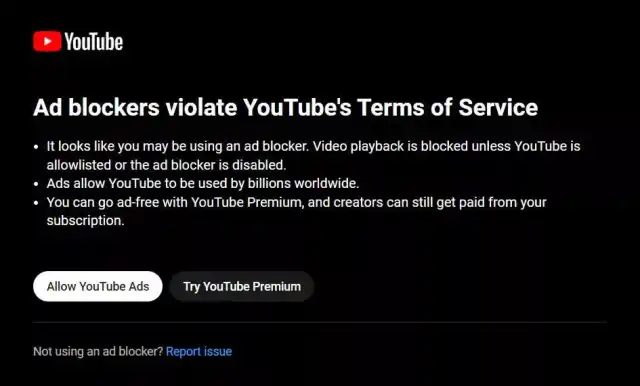
In June of this year, YouTube confirmed its decision to prevent ad blocker users from watching videos, but at that time, Lawton referred to it as a “small-scale global experiment.” Now, YouTube is expanding this effort. Over the past few weeks, an increasing number of users with ad blockers installed have found themselves unable to watch YouTube videos.
Lawton firmly believes that “using ad blockers” violates the platform’s terms of service and adds that “ads support a diverse ecosystem of global creators, allowing billions of people to access their favorite content on YouTube.”
This year, YouTube has made several adjustments to its advertising operations on the platform. In May, the company introduced non-skippable 30-second ads in its TV app and later began experimenting with longer but less frequent ads on television. YouTube is likely aiming to attract more users to subscribe to the ad-free YouTube Premium service by extending ad durations, but a $2 price increase and the discontinuation of the cheaper Premium Lite plan may reduce the appeal of this choice.
What apps or extensions of web-browser can block YouTube advisements ?
There are several apps and browser extensions that can help block YouTube advertisements. Please note that the effectiveness of these tools may vary over time, as YouTube continually updates its platform to counter ad-blockers. Here are a few popular options:
-
AdBlock: AdBlock is a widely used browser extension available for various browsers, including Chrome, Firefox, Edge, and Safari. It’s known for blocking ads on YouTube and other websites.
-
uBlock Origin: uBlock Origin is another popular and efficient ad-blocker extension for Chrome, Firefox, Edge, and Safari. It’s open-source and highly customizable.
-
AdBlock Plus: AdBlock Plus is an extension available for most major browsers. It can effectively block YouTube ads, and it also offers additional filter lists for fine-tuning.
-
AdGuard: AdGuard is available as a browser extension and a standalone application. It can block YouTube ads and offers additional features like malware protection.
-
YouTube Vanced (Android): YouTube Vanced is a modified version of the official YouTube app for Android. It provides ad-blocking features, background playback, and other enhancements. Please note that using modified apps may violate YouTube’s terms of service.
-
Pi-hole (Network-Wide): Pi-hole is not a browser extension but a network-wide ad-blocker that can block ads on all devices connected to your network, including YouTube ads. It’s typically set up on a Raspberry Pi or a server.
-
SponsorBlock (Browser Extension): SponsorBlock is a unique extension that crowdsources the skipping of sponsorships and promotional segments in YouTube videos. It won’t block traditional ads but can help skip sponsored content.
Remember that while these tools can be effective in blocking YouTube ads, they may disrupt the revenue stream for content creators who rely on ad revenue.
It’s essential to support creators you enjoy by disabling ad-blockers for their content or by subscribing to YouTube Premium, which provides an ad-free experience and supports creators through revenue sharing.



