Installing Asahi Linux on macOS 13.6+ May Cause Boot Failure
Installing Asahi Linux on macOS 13.6+ May Cause Boot Failure: Official Explanation
- 60% of MD5 Password Hashes Can Be Cracked in Under an Hour with a Single GPU
- Dirty Frag: Root Access on Every Major Linux Distribution — No Patch, No Warning
- Ubuntu 26.04 LTS (Resolute Raccoon): The Most Ambitious Ubuntu LTS in a Decade
- Proton Mail: Data Transferred to FBI Again!
- How Close Are Quantum Computers to Breaking RSA-2048?
- How to Prevent Ransomware Infection Risks?
- What is the best alternative to Microsoft Office?
Installing Asahi Linux on macOS 13.6+ May Cause Boot Failure: Official Explanation
macOS 13.6 and Subsequent Systems Installing Asahi Linux Will Break Booting – Project Officially Explains Reasons.
News on November 1st – Asahi Linux, a project dedicated to bringing Linux support to Apple Silicon devices, recently received reports from users indicating that installing Asahi Linux on devices running macOS 13.6-14 will result in a system boot failure, leading to a “black screen.”
macOS 13.6 and Subsequent Systems Installing Asahi Linux Will Break Booting – Project Officially Explains Reasons
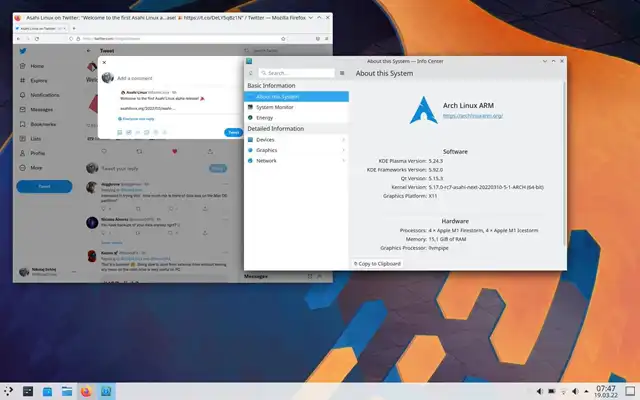
Screenshot from Asahi Linux Official
The official Asahi Linux project has now explained the reasons behind the system boot failure.
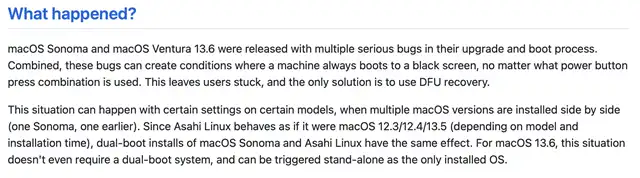
macOS 13.6 and Subsequent Systems Installing Asahi Linux Will Break Booting – Project Officially Explains Reasons
Reportedly, this issue arises because Asahi Linux’s behavior during system boot is similar to macOS 12.3/12.4/13.5 (depending on the model and installation time). However, macOS Sonoma (macOS 14) and macOS Ventura (macOS 13.6+) did not consider compatibility issues between the old and new firmware when installing these systems. Devices with these macOS versions installed will experience boot failures, and the built-in recovery options (RecoveryOS) will also fail to start.
The official statement advises that if a user’s device is updated to macOS 13.6 or later, they should refrain from installing Asahi Linux, as it will inevitably lead to booting problems. In such cases, affected devices can only be restored through DFU mode using another Mac device.



