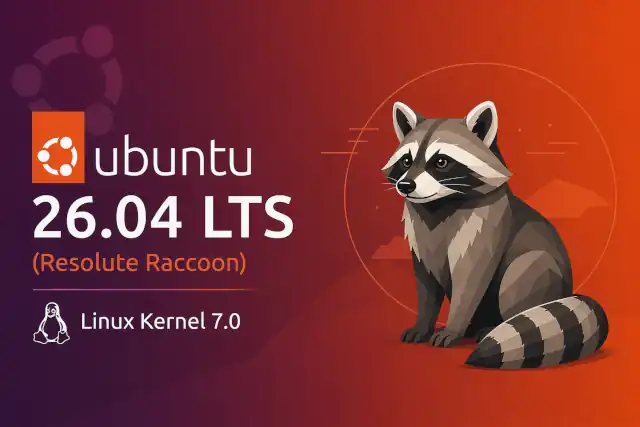
Ubuntu 26.04 LTS (Resolute Raccoon): The Most Ambitious Ubuntu LTS in a Decade
Ubuntu 26.04 LTS (Resolute Raccoon): The Most Ambitious Ubuntu LTS in a Decade
- Linux Kernel Removes strncpy After Six Years and 362 Patches
- Linux Kernel Drops 40-Year-Old AppleTalk Protocol — AI-Generated Patch Flood Was the Last Straw
- Apple’s Native Linux Container Tool Has Arrived — But Can It Really Replace Docker?
- 60% of MD5 Password Hashes Can Be Cracked in Under an Hour with a Single GPU
- Dirty Frag: Root Access on Every Major Linux Distribution — No Patch, No Warning
Ubuntu 26.04 LTS
Resolute Raccoon — The Most Ambitious Ubuntu LTS in a Decade
Ubuntu 26.04 LTS, codenamed Resolute Raccoon, lands on April 23, 2026 as the most architecturally
significant Long-Term Support release Canonical has shipped in years. From a Wayland-only GNOME session to a
Rust-rewritten sudo, post-quantum cryptography baked in by default, and a shiny new Linux 7.0
kernel, this release is not a routine update — it is a deliberate inflection point.
What’s in a Name?
The codename Resolute Raccoon was chosen in honour of Steve Langasek, a long-time Debian and Ubuntu release manager who passed away in early 2025. The word resolute — conveying determination and unwavering commitment — is an especially fitting tribute, given that this is an LTS release that millions of servers, desktops, and embedded devices will rely on for the better part of a decade.
April 23 is itself a date with Ubuntu history: it is the most common LTS release day ever, shared with Ubuntu 9.04, 15.04, and 20.04.
Release Schedule
What’s New at a Glance
Linux Kernel 7.0
The minor version counter reset from 6.x to 7.0 — a Torvalds tradition, not an architectural overhaul. Still packed with Intel Nova Lake and AMD Zen 6 support, Snapdragon X2 initial support, and scheduler improvements.
GNOME 50 (Wayland-only)
The GNOME session now runs exclusively on Wayland. The X11 login session is gone from GDM. XWayland remains for legacy application compatibility.
Rust-Rewritten sudo
The traditional C-based sudo is replaced by sudo-rs — a memory-safe Rust rewrite. Drop-in compatible with your existing sudoers configuration.
Post-Quantum Cryptography
OpenSSH and OpenSSL now negotiate MLKEM-768 alongside classical X25519/ECDHE by default, future-proofing encrypted connections against quantum threats.
TPM-Backed Full Disk Encryption
Encryption keys bound to the system TPM chip, removing the need to type a passphrase on every boot while maintaining strong data-at-rest protection.
systemd 259 & cgroup v2
cgroup v1 support is removed entirely. Only the unified cgroup v2 hierarchy is supported — a significant consideration for containerised workloads.
Better NVIDIA & AMD GPU Support
Improved NVIDIA Wayland performance. AMD ROCm now ships directly from Ubuntu’s repositories — sudo apt install rocm is all that’s needed for AI/ML workloads.
APT 3 & App Center
APT receives a major version bump with apt-key fully removed. The unified App Center consolidates .deb and Snap software management in a single interface.
The Desktop Experience
GNOME 50 & the End of X11 Sessions
Jumping from GNOME 46 (in Ubuntu 24.04) to GNOME 50 brings four release cycles of improvements in a single upgrade. The most consequential change is the removal of the GNOME-on-X11 login session from GDM. While XWayland remains installed so that legacy X11 applications continue to function, users who need a full X11 session should look at community flavours such as Xubuntu (Xfce) or Kubuntu (KDE Plasma 6.6), which still support X.org sessions.
GNOME 50 also brings enhanced parental controls, a significantly improved Orca screen reader, a new Reduced Motion accessibility option, a polished Files app, and GNOME Remote Desktop hardware acceleration.
New Default Applications
GIMP makes a long-awaited jump from version 2.10 to 3.0. LibreOffice moves to 25.8, Thunderbird to 140 “Eclipse”, Firefox to version 149/150, and a new Resources system monitor app replaces the old System Monitor. JPEG XL is now supported natively across the image stack.
Ubuntu Desktop 26.04 now requires a minimum of 6 GB RAM (up from 4 GB in 24.04), driven by the heavier GNOME 50 desktop and the Wayland compositor’s memory footprint. Systems with less RAM should use a lighter flavour such as Lubuntu or Xubuntu.
Accent Colour & Visual Refresh
The accent colour system has been upgraded: folder icons now shift fully to your chosen accent colour rather than receiving a subtle tint. Snap permissions prompting is also enabled by default, giving users clearer visibility and control over what Snap applications can access.
Under the Hood
Linux Kernel 7.0
After Linux 6.19 shipped in February 2026, Linus Torvalds chose to reset the minor version counter to 7.0 — consistent with the same pattern seen at the 2.6→3.0, 3.x→4.0, and 5.x→6.0 transitions. The numbering is cosmetic; the content is not. Kernel 7.0 adds full mainline support for Qualcomm Snapdragon X2 Elite (making 26.04 the first Ubuntu LTS to run cleanly on the newest generation of ARM laptops out of the box), Intel Nova Lake and AMD Zen 6 processor support, and improvements to F2FS, exFAT, and EXT4 file systems. A Time Slice Extension mechanism for the scheduler also lands in this cycle.
sudo-rs: Memory-Safe by Default
The traditional C-based sudo binary — unchanged in fundamental architecture for decades and the
source of numerous high-severity CVEs — is replaced by sudo-rs, a complete Rust rewrite that
is fully compatible with existing /etc/sudoers configurations. Rust’s ownership model eliminates
entire classes of heap overflows and environment-variable privilege escalation vulnerabilities at the
compiler level.
Post-Quantum Cryptography
Ubuntu 26.04 is the first Ubuntu LTS to enable post-quantum cryptographic algorithms by default in both OpenSSH and OpenSSL. Canonical uses a hybrid approach: the session negotiates both a classical algorithm (X25519 for SSH, ECDHE for TLS) and the post-quantum MLKEM-768 simultaneously. Both must be broken to compromise the connection — a pragmatic hedge against the eventual threat of cryptographically relevant quantum computers.
# Verify post-quantum key exchange is active
ssh -vvv user@host 2>&1 | grep kex_algorithms
# Expect: mlkem768x25519-sha256,curve25519-sha256,...

# Install AMD ROCm for AI/ML workloads
sudo apt install rocm

# Upgrade from Ubuntu 24.04 LTS (available Apr 24)
sudo do-release-upgrade
Dracut & initramfs Changes
Dracut replaces the previous initramfs generator as the default. Administrators migrating existing systems should test boot sequences before upgrading production servers. The switch aligns Ubuntu more closely with Red Hat and SUSE conventions, simplifying cross-distribution infrastructure knowledge.
Server & Developer Stack
| Component | Version in 26.04 |
|---|---|
| Linux Kernel | 7.0 |
| systemd | 259 (cgroup v2 only) |
| glibc | 2.43 (ISO C23 changes) |
| PostgreSQL | 18 |
| PHP | 8.5 |
| Docker | 29 |
| OpenStack | 2026.1 Gazpacho |
| LLVM | 21 (default toolchain) |
| Rust | 1.93.1 (default toolchain) |
| OpenJDK | 25 (TCK certified) |
| HAProxy | 3.2 LTS |
| Squid | 7.2 |
| DocumentDB | 0.108-0 (new — MongoDB-compatible) |
A notable newcomer is DocumentDB, a MongoDB-compatible open-source document database built on PostgreSQL, now available directly from Ubuntu’s repositories. The OpenStack 2026.1 Gazpacho release is also included — a SLURP release supporting direct upgrades from the previous SLURP release (2025.1 Epoxy).
Hardware & Architecture
Ubuntu 26.04 introduces optional x86-64-v3 package variants across the entire archive. Users with modern CPUs supporting the v3 instruction set extension can opt into these builds for meaningful performance improvements; the standard amd64 packages remain the default for older hardware. Qualcomm Snapdragon X2 Elite receives initial mainline kernel support, Intel Nova Lake and AMD Zen 6 are fully supported, and NVIDIA Wayland compatibility is notably improved.
System Requirements
| Requirement | Desktop | Server |
|---|---|---|
| CPU | 2 GHz dual-core or better | Scales with workload |
| RAM | 6 GB (minimum) | 1.5 GB minimum |
| Storage | 25 GB free space | 4 GB minimum |
| Display | 1024×768 | — |
| Boot media | USB port or DVD drive for ISO installs | |
Official Flavours & LTS Status
Most official Ubuntu flavours carry full LTS status for 26.04: Kubuntu Xubuntu Lubuntu Ubuntu Budgie Ubuntu Cinnamon Ubuntu Studio Edubuntu Ubuntu Kylin
Two flavours, Ubuntu MATE and Ubuntu Unity, will not carry LTS status this cycle due to limited contributor resources. Both may still publish a 26.04 version, but without the extended support commitment.
Should You Upgrade?
If your hardware and applications work well with Wayland, upgrading at launch is reasonable. The official upgrade path from 24.04 via sudo do-release-upgrade becomes available on April 24, 2026. For a smoother experience, consider waiting for 26.04.1 in August 2026.
Ubuntu 24.04 LTS is supported until 2029. There is no urgency to upgrade servers immediately. Canonical recommends waiting for the 26.04.1 point release (August 6, 2026), which opens direct LTS-to-LTS upgrade paths and bundles months of post-release fixes.
If you rely on a native X11 GNOME session, stay on Ubuntu 24.04 LTS or switch to a flavour that retains X.org session support, such as Kubuntu or Xubuntu. XWayland preserves compatibility for most individual applications, but the full X11 session is gone from the default GNOME stack.
Ubuntu 26.10 — Stonking Stingray
Even as Resolute Raccoon ships, Canonical has already confirmed its successor. Ubuntu 26.10, codenamed Stonking Stingray, is scheduled for release on October 15, 2026. Development officially begins on April 30, 2026 — just one week after 26.04 LTS lands — built on top of the Resolute Raccoon base. “Stonking” is a British informal term for something impressively large or exceptionally good, continuing Ubuntu’s tradition of colourful codenames for interim releases.
As a non-LTS release, Ubuntu 26.10 will be supported for 9 months only, reaching end-of-life in June 2027. It targets developers and enthusiasts who want the latest technologies ahead of the next LTS cycle. Production servers should remain on Ubuntu 26.04 LTS.
26.10 Release Schedule
What to Expect in 26.10
Ubuntu 26.10 is expected to ship with GNOME 51 as the default desktop environment, scheduled for upstream release on September 16, 2026 — approximately one month before Stonking Stingray launches, which gives Canonical enough time to integrate it.
On the kernel front, the picture is less settled. The Feature Freeze falls on August 20, 2026, which aligns with the projected release window of Linux kernel 7.2. However, some sources suggest kernel 7.3 may be available by then. The most accurate assessment is that Ubuntu 26.10 will ship with either Linux kernel 7.2 or 7.3 — Canonical will pick the most stable upstream kernel available at the time of the Feature Freeze. Whatever ships in 26.10 will also be backported to Ubuntu 26.04 LTS users via the Hardware Enablement (HWE) stack in early 2027.
Ubuntu 26.10 is set to strip down the signed GRUB bootloader to reduce its attack surface. Support for
btrfs, hfsplus, xfs, and zfs as /boot filesystems will be removed from signed GRUB builds,
along with JPEG/PNG image support and the part_apple module. ext4, FAT, ISO9660, and squashfs
for Snaps will be retained.
The Bottom Line
Ubuntu 26.04 LTS is the release that quietly rewrites the rules. Every architectural choice made here — a
Rust-native sudo, a Wayland-only GNOME, post-quantum cryptography by default, cgroup v2
exclusivity — is one that millions of systems will live with until 2031, and up to 2036 with Ubuntu Pro.
That is precisely the weight that the word Resolute carries.
For new deployments and forward-looking infrastructure, there has never been a more solid foundation. For existing systems, the path is clear: evaluate your Wayland readiness, note the cgroup v2 requirement for any containerised workloads, and plan your migration around the 26.04.1 milestone in August. Resolute Raccoon is not just an upgrade — it is a commitment. And with Stonking Stingray already on the horizon for October, the Ubuntu train shows no sign of slowing down.
Official Download Links of Ubuntu 26.04 LTS (Resolute Raccoon):