Has Your iPhone or Android Phone Been Hacked?
Has Your iPhone or Android Phone Been Hacked?
- 60% of MD5 Password Hashes Can Be Cracked in Under an Hour with a Single GPU
- Dirty Frag: Root Access on Every Major Linux Distribution — No Patch, No Warning
- Ubuntu 26.04 LTS (Resolute Raccoon): The Most Ambitious Ubuntu LTS in a Decade
- Proton Mail: Data Transferred to FBI Again!
- How Close Are Quantum Computers to Breaking RSA-2048?
- How to Prevent Ransomware Infection Risks?
- What is the best alternative to Microsoft Office?
Has Your iPhone or Android Phone Been Hacked?
Understanding how to determine whether your iPhone or Android smartphone has been hacked is now essential knowledge.
According to Statista, three-quarters of global smartphone users utilize their devices for chat and messaging, six out of ten use them for banking transactions, and nearly half rely on them for navigation.
In fact, Pew Research reports that 15% of American adults are “smartphone-only” internet users, depending entirely on their phones because they lack home broadband connections.
This means that if your smartphone is hacked, your life could be turned upside down—you could even have your bank accounts emptied.
Here, we’ll examine how to identify whether your phone has been hacked, how to avoid it, and what to do in the worst-case scenario.
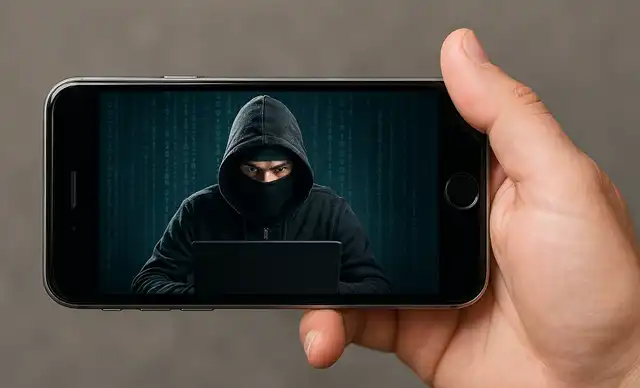
Can iPhones and Android Phones Be Hacked?
Cybercriminals employ various tactics to hijack victims’ smartphones or steal their information. All types of smartphones are vulnerable, whether iPhone or Android—though Apple’s iPhone is generally perceived as more secure thanks to stronger security controls.
There are several types of smartphone hacking methods, and it’s important to know how to identify whether you’ve become a victim. The most common approach involves tricking users into clicking malicious links or downloading software from fake app stores and other sources, often accomplished through social engineering tactics using phishing emails. Fake public Wi-Fi networks also frequently deceive unsuspecting users. Another method is SIM swapping, where attackers convince the victim’s mobile carrier to transfer the victim’s SIM card (phone number) to a device under the attacker’s control. Infected USB or charging cables can also provide attackers with access. Once an entry point is found, user data is at risk of being compromised, especially if passwords are reused across accounts.
How to Check If Your iPhone or Android Phone Has Been Hacked
Perhaps the most high-profile smartphone hacking incident occurred in 2019, when Jack Dorsey’s account—then CEO of Twitter—began posting a series of bizarre tweets. It quickly became clear that his Twitter account had been hacked.
In this case, the attackers apparently used SIM swapping, which was reportedly enabled by a “security oversight” at his mobile carrier. More commonly, smartphone users become suspicious after noticing any of the following symptoms:
There are several signs indicating that your smartphone has been hacked—though they don’t necessarily appear in every case, and even when they do, they’re easy to overlook. Basically, pay attention to any “unusual” behavior from your phone.
1. Check Your Battery
One common symptom of a hacked smartphone is rapid battery drain. This may also cause the device to become hot. If you notice a sudden, clear difference, there may be a problem.
2. Review Your Phone Bill
Unusually high charges resulting from unauthorized activity on your phone are also signs of hacking. A sudden spike in data usage may indicate your phone is sending unwanted communications.
3. Inventory the Apps on Your Device
When a smartphone is hacked, new unfamiliar apps may suddenly appear, existing apps may take longer to launch, or apps may open and close on their own. Watch for suspicious behavior.
4. Identify Suspicious Notifications or Settings Changes
Unexpected notifications, unsolicited two-factor authentication codes, and pop-ups may appear, and settings such as camera or microphone permissions may be altered.
5. Check Your Accounts
The biggest red flag is being locked out of your Apple ID, Google account, or other online accounts without realizing it.
6. Run Antivirus Software
Installing and running reliable security software should definitively determine whether your phone has actually been hacked. Use well-known products like Bitdefender, Norton, Kaspersky, AVG, or McAfee to detect and remove malware or spyware that has infiltrated your device. Delete anything suspicious, restart your phone, and then run another scan to confirm the device is truly clean.
What to Do If Your iPhone or Android Phone Has Been Hacked
If you discover your smartphone has been hacked, there are several critical steps you should take immediately to minimize the damage.
1. Contact Your Financial Institutions
The first call should be to your bank, credit card company, and other financial institutions to check for unauthorized access to your accounts.
2. Change Your Passwords
Next, and among the most important responses, is to immediately change all passwords to strong new ones. Do this for all apps and websites connected to the infected smartphone.
3. Delete Suspicious Apps
Inventory all apps on your smartphone and delete any that are suspicious or unknown. Restart the device and verify again that the deletion was successful.
4. Factory Reset as a Last Resort
If there are numerous pop-ups and malicious apps and other measures aren’t working, you can also restore your smartphone to factory settings (reset)—though this is truly a last resort, as you’ll lose everything stored on the device.
5. Notify Friends and Contacts
It’s wise to inform friends and other contacts that your smartphone has been hacked, warning them to ignore and delete messages that appear to have been sent from your phone.
How to Protect Your iPhone or Android Phone from Future Hacking
Regardless of whether you’ve already been hacked, there are several basic cybersecurity measures you can take to protect your smartphone from attackers going forward. First and foremost, and most convenient, is to implement excellent security software like those mentioned above and keep it constantly updated.
Equally important is keeping all software up to date, as updates often include fixes for known vulnerabilities. Use strong passwords. Be cautious with public charging stations and public Wi-Fi. As a precaution, turn off Wi-Fi and Bluetooth when not in use. For additional protection, encrypting your smartphone, locking your SIM card, and using a VPN (Virtual Private Network) should enhance public Wi-Fi security. And exercise extreme caution with third-party app stores. Using only Google Play and Apple’s App Store is always safest.
Conclusion
Being victimized by smartphone hacking can have devastating effects on everything from personal relationships to bank accounts.
Knowing how to identify whether your smartphone has been hacked is essential. Fortunately, recovery is quite possible, and methods exist to significantly reduce the likelihood of recurrence.
Frequently Asked Questions (FAQ)
What are the signs that a smartphone has been hacked?
Common symptoms include abnormal battery drain, unfamiliar apps, high data usage, unexpected pop-ups, and being locked out of accounts.
Can I investigate whether my smartphone has been hacked?
Yes. Running reliable antivirus software like Bitdefender or Norton can scan for malware and spyware and help clean up if compromised.
How do I prevent smartphone hacking?
Use strong passwords, avoid public Wi-Fi, keep software updated, install reliable antivirus apps, and avoid downloading from unofficial app distribution sources.



