Replace Windows by Google’s Free ChromeOS Flex for Your Old PC
Replace Windows by Google’s Free ChromeOS Flex for Your Old PC
- 60% of MD5 Password Hashes Can Be Cracked in Under an Hour with a Single GPU
- Dirty Frag: Root Access on Every Major Linux Distribution — No Patch, No Warning
- Ubuntu 26.04 LTS (Resolute Raccoon): The Most Ambitious Ubuntu LTS in a Decade
- Proton Mail: Data Transferred to FBI Again!
- How Close Are Quantum Computers to Breaking RSA-2048?
- How to Prevent Ransomware Infection Risks?
- What is the best alternative to Microsoft Office?
Replace Windows by Google’s Free ChromeOS Flex for Your Old PC
Time’s up. Windows 10 support has officially ended. If you haven’t upgraded your PC or subscribed to extended support, Microsoft warns that your computer will be at risk going forward.
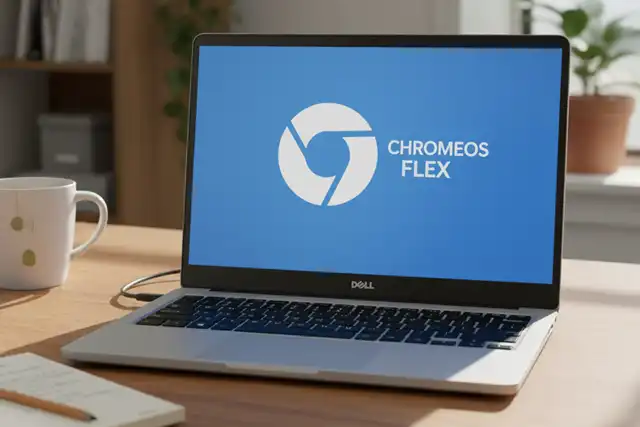
However, for the owners of 200 million PCs unable to upgrade, Google is presenting an alternative—transforming insecure, unsupported PCs into machines running ChromeOS Flex, an operating system with “built-in security.”
The Windows 10 Migration Crisis
October 14th finally arrived, and the resulting flood of Windows users upgrading has caused statistical chaos. At the time of writing, according to market share provider StatCounter, Windows 10 has dropped below a surprising 35%, while the already-discontinued Windows 7 suddenly surged to 23%.
Of course, that’s not actually happening. What this reveals is that approximately 30% of the Windows install base is in flux. Users who had been postponing action are now likely upgrading to Windows 11, and the data simply hasn’t caught up yet. However, that remaining 35% represents about 500 million PCs that will either be exposed to risk or opt for minimal extended support until October 2026.
The Electronic Waste Crisis Looming
The U.S. Public Interest Research Group (PIRG) notes that “unfortunately, more than 40% of computers still running Windows 10 cannot upgrade to Windows 11. Even if you’re one of the millions of users unable to install Windows 11, you still have options.”
PIRG urges above all: “Don’t throw away your computer.” Why? Because “the end of Windows 10 could generate an estimated 1.6 billion pounds (approximately 720,000 tons) of electronic waste, but your computer doesn’t need to end up in a landfill.”
ChromeOS Flex: A Free, Secure Alternative
According to the organization, the best option is to “consider installing a new operating system.” While those with technical confidence could choose Linux as a Windows alternative, for millions of users “if your primary use is web browsing, Google’s ChromeOS Flex is free, safe, and easy to use.” And you won’t need to buy a new PC.
What Is ChromeOS Flex?
Google is promoting ChromeOS Flex to this new user base—people with PCs that Microsoft deemed ineligible for Windows 11 but that still function perfectly well. “Refresh the devices you already own at no cost with a secure, manageable, modern cloud-based OS,” the company urges, promising to “breathe new life into existing devices.”
ChromeOS Flex isn’t a Windows replacement. If you’ve never used a Chromebook, think of it as a tablet or smartphone in PC form. “It boots in under 10 seconds, updates automatically in the background, launches quickly, and doesn’t slow down over time.”
It operates from the cloud rather than from on-device software. “Cloud-based devices perform better and reduce downtime in less time.” And crucially, given Windows 10’s trajectory, “built-in security provides unparalleled protection against data loss from device theft or loss through sandboxing, blocking executable files, and IT management features.”
And perhaps this is the biggest selling point for everyday users who don’t want to upgrade hardware to meet Windows 11 requirements—security. “Compared to Windows 11, ChromeOS Flex offers a more secure default experience,” Google claims. While this may be debatable, it’s certainly safer than Windows 10, whether or not you have Extended Security Updates (ESU).
Making the Transition
Many Windows 10 users will balk at the idea of “downgrading” to ChromeOS Flex. But rather than sending PCs to landfills or recycling, converting them to ChromeOS Flex—even as backup machines or for children—is an effective way to mitigate the impending flood of electronic waste.
What You Should Know Before Installing ChromeOS Flex
- Google Play is not available
- Android apps are not supported
- It’s more secure than continuing to use Windows 10
- Minimum system requirements must be met
- Check Google’s certified models list to see if your PC is compatible
With Windows 10 support now officially ended and millions of PCs facing obsolescence, ChromeOS Flex offers a practical, sustainable solution that keeps functional hardware out of landfills while providing a secure computing experience for basic needs. For users whose primary activities involve web browsing, email, and cloud-based applications, it may be the perfect second life for an aging PC.



