The Best Free Video Editing Software for Linux OS
The Best Free Video Editing Software for Linux OS
- 60% of MD5 Password Hashes Can Be Cracked in Under an Hour with a Single GPU
- Dirty Frag: Root Access on Every Major Linux Distribution — No Patch, No Warning
- Ubuntu 26.04 LTS (Resolute Raccoon): The Most Ambitious Ubuntu LTS in a Decade
- Proton Mail: Data Transferred to FBI Again!
- How Close Are Quantum Computers to Breaking RSA-2048?
- How to Prevent Ransomware Infection Risks?
- What is the best alternative to Microsoft Office?
The Best Free Video Editing Software for Linux OS
Linux users have access to a wide range of free, high-quality video editing tools suitable for everything from simple projects to professional productions.
The ecosystem is strong and constantly evolving, offering robust solutions for beginners and seasoned editors alike.
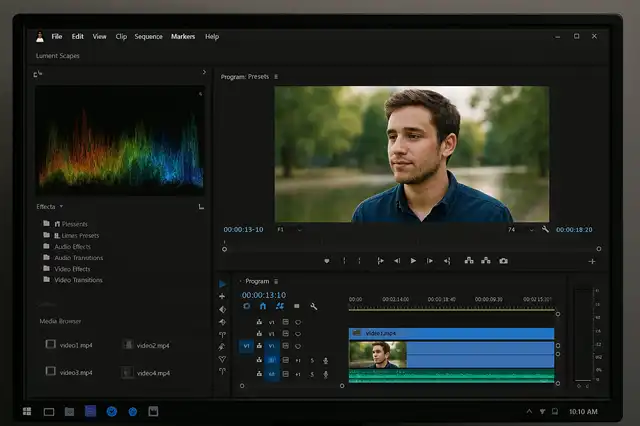
Kdenlive: Powerful and Popular
Kdenlive stands out for its professional features, intuitive workflow, and reliable development.
It supports multi-track editing, advanced effects, transitions, audio management, chroma key, proxy editing, and a vast range of file formats.
Its open-source status ensures access to all features for free, and it is easy to install via most Linux package managers.
Other Excellent Free Editors
-
Shotcut: A user-friendly editor with broad format support, detailed tutorials, and solid capabilities for both basic and intermediate editing tasks.
-
OpenShot: Designed for simplicity and rapid learning, OpenShot is best for fast edits, transitions, and hassle-free timeline management.
-
Flowblade: Noted for its precision, speed, and multi-track capabilities, favored by users serious about fast-paced workflows.
-
Olive: An actively developed modern editor with a streamlined interface, aiming for rapid performance and frequent new features.
-
Cinelerra: Suited for advanced compositing, effects, and audio work, supporting professional-level editing workflows
-
Blender: Known for 3D animation, Blender also boasts a sophisticated video editor for special effects and animation-driven projects.
-
Pitivi: Offers a minimalist interface with efficient, easy-to-use basic editing functionality.
Special Mention: DaVinci Resolve on Linux
While most Linux video editors are fully open-source and free, DaVinci Resolve brings professional Hollywood-grade features to the Linux platform.
Blackmagic Design offers a Linux version of Resolve, including the free edition and the advanced paid Studio version.
Installation is targeted at enterprise distros (officially Rocky Linux, formerly CentOS), but many users successfully install and use DaVinci Resolve on distributions like Ubuntu, Mint, or Manjaro—typically with the help of community scripts and installation tools such as DavinciBox or specialized universal installers.
Key Facts About DaVinci Resolve on Linux
-
Both the free and Studio versions are available for Linux.
-
Hardware requirements favor NVIDIA GPUs with proprietary drivers for optimal performance.
-
Installation often requires manual handling of dependencies and codecs, which community tools can automate.
-
Some codecs, including MP4, may only be supported in the Studio version.
-
Step-by-step tutorials are available for popular distros like Ubuntu and Mint, simplifying installation, dependency management, and upgrades.
-
Users consistently report robust performance and professional stability when hardware requirements are met.
How to Install DaVinci Resolve
Most Linux distributions are not “officially” supported, but community solutions exist:
-
Download the installer from the Blackmagic website and select the Linux version.
-
Use tools like DavinciBox (a script using containers/Docker) or universal installer scripts for easier cross-distro setup.
-
Ensure your system meets hardware requirements, preferably with NVIDIA graphics and proprietary drivers.
-
Community guides walk you through missing package fixes and compatibility issues.
Summary Table of Top Choices
| Editor | Key Strengths | Best For | Open Source | Linux Version |
|---|---|---|---|---|
| Kdenlive | Full-featured, advanced editing | All users | Yes | Yes |
| Shotcut | Simple, broad format support | Beginners | Yes | Yes |
| OpenShot | Fast, easy timeline editing | Beginners | Yes | Yes |
| Flowblade | Precision, multi-track editing | Advanced | Yes | Yes |
| Olive | Modern, frequent updates | Power users | Yes | Yes |
| Cinelerra | Effects and compositing | Advanced | Yes | Yes |
| Blender | 3D, animation, effects | Pros | Yes | Yes |
| Pitivi | Minimal, efficient | Beginners | Yes | Yes |
| DaVinci Resolve | Hollywood-grade, pro features | Pros | No* | Yes |
*Free version available; Studio edition requires purchase.
This table now focuses exclusively on the software characteristics and platform support, making it easier to compare the most relevant features.
All the editors listed, including DaVinci Resolve, are available for Linux, and most are open-source with the exception of DaVinci Resolve, which has both free and paid versions for Linux.
The Best Free Adobe Acrobat Alternatives for Linux
Replacing Microsoft Outlook on Linux: The Best Email Clients Compared
What is the best alternative to Microsoft Office?
The Best Free Photoshop Alternatives for Linux OS


