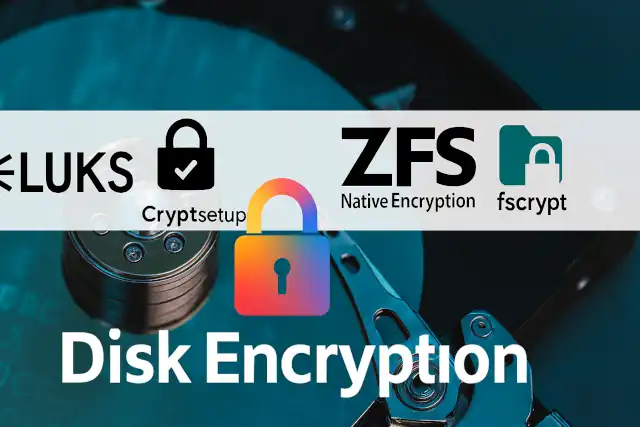
Linux Disk Encryption: A Comprehensive Guide to BitLocker Alternatives
Linux Disk Encryption: A Comprehensive Guide to BitLocker Alternatives
- 60% of MD5 Password Hashes Can Be Cracked in Under an Hour with a Single GPU
- Dirty Frag: Root Access on Every Major Linux Distribution — No Patch, No Warning
- Ubuntu 26.04 LTS (Resolute Raccoon): The Most Ambitious Ubuntu LTS in a Decade
- Proton Mail: Data Transferred to FBI Again!
- How Close Are Quantum Computers to Breaking RSA-2048?
- How to Prevent Ransomware Infection Risks?
- What is the best alternative to Microsoft Office?
Linux Disk Encryption: A Comprehensive Guide to BitLocker Alternatives
For users transitioning from Windows or seeking robust data protection on Linux systems, full-disk encryption is essential.
While Microsoft BitLocker has become synonymous with disk encryption on Windows, Linux offers several powerful alternatives that often exceed BitLocker’s capabilities.
This guide explores the top encryption solutions available for Linux operating systems.
What is the best alternative to Microsoft Office?
Understanding Disk Encryption on Linux
Unlike Windows, where BitLocker is a proprietary feature available mainly on Professional and Enterprise editions, Linux provides multiple open-source encryption solutions that are freely available to all users.
These tools offer enterprise-grade security without licensing costs and provide greater transparency through their open-source nature.
LUKS (Linux Unified Key Setup)
LUKS stands as the de facto standard for disk encryption on Linux systems. Developed as part of the Linux kernel’s cryptographic framework, it provides a platform-independent standard for hard disk encryption.
Key Highlights
Industry Standard: LUKS is the default encryption method for most major Linux distributions, including Ubuntu, Fedora, Debian, CentOS, and Arch Linux. This widespread adoption ensures excellent compatibility and long-term support.
Strong Cryptographic Protection: Utilizes AES (Advanced Encryption Standard) encryption by default, with support for multiple cipher algorithms including Serpent, Twofish, and others. Key sizes up to 512 bits are supported.
Multiple Key Slots: One of LUKS’s standout features is its support for up to eight independent key slots. This allows multiple passwords or key files to unlock the same encrypted volume, making it ideal for systems with multiple administrators or backup access scenarios.
Seamless Integration: Works directly with the Linux kernel’s dm-crypt subsystem, providing efficient, low-level encryption without significant performance overhead. Most distributions offer LUKS encryption as a checkbox option during installation.
Flexible Management: Supports password changes, key slot management, and backup headers without requiring data decryption or migration. This makes long-term key management significantly easier than many alternatives.
Header Backup and Recovery: LUKS stores encryption metadata in a header that can be backed up separately, enabling recovery scenarios that would be impossible with some other encryption schemes.
Best For: General-purpose Linux users, enterprise deployments, and anyone seeking a well-tested, widely-supported encryption solution with excellent tooling and community support.
Essential Security Measures to Implement Immediately After Linux OS Installation
VeraCrypt
VeraCrypt emerged as the successor to the popular TrueCrypt project and has established itself as the leading cross-platform encryption solution. It brings professional-grade encryption to Linux while maintaining compatibility with Windows and macOS.
Key Highlights
Cross-Platform Compatibility: VeraCrypt’s most significant advantage is its ability to create encrypted volumes that can be accessed from Linux, Windows, and macOS systems. This makes it invaluable for users who dual-boot or need to share encrypted drives across different operating systems.
Hidden Volumes: Supports the creation of hidden encrypted volumes within other encrypted volumes, providing plausible deniability. This advanced feature can protect sensitive data even under coercion scenarios.
GUI and Command-Line Options: Offers both graphical and text-based interfaces, making it accessible to users of all skill levels. The GUI is particularly polished compared to many Linux encryption tools.
Container-Based Encryption: Can create encrypted file containers that act as virtual encrypted disks, offering more flexibility than full-disk encryption for certain use cases.
Enhanced Security Options: Supports cascaded encryption using multiple algorithms simultaneously, and includes protection against various attack vectors including cold-boot attacks.
No Kernel Dependencies: Works in user-space, which means it doesn’t require kernel modules and can be more portable across different Linux distributions and versions.
Active Development: Continues to receive regular updates and security audits, with an active community and transparent development process.
Best For: Users who need cross-platform compatibility, those requiring advanced security features like hidden volumes, or anyone who prefers a polished graphical interface for managing encryption.
Why servers with Linux OS are much more than Windows server?
Cryptsetup
Cryptsetup is the powerful command-line utility that serves as the frontend for LUKS and other encryption formats on Linux. While technically part of the LUKS ecosystem, it deserves special mention for its capabilities beyond basic LUKS management.
Key Highlights
Multi-Format Support: While primarily used for LUKS, cryptsetup also supports plain dm-crypt, loop-AES, and even TrueCrypt/VeraCrypt volumes, making it a Swiss Army knife for disk encryption.
Maximum Flexibility: Offers granular control over every aspect of encryption, including cipher selection, key size, hash algorithms, and iteration counts. This makes it ideal for security-conscious users who want fine-tuned control.
Scripting and Automation: Its command-line nature makes cryptsetup perfect for automation, scripting, and integration into system management tools. This is crucial for enterprise deployments and DevOps workflows.
Benchmark Tools: Includes built-in benchmarking capabilities to test encryption performance with different algorithms and settings on your specific hardware.
Remote Unlocking: Can be combined with networking tools to enable remote unlocking of encrypted systems via SSH, essential for headless servers.
Low-Level Operations: Provides access to advanced operations like header manipulation, key slot management, and encryption metadata inspection that GUI tools typically hide.
Lightweight: As a command-line tool, cryptsetup has minimal dependencies and resource requirements, making it suitable for embedded systems and resource-constrained environments.
Best For: System administrators, advanced users comfortable with the command line, automated deployments, and scenarios requiring precise control over encryption parameters.
When and Why You Need Antivirus on Linux (and How to Install ClamAV)
ZFS Native Encryption
For users who have adopted the ZFS filesystem, native encryption capabilities are built directly into the filesystem layer, offering unique advantages over traditional block-device encryption.
Key Highlights
Filesystem-Level Integration: Encryption is handled at the ZFS filesystem layer rather than the block device layer, allowing for per-dataset encryption with different keys. This enables more granular security policies than full-disk encryption.
Flexible Encryption Granularity: Unlike block-level encryption that encrypts entire drives, ZFS allows encrypting individual datasets, volumes, or filesystems with different passwords or keys. You can have some data encrypted while leaving other data unencrypted on the same pool.
Snapshot and Replication-Aware: Encrypted snapshots remain encrypted when replicated to remote systems, and you can send encrypted data streams over the network without decrypting them first. This is invaluable for secure backups and disaster recovery.
Performance Optimizations: ZFS can leverage hardware AES acceleration more efficiently than some block-level solutions, and encryption/decryption happens in parallel with other ZFS operations.
Key Management Per Dataset: Different datasets can use different encryption keys, and keys can be inherited by child datasets. This allows for sophisticated key management hierarchies.
Encryption of Metadata: ZFS can optionally encrypt not just data but also filesystem metadata, providing protection against traffic analysis attacks.
No Double Encryption Penalty: When combined with ZFS’s compression features, you avoid the performance penalty of compressing already-encrypted data, as ZFS applies compression before encryption.
Best For: Users already running ZFS who want integrated encryption, scenarios requiring granular encryption policies, systems needing efficient encrypted replication, and environments where per-dataset key management is beneficial.
Six Free Antivirus Solutions for Linux OS
fscrypt
fscrypt represents a modern approach to Linux encryption, focusing on directory-level encryption rather than full-disk or full-filesystem encryption. It’s particularly relevant for modern Linux systems and mobile devices.
Key Highlights
Directory-Level Encryption: Unlike LUKS which encrypts entire block devices, fscrypt encrypts individual directories. This allows mixing encrypted and unencrypted data on the same filesystem, with different directories potentially using different keys.
Native ext4 and F2FS Support: Built directly into the Linux kernel for ext4 and F2FS filesystems, providing efficient encryption without requiring third-party modules or extensive setup.
User-Level Keys: Encryption keys can be tied to user accounts, enabling multi-user systems where each user’s data is encrypted with their own key. When a user logs out, their encrypted data becomes inaccessible.
Per-Directory Policies: Different encryption policies (algorithms, key lengths) can be applied to different directories based on security requirements.
Modern Cryptography: Uses current best practices including AES-256-XTS for file contents and AES-256-CTS for filenames, with support for hardware acceleration.
Transparent Operation: Once configured, encrypted directories work transparently for applications and users, with encryption and decryption happening automatically in the kernel.
Android Compatibility: Uses the same encryption mechanisms as Android’s file-based encryption, making it relevant for understanding mobile device security.
Efficient for Cloud Sync: Directory-level encryption works better with cloud synchronization services than full-disk encryption, as only changed files need to be re-uploaded rather than the entire encrypted volume.
Best For: Home directory encryption on multi-user systems, protecting specific sensitive directories without full-disk encryption overhead, environments where different security levels are needed for different data types, and systems using ext4 or F2FS filesystems.
Choosing the Right Solution
The best encryption solution depends on your specific needs:
- For most general Linux users: LUKS provides the best balance of security, performance, and ease of use
- For cross-platform needs: VeraCrypt offers unmatched compatibility across operating systems
- For advanced users and automation: Cryptsetup provides maximum control and flexibility
- For ZFS users: Native ZFS encryption offers unique advantages in snapshot handling and granular control
- For selective encryption: fscrypt enables protecting specific directories without full-disk encryption
Many users find that combining solutions works best. For example, using LUKS for full-disk encryption on laptops while using VeraCrypt for portable encrypted containers that need to work across multiple operating systems.
Security Considerations
Regardless of which solution you choose, remember these important security principles:
- Strong Passphrases: Use long, complex passphrases or key files for maximum security
- Secure Boot Process: Ensure your boot partition and bootloader are protected
- Regular Backups: Always maintain encrypted backups of critical data and encryption headers
- Key Management: Document and securely store recovery keys or backup passwords
- Performance Testing: Test encryption performance on your hardware before committing to production use
Conclusion
Linux provides robust, enterprise-grade encryption solutions that match or exceed BitLocker’s capabilities.
Whether you choose LUKS for its universal support, VeraCrypt for cross-platform compatibility, or one of the more specialized solutions, Linux offers the tools needed to protect your data effectively.
The open-source nature of these tools provides transparency and community scrutiny that proprietary solutions cannot match, while their zero licensing cost makes enterprise-grade security accessible to everyone.