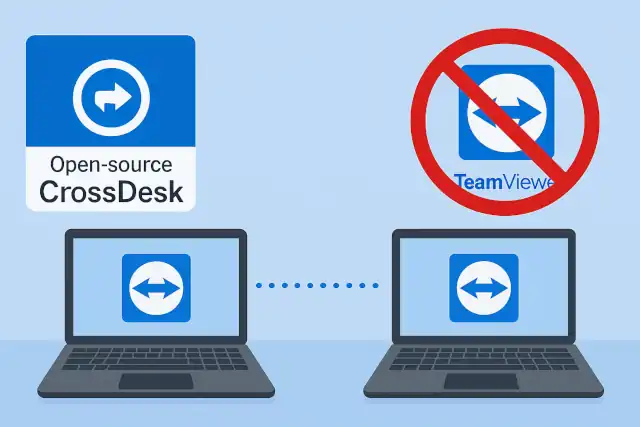
Forget Teamviewer: Build Your Own Relay Server by Open-Source Remote Desktop
Forget Teamviewer: Build Your Own Relay Server by Open-Source Remote Desktop
- 60% of MD5 Password Hashes Can Be Cracked in Under an Hour with a Single GPU
- Dirty Frag: Root Access on Every Major Linux Distribution — No Patch, No Warning
- Ubuntu 26.04 LTS (Resolute Raccoon): The Most Ambitious Ubuntu LTS in a Decade
- Proton Mail: Data Transferred to FBI Again!
- How Close Are Quantum Computers to Breaking RSA-2048?
- How to Prevent Ransomware Infection Risks?
- What is the best alternative to Microsoft Office?
Forget Teamviewer: Build Your Own Relay Server by Open-Source Remote Desktop
CrossDesk: The Open-Source Remote Desktop That Actually Understands Data Sovereignty
Remote desktop software. It’s older than most of us realize.
TeamViewer. AnyDesk. Chrome Remote Desktop.
You probably use one every day.
But here’s a question you might not have asked: Does the data flowing through your remote sessions truly belong only to you?
How to Prevent Ransomware Infection Risks
A Different Kind of Remote Desktop
Today, let’s talk about something different.
CrossDesk – an open-source remote desktop solution that’s taking a fundamentally different approach to a decades-old problem.
There’s no flashy marketing website. The documentation is refreshingly straightforward. But look at the tech stack, and you’ll see the ambition immediately.
Backend: Rust
Frontend: Flutter
This isn’t a random choice. It’s a statement. Security and performance aren’t afterthoughts – they’re baked into every line of code from day one.
Why MFA Keeps You Safe Even When Passwords Are Compromised
What Makes CrossDesk Different
The market isn’t short on remote desktop tools. What’s missing is control.
CrossDesk’s killer feature isn’t that it replaces TeamViewer. It’s that it lets you run your own relay server.
Think about traditional remote desktop software for a moment. Your data must flow through the vendor’s servers. Connection speed, stability, and yes – privacy – are all controlled by someone else.
CrossDesk returns that control to you. Your data flows only through servers you own and operate.
What does this actually mean?
Absolute Privacy: End-to-end encryption where you control the infrastructure. No third party has access to your session data.
Lower Latency: Deploy your relay server anywhere in the world. Choose a location closest to you and your team for optimal performance.
Zero Subscription Costs: A modest cloud server is all you need. Say goodbye to expensive commercial licenses and per-seat pricing.
Quantum Computers Will Break Today’s Encryption And Hackers Are Already Preparing
Built on Three Words: Peace of Mind
CrossDesk doesn’t try to do everything. It focuses on doing the essentials exceptionally well:
- End-to-End Encryption (E2E): Industry standard, but meaningful only when you control the servers
- Self-Hosted Network: Your infrastructure, your rules, your security policies
- File Transfer: Rock-solid basics that just work
- Cross-Platform Support: Windows, macOS, and Linux out of the box
No complex configuration wizards. No vendor lock-in. Download, run, connect.
One backend team deployed CrossDesk for their internal infrastructure management. They no longer worry about audit trails in commercial software or potential security vulnerabilities in proprietary solutions.
The architecture’s real power? Simplicity.
Why Doesn’t Everyone Do This?
Because it’s genuinely difficult.
Building a functional remote desktop isn’t hard. Building one that users can deploy with zero-trust assumptions? That’s a different challenge entirely.
This requires deep expertise in networking, encryption, and performance optimization. The developers chose Rust deliberately – taking the hardest but most robust path.
Memory safety. High concurrency. Security vulnerabilities eliminated at the language level, not patched after the fact.
CrossDesk isn’t just a tool. It’s a technical philosophy: Performance comes from choosing the right tools, not throwing hardware at problems.
EPP vs EDR: Understanding Critical Endpoint Security Measures
Getting Started: Docker Deployment
CrossDesk Server can be deployed with a single Docker command:
sudo docker run -d \
  --name crossdesk_server \
  --network host \
  -e EXTERNAL_IP=xxx.xxx.xxx.xxx \
  -e INTERNAL_IP=xxx.xxx.xxx.xxx \
  -e CROSSDESK_SERVER_PORT=xxxx \
  -e COTURN_PORT=xxxx \
  -e MIN_PORT=xxxxx \
  -e MAX_PORT=xxxxx \
  -v /path/to/your/certs:/crossdesk-server/certs \
  -v /path/to/your/db:/crossdesk-server/db \
  -v /path/to/your/logs:/crossdesk-server/logs \
  crossdesk/crossdesk-server:v1.0.0
Key Configuration Parameters:
EXTERNAL_IP: Your server’s public IP (what clients connect to)INTERNAL_IP: Your server’s internal IPCROSSDESK_SERVER_PORT: Main service portCOTURN_PORT: Relay service portMIN_PORT/MAX_PORT: Port range for COTURN (e.g., 50000-60000, adjust based on client count)
Important Notes:
- Create mount directories before running the container
- Open required ports: 3478/udp, 3478/tcp, MIN_PORT-MAX_PORT/udp, CROSSDESK_SERVER_PORT/tcp
- Replace
/path/to/your/with your actual directory paths
Who Should Care About This?
If you’re an independent developer managing your own servers remotely…
If you’re a small team tired of TeamViewer’s popups and invoices…
If you’re a company with strict data sovereignty requirements…
CrossDesk deserves ten minutes of your time.
It’s not perfect. Features are still being added. But it offers something increasingly rare: the possibility of keeping your data sovereignty firmly in your own hands.
In an era where everything defaults to “the cloud,” this return to private infrastructure feels particularly valuable.
The Bigger Picture
We’re living in a time when “zero-knowledge” and “end-to-end encryption” have become marketing buzzwords. CrossDesk cuts through that noise with a simple proposition: don’t trust claims about privacy – own the infrastructure itself.
For organizations handling sensitive data, compliance-heavy industries, or anyone who’s read their remote desktop software’s privacy policy closely (you should), CrossDesk represents a fundamentally different trust model.
You’re not trusting a company’s promises. You’re trusting code you can audit and infrastructure you control.
Project Repository: github.com/kunkundi/crossdesk
In a world increasingly controlled by platform gatekeepers, open-source projects like CrossDesk remind us that alternatives exist. Sometimes the best cloud is the one you build yourself.