What Is a Browser Credential Theft Attack?
What Is a Browser Credential Theft Attack?
- 60% of MD5 Password Hashes Can Be Cracked in Under an Hour with a Single GPU
- Dirty Frag: Root Access on Every Major Linux Distribution — No Patch, No Warning
- Ubuntu 26.04 LTS (Resolute Raccoon): The Most Ambitious Ubuntu LTS in a Decade
- Proton Mail: Data Transferred to FBI Again!
- How Close Are Quantum Computers to Breaking RSA-2048?
- How to Prevent Ransomware Infection Risks?
- What is the best alternative to Microsoft Office?
What Is a Browser Credential Theft Attack?
Understanding Browser Credential Theft Attacks: Risks, Consequences, and Countermeasures
In today’s hyper-connected world, web browsers have become the gateway to almost every aspect of digital life—from online banking and cloud storage to workplace collaboration platforms.
Yet this convenience comes with a serious security trade-off: browsers often store login credentials, session tokens, and payment data.
When attackers manage to steal these credentials, the results can be devastating. This growing threat is known as a browser credential theft attack.
How to Prevent Ransomware Infection Risks
What Is a Browser Credential Theft Attack?
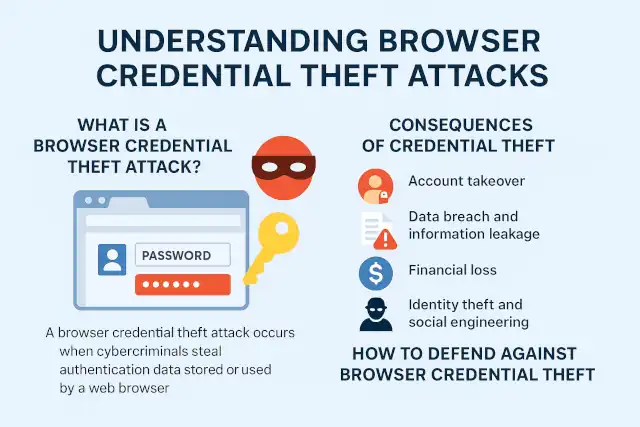
A browser credential theft attack occurs when cybercriminals steal authentication data stored or used by a web browser.
These credentials include saved passwords, cookies, session tokens, autofill data, and even OAuth tokens.
Once obtained, attackers can use these stolen credentials to access online accounts, impersonate users, or infiltrate enterprise systems.
There are several primary methods of attack:
-
Malware or Info-Stealers: Malicious programs such as RedLine, Raccoon, or Vidar target local browser databases to extract saved passwords and cookies.
-
Malicious Extensions: Some browser add-ons secretly collect credentials or session data under the guise of productivity tools.
-
Phishing and Fake Login Pages: Attackers trick users into entering credentials into look-alike websites.
-
Session Hijacking: By stealing cookies or tokens, attackers bypass password authentication entirely.
-
Browser Exploits and XSS Injection: Vulnerabilities in browsers or web applications allow attackers to read sensitive local storage or inject credential-stealing scripts.
UEFI Security: Can Firmware Be Infected by Malware?
Consequences of Credential Theft
The theft of browser credentials can lead to a cascade of security incidents that extend far beyond one compromised account.
-
Account Takeover: Stolen usernames, passwords, or session tokens allow attackers to assume full control of personal or corporate accounts.
-
Data Breach and Information Leakage: Sensitive emails, documents, and databases can be downloaded or sold on underground forums.
-
Financial Loss: Attackers may drain online banking accounts or make fraudulent transactions using stored payment data.
-
Identity Theft and Social Engineering: With access to legitimate accounts, criminals can impersonate victims to deceive colleagues or customers.
-
Lateral Movement in Corporate Networks: In enterprises, one compromised workstation can serve as a launchpad to infiltrate internal systems or cloud services.
-
Business Disruption and Reputation Damage: Compromised administrator accounts may lead to service outages, data manipulation, and loss of customer trust.
-
Regulatory and Legal Liabilities: Breaches involving personal data can trigger fines under GDPR, CCPA, and other data-protection laws.
EPP vs EDR: Understanding Critical Endpoint Security Measures
How to Defend Against Browser Credential Theft
1. Strengthen Authentication
-
Enable multi-factor authentication (MFA) on all critical accounts. Prefer hardware or app-based MFA over SMS codes.
-
Avoid password reuse; use unique, strong passwords for each service.
-
Consider using a dedicated password manager instead of storing passwords directly in the browser.
2. Harden the Browser Environment
-
Keep browsers, plugins, and extensions fully updated.
-
Remove unnecessary or untrusted extensions.
-
Use secure settings such as blocking third-party cookies and disabling password-saving features for sensitive sites.
-
Ensure session cookies use the Secure and HttpOnly flags to prevent theft via scripts.
3. Maintain Endpoint Security
-
Deploy reputable anti-malware and endpoint detection (EDR) tools to detect infostealers.
-
Regularly scan for threats and review system startup programs.
-
Limit local administrative privileges to reduce exploit impact.
4. Implement Enterprise Controls
-
Use single sign-on (SSO) and centralized identity management with strict session policies.
-
Monitor login anomalies such as logins from new geolocations or devices.
-
Adopt zero-trust architecture with conditional access based on device and risk signals.
-
Conduct regular security awareness training to educate employees about phishing and browser hygiene.
5. Respond Quickly to a Compromise
If you suspect credential theft:
-
Disconnect the affected device from the network.
-
Change all passwords from a clean, uncompromised device.
-
Revoke active sessions and refresh authentication tokens.
-
Scan and clean the system with updated security software.
-
Notify affected parties and reset MFA or recovery codes.
Why VPN Security Should Be Every Enterprise’s Top Priority
Conclusion
Browser credential theft represents one of the most common—and underestimated—forms of cyberattack. As browsers become central to both personal and professional computing, attackers increasingly target the sensitive data they store.
However, through proper authentication practices, browser hardening, and proactive endpoint protection, individuals and organizations can drastically reduce their exposure.
In cybersecurity, convenience and security are always in tension—but understanding and mitigating browser credential theft is a key step toward achieving both.