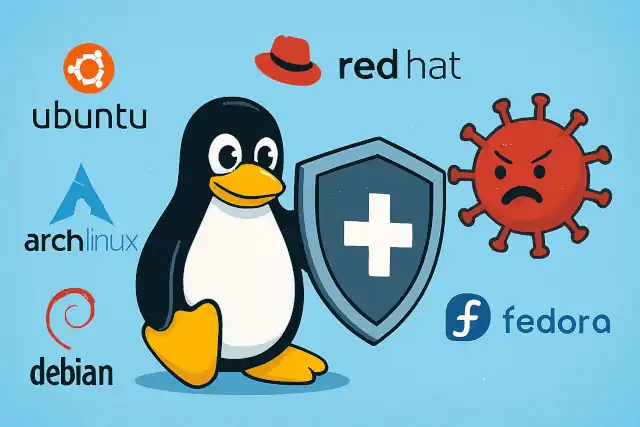
Essential Security Measures to Implement Immediately After Linux OS Installation
Essential Security Measures to Implement Immediately After Linux OS Installation
- 60% of MD5 Password Hashes Can Be Cracked in Under an Hour with a Single GPU
- Dirty Frag: Root Access on Every Major Linux Distribution — No Patch, No Warning
- Ubuntu 26.04 LTS (Resolute Raccoon): The Most Ambitious Ubuntu LTS in a Decade
- Proton Mail: Data Transferred to FBI Again!
- How Close Are Quantum Computers to Breaking RSA-2048?
- How to Prevent Ransomware Infection Risks?
- What is the best alternative to Microsoft Office?
Essential Security Measures to Implement Immediately After Linux OS Installation
When deploying a Linux system, particularly in enterprise environments subject to compliance requirements (such as ISO 27001, PCI DSS, or SOC 2), immediate security hardening is critical.
A freshly installed Linux system contains numerous default configurations that expose it to potential threats.
This article outlines the mandatory security measures that must be implemented immediately after installation, organized by key security domains.
Why VPN Security Should Be Every Enterprise’s Top Priority
1. Identity Authentication: Strong Passwords and Login Controls
The foundation of system security begins with robust authentication mechanisms. Modern threat landscapes demand more than simple password protection.
1.1 Password Complexity Requirements
Implementing password complexity policies prevents brute-force attacks and weak credential selection. The PAM (Pluggable Authentication Modules) pam_pwquality module enforces these requirements at the system level.
For RHEL-based distributions (CentOS, RHEL, AlmaLinux, Rocky Linux):
echo "password requisite pam_pwquality.so try_first_pass local_users_only retry=3 authtok_type= minlen=8 ucredit=-1 lcredit=-1 dcredit=-1 ocredit=-1" >> /etc/pam.d/system-auth
For Debian-based distributions (Ubuntu, PVE, PBS ):
echo "password requisite pam_pwquality.so retry=3 minlen=8 ucredit=-1 lcredit=-1 dcredit=-1 ocredit=-1" >> /etc/pam.d/common-password
These configurations enforce passwords with a minimum of 8 characters, requiring at least one uppercase letter, one lowercase letter, one digit, and one special character. This multi-character-class requirement significantly increases password entropy.
1.2 Password Expiration Policies
Compliance frameworks typically require password rotation within 90 days, with advance notification to users. Modern guidance from organizations like NIST suggests longer expiration periods may be acceptable when combined with breach detection, but regulatory requirements often mandate specific timelines.
sed -i 's/^PASS_MAX_DAYS.*/PASS_MAX_DAYS   90/' /etc/login.defs
sed -i 's/^PASS_MIN_DAYS.*/PASS_MIN_DAYS   0/' /etc/login.defs
sed -i 's/^PASS_WARN_AGE.*/PASS_WARN_AGE   7/' /etc/login.defs
These settings enforce a 90-day maximum password age with 7-day advance warning, striking a balance between security and usability.
1.3 Account Lockout Mechanisms
Automated brute-force attacks can attempt thousands of password combinations. Account lockout policies mitigate this threat by temporarily disabling accounts after repeated failed attempts.
echo "auth required pam_faillock.so preauth silent deny=5 unlock_time=1800" >> /etc/pam.d/system-auth
echo "auth [default=die] pam_faillock.so authfail deny=5 unlock_time=1800" >> /etc/pam.d/system-auth
echo "account required pam_faillock.so" >> /etc/pam.d/system-auth
This configuration locks accounts for 30 minutes (1800 seconds) after 5 failed login attempts. Verify the configuration with: faillock --user testuser
2. Access Control: Principle of Least Privilege
Effective access control limits potential damage from compromised accounts by restricting privileges to only what is necessary.
2.1 Disable Unnecessary System Accounts
Default Linux installations include legacy service accounts that modern systems rarely use. These represent unnecessary attack surface.
for user in games ftp news uucp; do
  if id "$user" &>/dev/null; then
    usermod -L "$user"
    echo "Locked account: $user"
  fi
done
Consider removing rather than locking these accounts if your environment has no legitimate use cases for them.
2.2 Prohibit Direct Root SSH Access
Direct root login over SSH is a critical vulnerability. Attackers targeting root accounts can potentially gain complete system control through a single compromised password.
sed -i 's/^#*PermitRootLogin.*/PermitRootLogin no/' /etc/ssh/sshd_config
systemctl restart sshd
Administrative access should require users to authenticate with personal accounts, then elevate privileges through sudo. This creates an audit trail and enables granular permission management.
2.3 Automatic Session Timeout
Unattended sessions present opportunities for physical access attacks or session hijacking. Automatic logout mitigates this risk.
echo "TMOUT=600" >> /etc/profile
echo "readonly TMOUT" >> /etc/profile
echo "export TMOUT" >> /etc/profile
This configuration enforces a 10-minute (600-second) idle timeout. The readonly directive prevents users from circumventing this control.
3. Security Auditing: The Compliance Foundation
Comprehensive audit logging is fundamental to compliance frameworks and incident response capabilities. Without detailed logs, determining what occurred during a security incident becomes nearly impossible.
3.1 Enable Dual Audit Systems
Linux provides two complementary logging systems: rsyslog for general system events and auditd for detailed security-relevant system call monitoring.
# Enable auditd
systemctl enable --now auditd

# Configure critical audit rules
cat > /etc/audit/rules.d/protect.rules <<EOF
-w /etc/passwd -p wa -k identity
-w /etc/shadow -p wa -k identity
-w /etc/group -p wa -k identity
-w /etc/sudoers -p wa -k priv_esc
-a always,exit -F arch=b64 -S execve -k exec
EOF

# Load the rules
augenrules --load
These rules monitor critical identity files, privilege escalation configurations, and command execution. The -w flags watch specific files, while -a creates system call rules. Each rule includes a key (-k) for efficient log searching.
3.2 Log Retention and Integrity
Compliance standards typically require 180-day log retention with tamper protection. Centralized log management provides both retention and integrity benefits.
# Configure remote log forwarding
echo "*.info;mail.none;authpriv.none;cron.none @your-siem-server:514" >> /etc/rsyslog.conf

# Harden local log permissions
chmod 600 /var/log/*.log
chown root:root /var/log/*.log
Remote log forwarding to a Security Information and Event Management (SIEM) system provides centralized monitoring, long-term storage, and protection against local log tampering by attackers who compromise the system.
4. Intrusion Prevention: Minimizing Attack Surface
Reducing unnecessary services and maintaining current patches are fundamental security practices that significantly reduce exploitation opportunities.
4.1 Disable Unnecessary Services
Default installations often enable services that most environments don’t require. Each running service represents potential vulnerabilities.
systemctl disable --now avahi-daemon cups postfix
Common candidates for disabling include Avahi (Zeroconf networking), CUPS (printing services), and Postfix (mail server). Conduct a thorough review of enabled services with systemctl list-unit-files --state=enabled and disable anything not explicitly required.
4.2 Establish Patch Management Procedures
Unpatched vulnerabilities remain the primary vector for many successful attacks. Systematic patch management is non-negotiable for security.
# Create automated security update checking
echo "0 3 1 * * /usr/bin/yum check-update --security | mail -s 'Security Updates' admin@company.com" >> /var/spool/cron/root
Industry best practices recommend applying critical security patches within 7 days of availability and medium-severity patches within 30 days. Organizations should establish maintenance windows and emergency patch procedures for zero-day vulnerabilities.
5. Malware Protection
While Linux systems are less frequently targeted by malware than Windows environments, they are not immune. Server-side malware, rootkits, and cryptominers increasingly target Linux infrastructure.
5.1 Deploy Host-Based Anti-Malware
Level 3 compliance frameworks mandate host-based anti-malware protection. For Chinese government and enterprise environments, approved solutions include:
- QiAnXin NetGod Host Guardian
- Venustech SkyGuard
- Huawei Cloud Host Security Service (HSS)
For international environments, consider ClamAV (open-source), ESET File Security, or Trend Micro ServerProtect for Linux.
5.2 Prevent USB-Based Attacks
USB devices can introduce malware through autorun mechanisms or serve as vectors for data exfiltration. Controlling USB access is particularly important for sensitive environments.
echo 'SUBSYSTEM=="usb", ATTR{bDeviceClass}=="00", ACTION=="add", RUN+="/bin/sh -c \"echo 0 > /sys$DEVPATH/authorized\"'" > /etc/udev/rules.d/99-disable-usb-storage.rules
This udev rule prevents automatic authorization of USB storage devices, requiring explicit administrative action to enable them.
6. Resource Controls: Preventing Denial of Service
Resource exhaustion attacks can render systems unavailable without exploiting software vulnerabilities. Implementing resource limits prevents both malicious attacks and accidental resource consumption.
6.1 User Process and Memory Limits
The /etc/security/limits.conf file controls per-user resource allocation through PAM.
cat >> /etc/security/limits.conf <<EOF
* soft nproc 100
* hard nproc 200
* soft as 2048000
* hard as 4096000
root soft nproc unlimited
root hard nproc unlimited
EOF
These limits restrict normal users to 100-200 processes and approximately 2-4GB of address space, while allowing root unlimited resources for system management.
6.2 Network Stack Hardening
TCP SYN flood attacks exploit the connection handshake mechanism to exhaust server resources. Kernel parameters can mitigate these attacks.
cat >> /etc/sysctl.conf <<EOF
net.ipv4.tcp_syncookies = 1
net.ipv4.tcp_max_syn_backlog = 2048
net.ipv4.tcp_syn_retries = 2
EOF
sysctl -p
SYN cookies allow the kernel to handle connection requests without maintaining state until handshake completion, significantly improving resilience against SYN flood attacks.
Compliance Verification Checklist
Regular verification ensures security controls remain effective. Here’s a quick reference for validating critical configurations:
| Control Area | Verification Command | Compliance Standard |
|---|---|---|
| Password Complexity | grep pam_pwquality /etc/pam.d/* | Module enabled with proper parameters |
| Password Expiration | grep PASS_MAX_DAYS /etc/login.defs | ≤90 days |
| Root Remote Access | grep PermitRootLogin /etc/ssh/sshd_config | Value set to “no” |
| Audit Logging | systemctl is-active auditd | Status “active” |
| Unnecessary Accounts | awk -F: '$3<1000 && $1!="root" {print $1}' /etc/passwd | No active low-UID accounts |
| Service Minimization | systemctl list-unit-files --state=enabled | Only required services enabled |
Conclusion
Security hardening immediately after Linux installation is not optional for production systems. The measures outlined here represent the minimum baseline for systems subject to compliance requirements or handling sensitive data. These configurations address the most common attack vectors and establish the foundation for ongoing security operations.
Remember that security is an ongoing process, not a one-time configuration. Establish procedures for regular security reviews, vulnerability assessments, and configuration audits. Stay informed about emerging threats and adapt your security posture accordingly. The initial hardening described here should be complemented by intrusion detection systems, regular security assessments, and a comprehensive incident response capability.
Organizations should document these procedures in their security baseline documentation, automate implementation through configuration management tools like Ansible or Puppet, and validate compliance through regular audits. By establishing strong security foundations immediately after installation, you significantly reduce risk and establish the groundwork for a robust security program.