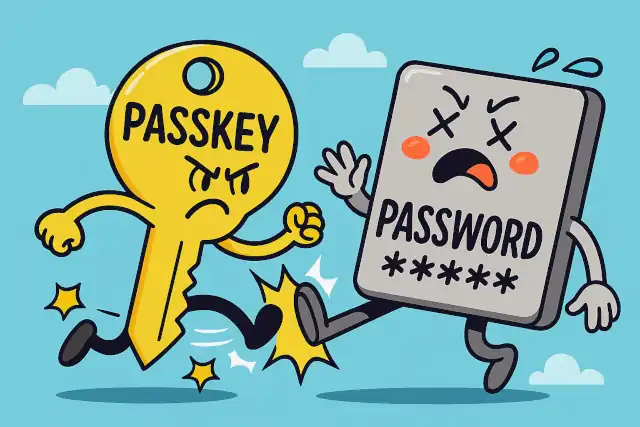
Why Passkeys Will Replace Passwords: The Future of Digital Authentication
- 60% of MD5 Password Hashes Can Be Cracked in Under an Hour with a Single GPU
- Dirty Frag: Root Access on Every Major Linux Distribution — No Patch, No Warning
- Ubuntu 26.04 LTS (Resolute Raccoon): The Most Ambitious Ubuntu LTS in a Decade
- Proton Mail: Data Transferred to FBI Again!
- How Close Are Quantum Computers to Breaking RSA-2048?
- How to Prevent Ransomware Infection Risks?
- What is the best alternative to Microsoft Office?
Why Passkeys Will Replace Passwords: The Future of Digital Authentication
Why Passkeys Will Replace Passwords: The Future of Digital Authentication
For decades, passwords have been the primary gatekeepers of our digital lives. Yet despite countless security breaches, data leaks, and frustrated users, we’ve clung to this fundamentally flawed system.
Now, a new technology called passkeys promises to finally retire passwords for good—and the transition is already underway.
“123456” and “Password” Still Reign: Most Dangerous Login Habits Exposed
The Fatal Flaws of Passwords
Passwords suffer from an inherent contradiction: they need to be both memorable for humans and complex enough to resist automated attacks. This creates a security-usability paradox that has plagued digital security since the beginning.
The statistics paint a grim picture. Most people reuse passwords across multiple sites, creating a domino effect when one service is breached. Weak passwords like “123456” or “password” remain disturbingly common. Even strong passwords are vulnerable to phishing attacks, where users are tricked into entering credentials on fake websites. Password databases themselves become attractive targets for hackers, and when breached, millions of user credentials flood the dark web.
Will Quantum Computers Break All Our Passwords in 20 Years?
What Are Passkeys?
Passkeys represent a fundamental reimagining of authentication. Instead of something you know (a password), passkeys are based on public-key cryptography—a proven technology that’s been securing internet communications for decades, now adapted for user authentication.
When you create a passkey for a website or app, your device generates two mathematically linked keys: a private key that never leaves your device, and a public key that’s stored on the service’s servers. The private key is secured by your device’s built-in security features, like biometric authentication (fingerprint or face recognition) or a device PIN.
Why MFA Keeps You Safe Even When Passwords Are Compromised
How Passkeys Work: The Technical Foundation
The process is elegantly simple from a user perspective, but sophisticated under the hood:
Registration: When you create an account, your device generates a unique key pair. The public key is sent to the service, while the private key remains securely stored in your device’s hardware security module or secure enclave.
Authentication: When you log in, the service sends a challenge to your device. Your device uses the private key to sign this challenge cryptographically. The service then verifies the signature using the stored public key. If they match, you’re authenticated.
User verification: Before the private key can be used, you must authenticate to your own device using biometrics or a PIN, proving you’re the authorized user.
This cryptographic handshake happens in milliseconds, requiring only a fingerprint scan or face recognition from the user.
Why Browser Password Managers Deserve More Credit Than They Get
Why Passkeys Are Inherently More Secure
The security advantages of passkeys over passwords are substantial and multifaceted.
Phishing immunity: Passkeys are bound to specific domains through cryptographic verification. Even if you’re tricked into visiting a fake website that looks identical to your bank, the passkey simply won’t work because the domain doesn’t match. The private key will refuse to sign challenges from unauthorized domains.
No shared secrets: Unlike passwords, which must be transmitted to servers and stored in databases, the private key never leaves your device. Servers only store public keys, which are useless to attackers even if stolen. There’s nothing valuable to steal from a server breach.
Resistance to credential stuffing: Since each passkey is unique to a specific service, there’s no concept of password reuse. A compromised passkey for one service provides zero access to any other service.
Protection against brute force attacks: Traditional passwords can be guessed through systematic attempts. Passkeys, based on 2048-bit or 4096-bit keys, are computationally infeasible to crack through brute force. The mathematical complexity makes such attacks impossible with current or foreseeable technology.
Built-in two-factor authentication: Passkeys inherently combine something you have (the device with the private key) and something you are or know (biometric or PIN verification). This multi-factor security is baked into the architecture, not an optional add-on.
Can Google see the password saved in Chrome Password Manager?
The Ecosystem Is Ready
Major tech companies have aligned behind passkeys through the FIDO Alliance, a standards organization that developed the underlying protocols. Apple, Google, and Microsoft have all integrated passkey support into their operating systems and browsers. This means passkeys work seamlessly across iPhones, Android devices, Windows PCs, and Macs.
Cloud synchronization solves the device loss problem—your passkeys can be securely backed up and synced across your devices through encrypted cloud services. If you lose your phone, your passkeys are safely recovered on your new device.
Websites and apps are rapidly adopting passkey support. PayPal, Google, Amazon, and numerous other major services now offer passkeys as a login option, with more adding support regularly.
Beyond Passwords: How Passkeys Protect Your Digital Identity
The Transition Period
The shift from passwords to passkeys won’t happen overnight. We’re currently in a transition phase where both authentication methods coexist. Most services implementing passkeys still maintain password options for users not yet ready to switch.
This gradual transition allows users to adopt passkeys at their own pace while ensuring backward compatibility. However, as passkey support becomes universal and users experience the superior security and convenience, passwords will increasingly become legacy technology.
How to Prevent Ransomware Infection Risks
The Bottom Line
Passkeys address every major weakness of password-based authentication while providing a better user experience. They’re more secure by design, immune to phishing, and eliminate the cognitive burden of creating and remembering complex passwords. The technology is mature, the ecosystem support is in place, and major services are actively implementing it.
The question isn’t whether passkeys will replace passwords—it’s how quickly the transition will happen. For users frustrated with password managers, security-conscious organizations tired of breach risks, and anyone who’s ever clicked “forgot password,” the future is already here. Passkeys represent not just an incremental improvement, but a fundamental upgrade to how we prove our identity online.
The password era is ending. The passkey era has begun.