Collabora Office: A Powerful Open-Source Alternative to Microsoft Office
Collabora Office: A Powerful Open-Source Alternative to Microsoft Office
- 60% of MD5 Password Hashes Can Be Cracked in Under an Hour with a Single GPU
- Dirty Frag: Root Access on Every Major Linux Distribution — No Patch, No Warning
- Ubuntu 26.04 LTS (Resolute Raccoon): The Most Ambitious Ubuntu LTS in a Decade
- Proton Mail: Data Transferred to FBI Again!
- How Close Are Quantum Computers to Breaking RSA-2048?
- How to Prevent Ransomware Infection Risks?
- What is the best alternative to Microsoft Office?
Collabora Office: A Powerful Open-Source Alternative to Microsoft Office
In an era where digital productivity tools have become essential to both personal and professional work, Microsoft Office has long dominated the landscape.
However, the rise of open-source alternatives has given users more choices than ever before. Among these alternatives, Collabora Office stands out as a compelling option that combines powerful features with the flexibility and transparency of open-source software.
Ufficio Zero: Italy’s Office-Oriented Linux Distribution for Productive Workspaces
What is Collabora Office?
Collabora Office is a comprehensive office suite built on LibreOffice, one of the most popular open-source productivity platforms in the world. Developed by Collabora Productivity, a company founded by open-source veterans, this suite offers a full range of applications for word processing, spreadsheets, presentations, and more. What distinguishes Collabora Office from its parent project is its focus on enterprise-grade features, professional support, and seamless integration with modern cloud platforms.
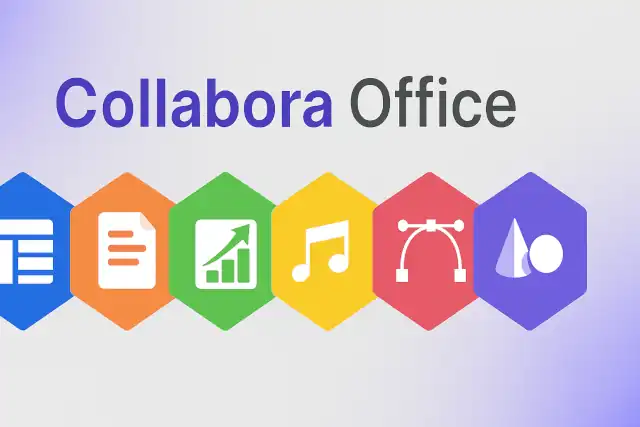
The suite includes familiar applications that mirror the core Microsoft Office experience: Writer for documents, Calc for spreadsheets, Impress for presentations, Draw for graphics, and more. Unlike Microsoft Office, however, Collabora Office is built on open standards and provides users with complete control over their data and workflows.
Office 2021 Support Ends October 2026: Switch to Open-Source LibreOffice
Core Features
Collabora Office delivers a robust set of features that address the needs of both individual users and large organizations. The word processor offers advanced formatting capabilities, change tracking, and professional document creation tools. The spreadsheet application supports complex formulas, pivot tables, and data analysis features that rival commercial alternatives. The presentation software includes modern templates, animations, and multimedia integration.
One of the most significant advantages is its native support for the Open Document Format (ODF), an international standard for office documents. This ensures long-term document accessibility and reduces the risk of vendor lock-in. However, Collabora Office also maintains excellent compatibility with Microsoft Office formats, allowing users to seamlessly work with DOCX, XLSX, and PPTX files.
Austria’s Military Ditches Microsoft Office: A Neutral Nation’s Quest for Digital Sovereignty
Unique Features That Set Collabora Office Apart
True Cloud-Native Collaboration
While Microsoft Office has moved toward cloud integration through Office 365, Collabora Office was designed from the ground up to work seamlessly in cloud environments. Collabora Online, the browser-based version, can be integrated directly into popular cloud storage platforms like Nextcloud, ownCloud, and Seafile. This allows organizations to maintain complete control over their data while providing users with real-time collaborative editing capabilities similar to Google Workspace.
Privacy and Data Sovereignty
In an age of increasing concerns about data privacy and surveillance, Collabora Office offers a unique advantage: complete data sovereignty. Organizations can host the entire suite on their own servers, ensuring that sensitive documents never leave their infrastructure. This is particularly valuable for government agencies, healthcare providers, financial institutions, and any organization operating under strict data protection regulations like GDPR.
No Vendor Lock-In
Collabora Office’s commitment to open standards means that your documents remain accessible regardless of which software you use in the future. The Open Document Format is an ISO standard, ensuring that files created today will remain readable decades from now. This stands in contrast to proprietary formats that can become obsolete or require specific software licenses to access.
Extensive Customization and Integration
The open-source nature of Collabora Office allows organizations to customize the software to meet their specific needs. Businesses can modify the interface, add custom features, or integrate the suite with existing enterprise systems. The software includes robust APIs that enable integration with content management systems, document management platforms, and custom business applications.
What is the best alternative to Microsoft Office?
Cost-Effective Licensing
Collabora Office offers flexible licensing models that can significantly reduce costs compared to proprietary alternatives. Organizations can choose between free community editions for basic use or professional editions with enterprise support. There are no per-user subscription fees that accumulate over time, making it particularly attractive for large organizations, educational institutions, and government agencies working with limited budgets.
Active Development and Professional Support
Unlike some open-source projects that rely solely on volunteer contributions, Collabora Office benefits from dedicated professional development. Collabora Productivity employs full-time developers who continuously improve the software, fix bugs, and add new features. Enterprise customers can access professional support services, ensuring that critical issues are addressed promptly.
Cross-Platform Compatibility
Collabora Office runs seamlessly on Windows, macOS, and Linux operating systems. This cross-platform support is particularly valuable for organizations with diverse IT environments or those transitioning between operating systems. The consistent experience across platforms reduces training costs and simplifies IT management.
Mobile and Browser Access
Through Collabora Online, users can access and edit documents directly in web browsers without installing any software. Mobile apps for iOS and Android extend this accessibility, allowing users to work on documents from smartphones and tablets. This flexibility supports modern work environments where employees need to be productive from various locations and devices.
Why German State Governments Are Abandoning Microsoft Office for Open-Source Solutions
Who Should Consider Collabora Office?
Collabora Office is particularly well-suited for several types of users and organizations. Privacy-conscious individuals who want control over their documents will appreciate the ability to avoid cloud services operated by major tech companies. Small and medium-sized businesses looking to reduce software licensing costs can achieve significant savings while maintaining professional productivity tools.
Large enterprises with complex compliance requirements can benefit from the ability to host everything on-premises while still providing modern collaborative features. Educational institutions often find that Collabora Office’s licensing model allows them to provide software to thousands of students and faculty without prohibitive costs. Government agencies and organizations in regulated industries value the data sovereignty and transparency that open-source software provides.
ONLYOFFICE Docs 9.1 Released: PDF Redaction Support and 400% Faster Spreadsheet Functions
Potential Considerations
While Collabora Office offers numerous advantages, potential users should be aware of some considerations. Organizations heavily invested in Microsoft’s ecosystem may face some adjustment as users adapt to different interfaces and workflows. Advanced features specific to Microsoft Office, such as certain macro capabilities or highly specialized add-ins, may not have direct equivalents.
The collaborative editing features, while powerful, require proper infrastructure setup and may need IT expertise to implement optimally. Organizations without in-house technical resources should consider professional support options to ensure smooth deployment and ongoing maintenance.
China Officially Replaces Microsoft Office with Domestic WPS Format in Government Documents
Conclusion
Collabora Office represents a mature, feature-rich alternative to Microsoft Office that addresses the needs of modern organizations while respecting user privacy and freedom. Its unique combination of enterprise-grade features, cloud-native architecture, and commitment to open standards makes it an attractive option for a wide range of users.
Whether you’re an individual seeking greater control over your documents, a business looking to reduce software costs, or an organization with strict data sovereignty requirements, Collabora Office deserves serious consideration. As the software continues to evolve with active development and growing adoption, it stands as proof that open-source alternatives can compete with and even surpass proprietary solutions in many meaningful ways.
The future of office productivity software need not be dominated by a single vendor. Collabora Office demonstrates that choice, freedom, and quality can coexist in powerful productivity tools that serve users rather than restricting them.
Collabora Office Official Download Link