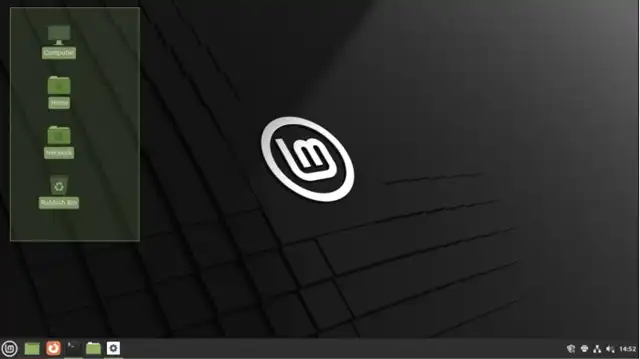
Desktop Experience Leaps Forward: Cinnamon 6.6 Brings Fresh Look to Linux Mint
Desktop Experience Leaps Forward: Cinnamon 6.6 Brings Fresh Look to Linux Mint
- 60% of MD5 Password Hashes Can Be Cracked in Under an Hour with a Single GPU
- Dirty Frag: Root Access on Every Major Linux Distribution — No Patch, No Warning
- Ubuntu 26.04 LTS (Resolute Raccoon): The Most Ambitious Ubuntu LTS in a Decade
- Proton Mail: Data Transferred to FBI Again!
- How Close Are Quantum Computers to Breaking RSA-2048?
- How to Prevent Ransomware Infection Risks?
- What is the best alternative to Microsoft Office?
Desktop Experience Leaps Forward: Cinnamon 6.6 Brings Fresh Look to Linux Mint
The Linux Mint team has unveiled Cinnamon 6.6, a significant update to their flagship desktop environment that will ship as the default DE in the upcoming Linux Mint 22.3 release.
The new version is also available to other distributions that support the latest Cinnamon builds, bringing a wave of interface refinements, improved input handling, and expanded system configuration options.
The Most Windows-Friendly Linux Distributions for General Consumers: A Complete Guide
Redesigned Application Menu Takes Center Stage
The most striking change in Cinnamon 6.6 is its completely redesigned application menu.
Users can now toggle between symbolic and full-color icons within categories, creating a more flexible visual experience.
System buttons display subtle color effects on hover, adding a touch of polish to everyday interactions.
The menu also introduces configurable positioning and bookmark management, resulting in a more unified and contemporary appearance that aligns with modern desktop design trends.
Why Windows 10 Users Are Flocking to Zorin OS 18 Instead of Linux Mint?
Enhanced Input Experience
Input handling receives notable attention in this release. The virtual keyboard now includes a layout switcher button, along with improved accessibility features, better theme integration, and enhanced display quality.
Smooth fade-in and fade-out animations make the keyboard’s appearance less jarring.
The keyboard shortcut system has been expanded with new functions for quickly switching keyboard layouts and resetting zoom levels, streamlining common tasks for multilingual users and those who frequently adjust display scaling.
Linux Mint: Why Cinnamon Can Feel Faster Than Xfce on Some Old PCs
Expanded System Settings
The system settings panel grows more capable with this update. A new Thunderbolt module provides dedicated management for Thunderbolt devices and connections.
Window tiling gains its own dedicated tab for easier configuration, while night mode now supports manual scheduling for users who prefer to control color temperature shifts themselves rather than relying on automatic sunset-based adjustments.
A new system information tool rounds out the additions, giving users better visibility into their hardware and software configuration.
What is the best alternative to Microsoft Office?
Applet Improvements
Frequently used applets have received targeted improvements. The network applet can now display multiple active VPN connections simultaneously, addressing a common pain point for users who maintain connections to multiple networks.
The window list applet gains support for notification badges, making it easier to spot applications requesting attention without switching windows.
When and Why You Need Antivirus on Linux (and How to Install ClamAV)
Technical Foundation Updates
Under the hood, Cinnamon 6.6 adopts XApp symbolic icons for improved consistency across the desktop.
The desktop environment now includes IBus as a runtime dependency, enhancing input method support particularly for Asian languages.
In a move that improves cross-distribution compatibility, Cinnamon can now be built in environments without NetworkManager, reducing dependencies and making the desktop environment more adaptable to different Linux configurations.
Six Free Antivirus Solutions for Linux OS
A Mature Foundation for Linux Mint 22.3
This update represents a clear step forward in both user experience and modernization for the Cinnamon desktop.
By addressing visual design, input handling, and system management in a single coordinated release, the Linux Mint team has laid solid groundwork for the upcoming Linux Mint 22.3.
The improvements strike a balance between preserving Cinnamon’s traditional strengths—its approachability and configurability—while bringing the desktop environment more in line with contemporary interface expectations.
For Linux Mint users and fans of the Cinnamon desktop, version 6.6 delivers meaningful refinements that should make daily computing feel more polished and responsive. The update demonstrates that incremental improvements across multiple areas can collectively create a noticeably better desktop experience.
Linux Mint Official Download Link