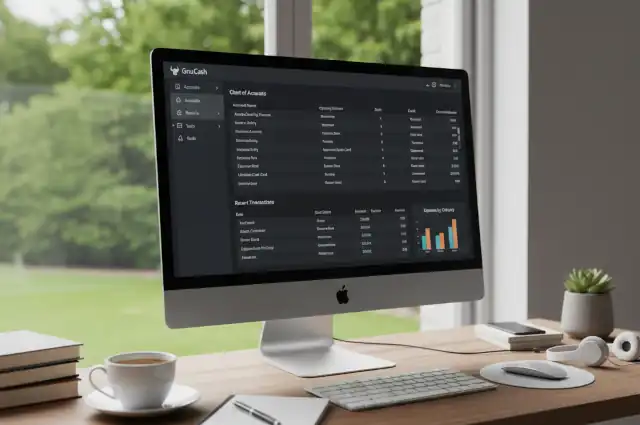
GnuCash: A Comprehensive Guide to Free Financial Management Software
GnuCash: A Comprehensive Guide to Free Financial Management Software
- 60% of MD5 Password Hashes Can Be Cracked in Under an Hour with a Single GPU
- Dirty Frag: Root Access on Every Major Linux Distribution — No Patch, No Warning
- Ubuntu 26.04 LTS (Resolute Raccoon): The Most Ambitious Ubuntu LTS in a Decade
- Proton Mail: Data Transferred to FBI Again!
- How Close Are Quantum Computers to Breaking RSA-2048?
- How to Prevent Ransomware Infection Risks?
- What is the best alternative to Microsoft Office?
GnuCash: A Comprehensive Guide to Free Financial Management Software
Managing personal or small business finances can be challenging, especially when commercial accounting software comes with hefty price tags and subscription fees.
Enter GnuCash—a robust, free, and open-source financial accounting application that has been serving individuals and small businesses for over two decades.
This article explores what makes GnuCash a compelling choice for financial management.
The Most Windows-Friendly Linux Distributions for General Consumers: A Complete Guide
What is GnuCash?
GnuCash is a free, open-source accounting software designed to help individuals and small businesses track their finances with professional-grade tools. Built on the principles of double-entry bookkeeping, GnuCash offers capabilities similar to commercial accounting packages like QuickBooks or Sage, but without the cost. The software is licensed under the GNU General Public License, meaning it’s completely free to use, modify, and distribute.
Originally released in 1998, GnuCash has matured into a stable and feature-rich application trusted by users worldwide. Whether you’re managing personal finances, running a small business, or handling complex investment portfolios, GnuCash provides the tools necessary for accurate financial tracking and reporting.
Key Features
GnuCash comes packed with features that rival commercial alternatives. Here are the most notable capabilities:
Double-Entry Bookkeeping: At its core, GnuCash implements proper double-entry accounting principles, ensuring that every transaction is balanced and your books remain accurate. This professional accounting method tracks both debits and credits, making it suitable for serious financial management.
Multiple Account Types: The software supports various account types including bank accounts, cash, credit cards, investments, assets, liabilities, income, and expenses. This comprehensive approach allows you to maintain a complete financial picture in one place.
Investment Tracking: GnuCash excels at portfolio management with built-in support for stocks, bonds, and mutual funds. It can track multiple portfolios, retrieve online price quotes, and calculate capital gains and losses—features often reserved for premium software.
Small Business Features: For entrepreneurs, GnuCash offers invoicing, bill tracking, accounts receivable and payable management, job costing, and sales tax tables. These tools make it viable for running a small business without expensive accounting software.
Reporting Capabilities: Generate a wide range of financial reports including balance sheets, income statements, cash flow reports, transaction reports, and customizable graphs. The reporting engine is flexible and can be tailored to specific needs.
Multiple Currencies: GnuCash supports multiple currencies with automatic exchange rate updates, making it ideal for international transactions or tracking foreign investments.
Scheduled Transactions: Automate recurring transactions like mortgage payments, subscriptions, or regular bills. The software can remind you or automatically enter these transactions on specified dates.
Data Import Options: Import transactions from various formats including QIF, OFX, and CSV files. Many banks support direct downloads that GnuCash can process, reducing manual data entry.
Reconciliation Tools: Built-in reconciliation features help you match your records against bank and credit card statements, identifying discrepancies quickly.
What is the best alternative to Microsoft Office?
Pros and Cons
Like any software solution, GnuCash has strengths and limitations worth considering.
Advantages
Cost-Effective: The most obvious benefit is price—GnuCash is completely free with no subscriptions, no per-user fees, and no hidden costs. For individuals and small businesses watching their budgets, this is a significant advantage.
No Vendor Lock-In: As open-source software, your data isn’t trapped in proprietary formats. GnuCash uses an open XML format, and you can export to various standard formats, ensuring you always maintain control of your financial information.
Privacy and Security: Your financial data stays on your computer rather than in the cloud, giving you complete control over sensitive information. There’s no third-party access and no data mining of your transactions.
Cross-Platform Support: GnuCash runs on Windows, macOS, and Linux, making it accessible regardless of your operating system preference. This flexibility is rare among accounting applications.
Professional Accounting Standards: The software adheres to proper accounting principles, making it suitable for businesses that need legitimate financial statements and reports.
Active Development: Despite being free, GnuCash benefits from an active community of developers who regularly update the software, fix bugs, and add new features.
No Artificial Limitations: Unlike “free” versions of commercial software, GnuCash doesn’t restrict features, limit transactions, or push upgrade prompts.
Disadvantages
Steeper Learning Curve: GnuCash assumes some familiarity with accounting concepts. Users without bookkeeping knowledge may find the double-entry system and accounting terminology initially confusing compared to simplified personal finance apps.
Interface Design: The user interface, while functional, feels dated compared to modern cloud-based alternatives. Some users find it less intuitive than commercial competitors with more polished designs.
Limited Online Banking Integration: While GnuCash can import downloaded transactions, it doesn’t offer the seamless automatic syncing found in services like Mint or QuickBooks Online. You’ll need to manually download and import bank files.
No Mobile App: GnuCash is desktop-only with no official mobile applications, limiting on-the-go access to your financial data.
Sparse Documentation: While documentation exists, beginners may find it less comprehensive or harder to navigate than the support resources provided by commercial vendors with dedicated technical writing teams.
Complex Setup: Initial configuration requires more effort than simple apps. Setting up your chart of accounts, understanding account hierarchies, and configuring preferences demands time investment upfront.
Limited Third-Party Support: You won’t find the ecosystem of add-ons, integrations, or professional services that surround major commercial accounting platforms.
Replacing Microsoft Outlook on Linux: The Best Email Clients Compared
GnuCash vs. The Competition
Understanding how GnuCash compares to alternatives helps determine if it’s the right choice for your needs.
GnuCash vs. QuickBooks: QuickBooks offers a more polished interface, automatic bank syncing, extensive third-party integrations, and comprehensive customer support. However, it requires ongoing subscription payments (starting around $30/month) and keeps your data in the cloud. GnuCash provides similar core accounting functionality for free with local data storage, but requires more manual processes and accounting knowledge. For very small businesses or individuals prioritizing cost and privacy, GnuCash is compelling. Growing businesses needing advanced features and support may justify QuickBooks’ expense.
GnuCash vs. Mint: Mint is free and user-friendly with automatic transaction syncing and budgeting tools, perfect for casual personal finance management. However, it’s cloud-only, ad-supported, and offers no business features or proper accounting. GnuCash is more powerful and private but requires more effort to maintain. Choose Mint for simple personal budgeting; choose GnuCash for serious financial tracking or business needs.
GnuCash vs. FreshBooks/Wave: These cloud-based services target freelancers and small businesses with modern interfaces, easy invoicing, and time tracking. They’re simpler than GnuCash but charge monthly fees (FreshBooks) or transaction fees (Wave). GnuCash is free and more comprehensive for accounting but less streamlined for specific workflows like client billing. If invoicing is your primary need, these specialized tools may be easier. For complete financial management without fees, GnuCash wins.
GnuCash vs. Microsoft Excel: Many people track finances in spreadsheets. Excel offers ultimate flexibility but requires building everything yourself, provides no accounting structure, and becomes error-prone with complexity. GnuCash provides built-in accounting logic, automatic calculations, comprehensive reporting, and data integrity checks that spreadsheets lack. For anything beyond basic tracking, GnuCash is significantly more robust.
GnuCash vs. Other Open-Source Options (like Money Manager Ex or HomeBank): These alternatives are simpler and easier to learn but lack GnuCash’s comprehensive business features and investment tracking. They’re suitable for basic personal finance but can’t handle small business accounting or complex portfolios like GnuCash can.
The Best Free Adobe Acrobat Alternatives for Linux
Desktop Operating Systems Compatibility
One of GnuCash’s strengths is its broad platform support. The software runs natively on all major desktop operating systems:
Windows: GnuCash supports Windows 8.1 and later versions, including Windows 10 and Windows 11. Installation is straightforward with a standard Windows installer package available from the official website.
macOS: Mac users can install GnuCash on macOS 10.13 (High Sierra) and newer versions. The application is provided as a standard .dmg file that installs like any native Mac application.
Linux: GnuCash runs on virtually all Linux distributions and is often available through distribution package managers. It supports both Debian-based systems (Ubuntu, Mint) and RPM-based systems (Fedora, Red Hat), as well as others. Linux users can typically install it with a simple command like apt install gnucash or dnf install gnucash.
BSD Systems: GnuCash also runs on FreeBSD and other BSD variants, though these represent a smaller user base.
The cross-platform nature means you can maintain your financial data across different computers regardless of operating system, or easily migrate if you change platforms. The data files are compatible across all versions, allowing seamless transitions between systems.
Free Project Management Software Alternatives to MS Project for Linux
Is GnuCash Right for You?
GnuCash excels for budget-conscious individuals and small businesses who need serious accounting capabilities without subscription costs. It’s ideal if you value data privacy, prefer local storage over cloud services, or need proper double-entry bookkeeping. The software particularly appeals to those comfortable with accounting concepts or willing to learn them.
However, if you prioritize ease of use over features, need automatic bank syncing without manual imports, or want mobile access to your finances, modern commercial alternatives might serve you better despite their costs.
For many users, GnuCash represents an excellent middle ground: more powerful than simple budgeting apps, more affordable than professional accounting software, and respecting of your privacy and data ownership. Its longevity and active development suggest it will continue serving users well into the future, making it a solid investment of time to learn—even if that investment costs zero dollars.
GnuCash Official Download Link