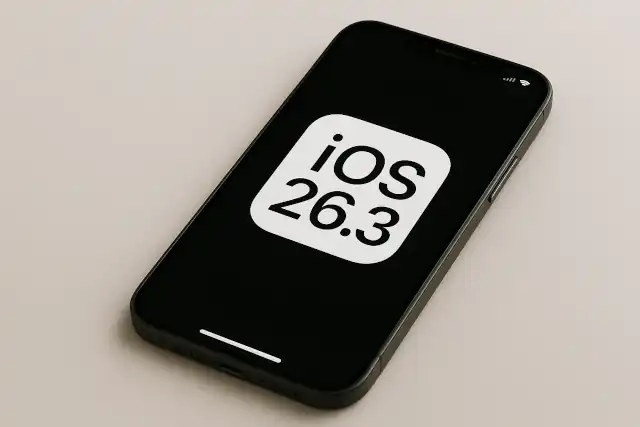
Apple Breaks Down the OS Barrier: iOS 26.3 Introduces Native “Transfer to Android” Feature
Apple Breaks Down the OS Barrier: iOS 26.3 Introduces Native “Transfer to Android” Feature
- Linux Kernel Removes strncpy After Six Years and 362 Patches
- Linux Kernel Drops 40-Year-Old AppleTalk Protocol — AI-Generated Patch Flood Was the Last Straw
- Apple’s Native Linux Container Tool Has Arrived — But Can It Really Replace Docker?
- 60% of MD5 Password Hashes Can Be Cracked in Under an Hour with a Single GPU
- Dirty Frag: Root Access on Every Major Linux Distribution — No Patch, No Warning
Apple Breaks Down the OS Barrier: iOS 26.3 Introduces Native “Transfer to Android” Feature
February 27, 2026
For years, switching from an iPhone to an Android device meant navigating a maze of cables, third-party apps, and manual workarounds.
That experience is now changing. Apple’s release of iOS 26.3 in February 2026 introduces a native “Transfer to Android” tool — a quiet but significant step toward a more open and interoperable smartphone ecosystem.
What Is “Transfer to Android”?
For the first time, Apple has built a cross-platform data migration tool directly into iOS. The new feature, found under Settings > General > Transfer or Reset iPhone > Transfer to Android, allows iPhone users to wirelessly move their personal data to a nearby Android device — no cables, no third-party apps required.
The tool was developed as part of a joint collaboration between Apple and Google, and its arrival was welcomed by the European Commission, which credited the EU’s Digital Markets Act (DMA) as the driving regulatory force behind it. However, the feature is available to users worldwide, not just in Europe.
What Data Can Be Transferred?
Using the new tool, iPhone users can move the following data to their Android device:
- Photos and videos
- Messages
- Contacts
- Notes
- Apps and app data
- Passwords
- Phone number (including eSIM transfer, for supported carriers)
- Call history, wallpaper, and home screen layout
There are, however, some notable limitations. Health data, Bluetooth-paired devices, and protected items such as locked notes cannot be transferred at this time. Apple and Google have both indicated that additional data types will be supported as the collaboration continues to develop.
How to Use It: Step by Step
Using “Transfer to Android” requires both devices to be running the latest available software — iOS 26.3 or later on the iPhone, and the compatible Android version on the destination device. Both phones must also have Wi-Fi and Bluetooth enabled.
Here’s how to initiate the transfer from your iPhone:
- Open the Settings app.
- Tap General, then scroll down to Transfer or Reset iPhone.
- Select Transfer to Android.
- Place your iPhone next to your Android device.
- Scan the QR code displayed on the Android device’s screen to establish a connection (or manually enter the session ID and pairing code if scanning isn’t possible).
- Choose which data you want to transfer and confirm.
The actual data transfer takes place over a high-bandwidth peer-to-peer Wi-Fi connection — a technology Apple and Google co-developed specifically for this purpose — rather than Bluetooth alone. This ensures the transfer is both fast and stable.
A Two-Way Street: Android Gets a Matching Feature
The new capability isn’t one-sided. Google has also been building a corresponding feature within Android to allow users to switch from Android to iPhone with greater ease. This mirrored approach means that platform switching in both directions is set to become significantly more seamless. For now, users moving from Android to iPhone can continue to use Apple’s existing Move to iOS app, available on the Google Play Store.
Why Is This Happening Now?
The timing is no accident. The European Union’s Digital Markets Act, which came into full force in recent years, requires major platform operators — including Apple — to ensure effective data portability and interoperability. Apple and Google have reportedly been working closely with the European Commission for the past two years to develop this solution.
That said, the motivation extends beyond regulation. Apple itself acknowledged in a March 2025 DMA compliance report that it was “developing a device switching solution” in collaboration with Google — in part to address concerns about the security and reliability of existing third-party switching tools.
The result is a solution that benefits users everywhere, not just those in Europe.
A Foundation, Not a Finished Product
It’s worth noting that while iOS 26.3 lays important groundwork, the complete end-to-end transfer experience still requires software updates on both sides. The full feature set is expected to become available in a future release as Apple and Google continue joint development. In the meantime, users can still rely on existing methods: the Android Switch app for those leaving iOS, or a USB cable for a more direct transfer.
The Bottom Line
iOS 26.3’s “Transfer to Android” feature marks a meaningful shift in how the two dominant mobile platforms relate to each other. What was once a friction-filled, multi-step ordeal is becoming a straightforward, wireless process built right into the iPhone’s settings. Whether driven by regulation, user demand, or competitive pressure, the result is a genuine win for consumers — and a sign that the walls between iOS and Android are, finally, starting to come down.
Sources: Apple, 9to5Mac, MacRumors, Android Authority, AppleInsider, PhoneArena, Information Age