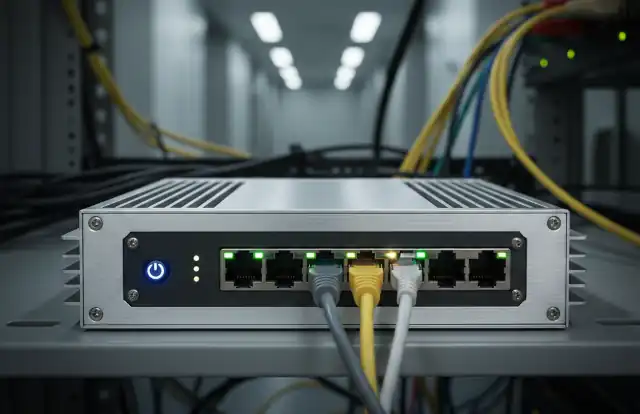
RouterOS 7.23.1 Released:16 Changes, Stability Hardened
- 60% of MD5 Password Hashes Can Be Cracked in Under an Hour with a Single GPU
- Dirty Frag: Root Access on Every Major Linux Distribution — No Patch, No Warning
- Ubuntu 26.04 LTS (Resolute Raccoon): The Most Ambitious Ubuntu LTS in a Decade
- Proton Mail: Data Transferred to FBI Again!
- How Close Are Quantum Computers to Breaking RSA-2048?
- How to Prevent Ransomware Infection Risks?
- What is the best alternative to Microsoft Office?
RouterOS 7.23.1 Released:
16 Changes, Stability Hardened
MikroTik has released RouterOS 7.23.1, a point update to the 7.23 stable branch delivering 16 targeted changes: bug fixes across BGP, bridge, app, ethernet, disk, OSPF, switch, and route modules, alongside improvements to firewall stability, IPsec IKE2, IPv6 FastPath behavior, and disk error reporting. Commercial and enterprise environments are advised to evaluate and upgrade as needed.
I. Overview
On June 3, 2026, MikroTik officially published RouterOS 7.23.1 to the stable channel, just days after the 7.23 stable release on May 26. This minor patch addresses accumulated issues found during initial deployment of 7.23 in production environments.
The update contains 16 discrete changes spanning bug fixes, behavioral improvements, a deprecation removal, and a rename. Key areas addressed include memory safety (BGP), hardware-level stability (ethernet and switch on Alpine CPUs), routing correctness (OSPF, route), and VPN reliability (IPsec IKE2).
II. Full Changelog — Version 7.23.1
The following table lists all 16 official changes from the MikroTik release announcement, categorized by type and module.
| # | Module | Type | Description |
|---|---|---|---|
| 01 | app | Fix | Fixed bogus configuration export. |
| 02 | app | Fix | Fixed creation of empty directories when running configuration export. |
| 03 | bgp | Fix | Fixed a memory leak in the BGP subsystem. |
| 04 | bridge | Fix | Fixed a stability issue that occurred when using DHCPv4 snooping. |
| 05 | disk | Improve | Avoid reading SCSI stats continuously, allowing disks to enter sleep mode properly. |
| 06 | disk | Improve | Improved the error message displayed when a swap file is created without specifying file-size. |
| 07 | ethernet | Fix | Fixed a stability issue with TSO (TCP Segmentation Offload) on devices using Alpine CPUs. |
| 08 | firewall | Improve | Improved overall system stability in the firewall subsystem. |
| 09 | ipsec, ike2 | Improve | Improved TSi (Traffic Selector initiator) validation to prevent modecfg address conflicts during IKEv2 negotiation. |
| 10 | ipv6 | Fix | IPv6 FastPath is no longer disabled when Traffic Flow is enabled, restoring expected fast-forwarding behavior. |
| 11 | ospf | Addition | Added previously missing interface parameters to OSPF configuration. |
| 12 | ospf | Fix | Fixed an unresolved route problem that occurred when the routing-table setting was in use. |
| 13 | ptp | Change | Renamed the smpte profile identifier to smpte-2059 for standards alignment. |
| 14 | route | Improve | Improved overall routing stability. |
| 15 | route | Fix | Removed the deprecated /routing/route/rule menu, which had been slated for removal in prior releases. |
| 16 | switch | Fix | Fixed a rare possibility of a transmit timeout (tx-timeout) or simultaneous flap of all switch ports on devices using Alpine CPUs. |
III. Notable Highlights
Alpine CPU stability: Both the ethernet and switch modules received targeted fixes for Alpine CPU hardware. These devices could experience transmit timeouts or simultaneous port flapping under certain load conditions — issues that are now resolved.
BGP memory leak: Long-running BGP deployments could accumulate memory over time due to this leak. Administrators operating large BGP tables or many peers should treat this fix as high priority.
IPsec IKE2 improvement: The enhanced TSi validation prevents address conflicts that could occur during modecfg IP assignment, which is relevant to road-warrior and remote access VPN setups using IKEv2.
IPv6 FastPath: Previously, enabling Traffic Flow on a device would silently disable IPv6 FastPath, reducing forwarding performance. This has been corrected so both features coexist properly.
OSPF interface parameters: Missing interface parameters have been added, which may affect configurations relying on per-interface OSPF tuning in complex multi-area environments.
Deprecated route rule menu removed: The /routing/route/rule menu has been fully removed. Administrators should ensure scripts or configurations referencing this deprecated path are updated before upgrading.
IV. Upgrade Steps
- Back up your configuration first — export to a local storage device or computer before proceeding.
- In the RouterOS web interface (Winbox or WebFig), navigate to System → Packages and click Check For Updates. Select the Stable channel and download the update.
- For hardware routers, after the package installs, navigate to System → RouterBoard and click Upgrade to update the firmware. Then reboot the device manually.
- For software routers (CHR), only the package update in Step 2 is needed — no firmware upgrade step is required.
V. Precautions
- Do not power off the device during the upgrade process — doing so may corrupt the firmware and require a Netinstall recovery.
- If using the deprecated
/routing/route/rulepath in any scripts or scheduler entries, update those references before upgrading to avoid errors post-upgrade. - Review PTP configurations if using the
smpteprofile — it must now be referenced assmpte-2059. - Ensure sufficient free storage space on the device for all RouterOS packages to be downloaded during the upgrade.