Microsoft’s MarkItDown Passes 150,000 GitHub Stars as the Go-To File-to-Markdown Converter for LLMs
- Apple’s Native Linux Container Tool Has Arrived — But Can It Really Replace Docker?
- 60% of MD5 Password Hashes Can Be Cracked in Under an Hour with a Single GPU
- Dirty Frag: Root Access on Every Major Linux Distribution — No Patch, No Warning
- Proton Mail: Data Transferred to FBI Again!
- How Close Are Quantum Computers to Breaking RSA-2048?
- What is the best alternative to Microsoft Office?
Microsoft’s MarkItDown Passes 150,000 GitHub Stars as the Go-To File-to-Markdown Converter for LLMs
A small Python utility built by the AutoGen team keeps growing in popularity by solving a problem every AI developer eventually runs into: getting messy real-world files into a format a language model can actually use.
Large language models read and write fluently, but only once content has already been turned into plain text. Hand one a PDF, a PowerPoint deck, or a folder of scanned receipts, and the structure that makes the document useful — headings, tables, links — tends to disappear before the model ever sees it. That gap is what Microsoft’s MarkItDown was built to close, and it has become one of the most widely adopted open-source tools in the retrieval-augmented-generation and document-AI space.
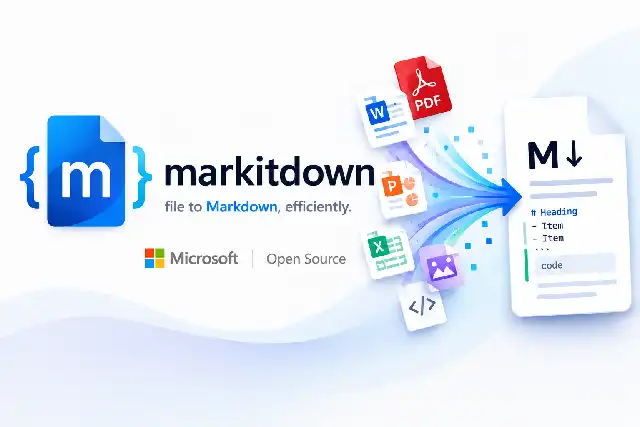
The project, maintained by the team behind Microsoft’s AutoGen framework, does one job: it takes a file in almost any common format and converts it into clean Markdown, preserving headings, lists, tables, and links along the way. That output is then easy to feed into an LLM, chunk for a vector database, or drop straight into a RAG pipeline.
What it actually converts
MarkItDown’s format coverage is broad enough to cover most of what shows up in a typical company’s file share, and it has kept expanding with each release:
- DocumentsPDF, Word (.docx), PowerPoint (.pptx)
- Spreadsheets & dataExcel (.xlsx/.xls), CSV, JSON, XML
- MediaImages (EXIF metadata + OCR), audio (metadata + transcription)
- Web & archivesHTML pages, ZIP archives (contents traversed automatically)
- OtherYouTube URLs (transcript extraction), EPub e-books, Outlook messages
Three ways to run it
The tool can be used from the command line, as a Python library, or in a Docker container, depending on how much setup a developer wants to do.
# Command line
markitdown report.pdf > report.md
markitdown data.xlsx -o data.md
cat document.pdf | markitdown
# Python API
from markitdown import MarkItDown

md = MarkItDown(enable_plugins=False)
result = md.convert("quarterly_report.xlsx")
print(result.text_content)
# Docker, no Python setup required
docker build -t markitdown:latest .
docker run --rm -i markitdown:latest < ~/contract.pdf > output.md
Dependencies are modular: a bare pip install markitdown covers the basics, while extras like pip install 'markitdown[pdf,docx,pptx]' or pip install 'markitdown[all]' pull in only what’s needed for specific formats.
Hooking in a vision model
For images and slides, MarkItDown can call out to an LLM to generate a text description rather than just pulling metadata. Passing an OpenAI client into the constructor is enough to have GPT-4o describe a photo as part of the conversion:
from markitdown import MarkItDown
from openai import OpenAI

client = OpenAI()
md = MarkItDown(llm_client=client, llm_model="gpt-4o")
result = md.convert("photo.jpg")
The enterprise path: Azure integration
For teams that need higher-fidelity extraction than the offline converters provide, MarkItDown can hand documents off to two Azure AI services. Azure Document Intelligence adds cloud-based layout analysis and OCR for scanned or complex PDFs. Azure Content Understanding goes further, offering structured field extraction, multimodal handling that extends to audio and video, and custom analyzers that can pull domain-specific fields — like invoice totals or contract clauses — directly into a document’s front matter. Both are billable Azure services rather than free local processing, but they’re opt-in additions, not requirements.
Extensibility doesn’t stop at Azure. MarkItDown also supports third-party plugins, the most notable being markitdown-ocr, which adds vision-model-based OCR to the PDF, DOCX, PPTX, and XLSX converters using the same LLM client pattern as the image-description feature.
Why it caught on
Three factors are usually credited for the project’s growth since its November 2024 debut: it addresses a problem nearly every AI application developer hits early and often; it carries Microsoft’s backing through the AutoGen team, which has kept the codebase actively maintained across nineteen releases; and it slots cleanly into existing tooling such as LangChain, AutoGen, and the OpenAI SDK rather than asking developers to rebuild their pipelines around it.
That said, MarkItDown’s quality isn’t uniform across every format it claims to support. Its built-in PDF handling relies on basic text extraction rather than full layout analysis, so heavily formatted or table-heavy PDFs often convert with little structure unless Document Intelligence or Content Understanding is layered on top. Office formats like Word, Excel, and PowerPoint tend to fare noticeably better out of the box.
The pitch is a single library that turns whatever file lands in your inbox — PDF, spreadsheet, slide deck, scanned image, even a YouTube link — into the same clean Markdown an LLM already knows how to read.
The project remains MIT licensed, with its source available on GitHub under microsoft/markitdown. The most recent release, version 0.1.6, shipped on May 26, 2026.