ChromeOS: A Linux Distribution with a Google Chrome Desktop
ChromeOS: A Linux Distribution with a Google Chrome Desktop
- 60% of MD5 Password Hashes Can Be Cracked in Under an Hour with a Single GPU
- Dirty Frag: Root Access on Every Major Linux Distribution — No Patch, No Warning
- Ubuntu 26.04 LTS (Resolute Raccoon): The Most Ambitious Ubuntu LTS in a Decade
- Proton Mail: Data Transferred to FBI Again!
- How Close Are Quantum Computers to Breaking RSA-2048?
- How to Prevent Ransomware Infection Risks?
- What is the best alternative to Microsoft Office?
ChromeOS: A Linux Distribution with a Google Chrome Desktop
Kevin C. Tofel, a tech writer who specializes in covering Chromebooks, recently pointed out that ChromeOS is now more akin to a Linux distribution with a Google desktop environment.
He noted that while not everyone may be aware, ChromeOS is, in fact, a Linux distribution, a fact that has been effectively concealed. His understanding of this is rooted in the idea that Linux might be a somewhat daunting term for mainstream consumers.
However, there’s no denying that ChromeOS is Linux—it employs the Linux kernel but conceals it behind a graphical user interface, which is the desktop environment.
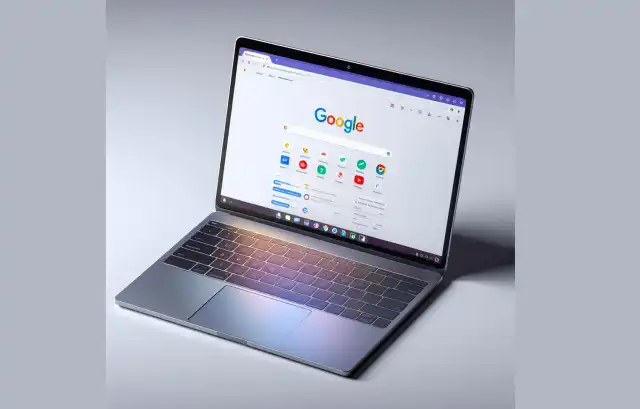
He explained that when you install Linux, you choose a distribution, which could be Arch, Fedora, Debian, or Ubuntu. He, for instance, uses Pop OS!, which includes a Linux kernel along with software and modifications specific to that distribution. You can think of the kernel as the foundational software, assisting other software in interacting with hardware to form a coherent system. This is why you can browse files through applications or the terminal.
However, this is only one part of the system. Another part is how you interact with it. Some people prefer to do everything using the terminal and command line, which comes with a relatively steep learning curve. This is where graphical desktop environments come in handy to address this issue. These environments visually display clickable folders or have an application launcher menu, and so on.
While most Linux distributions come with default desktop environments, users can install and choose from many others. However, this is not possible on ChromeOS, which is why Kevin Tofel mentioned that ChromeOS utilizes Google’s desktop environment.
So, in essence, when it comes to ChromeOS and the underlying system software, it’s Linux. Google utilizes a customized version of Linux like you’ve never seen before.
Kevin C. Tofel further explained that when you open Linux on ChromeOS, you’ll see a terminal and a Debian Linux container running within a virtual machine. This is why you can run Linux applications on ChromeOS.



