How to DIY a PBX on Raspberry Pi Zero?
How to DIY a PBX on Raspberry Pi Zero?
- Why Enterprise RAID Rebuilding Succeeds Where Consumer Arrays Fail?
- Linus Torvalds Rejects MMC Subsystem Updates for Linux 7.0: “Complete Garbage”
- The Man Who Maintained Sudo for 30 Years Now Struggles to Fund the Work That Powers Millions of Servers
- How Close Are Quantum Computers to Breaking RSA-2048?
- Why Windows 10 Users Are Flocking to Zorin OS 18 Instead of Linux Mint?
- How to Prevent Ransomware Infection Risks?
- What is the best alternative to Microsoft Office?
How to DIY a PBX on Raspberry Pi Zero?
PBX on Raspberry Pi Zero has much small size, some stores offer just 5 dollars as promotion.
However it doesn’t come with Ethernet port, so USB to Ethernet adapter would be a solution.
You have to get micro USB to USB-A adapter first because Raspberry Pi Zero just has micro USB ports.
Raspberry Pi Zero W recommended
Raspberry Pi Zero has two models: Raspberry Pi Zero and Raspberry Pi Zero W. W comes with wireless connection and better performance.
Micro USB to USB-A adapter:
USB 2.0 to Ethernet adapter
Raspberry Pi Zero only with USB2.0, so just spend 3-4 dollars to get USB2.0 to Ethernet adapter from Ebay.
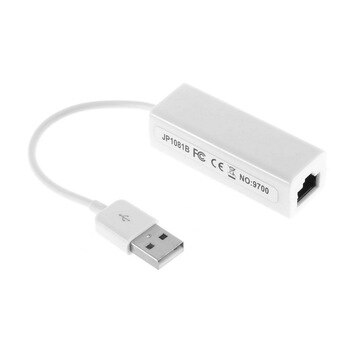
USB3.0 to Ethernet Adapter
However, the speed of USB2.0 to Ethernet adapt is very slow: less than 500KB/s to transfer data.
You can spend more to get USB3.0 to Ethernet adapter even the port on Raspberry Pi Zero is USB2.0. The speed around 10-20MB/s, which is much better than the cheap USB2.0 to Ethernet adapter.
Install Procedure:
- Get a 16GB or 32GB micro SD
- Download image file of Raspiberry Pi OS
- Write image file to one microSD card by disk writer, like Raspiberry one Imager ( download from Raspberry Pi official website)
- Creat a blank txt file on boot partition and rename as “SSH” in order to enable SSH service
- Insert SD card to Raspberry Pi and power on it.
- SSH by user: pi with default password: raspberry, then enable root login and SSH by root
- Follow the official tutorial for FreebPBX on Debian
SD card for Raspberry Pi Zero
Better to get good grand microSD card like Samsung or Sandisk to avoid disk failure.
- Samsung Endurance Card
- Sandisk Endurance Card