How to DIY a Soft Router (Soft Routing) with Chromebook or Chromebox?
How to DIY a Soft Router (Soft Routing) with Chromebook or Chromebox?
- 60% of MD5 Password Hashes Can Be Cracked in Under an Hour with a Single GPU
- Dirty Frag: Root Access on Every Major Linux Distribution — No Patch, No Warning
- Ubuntu 26.04 LTS (Resolute Raccoon): The Most Ambitious Ubuntu LTS in a Decade
- Proton Mail: Data Transferred to FBI Again!
- How Close Are Quantum Computers to Breaking RSA-2048?
- How to Prevent Ransomware Infection Risks?
- What is the best alternative to Microsoft Office?
How to DIY a Soft Router (Soft Routing) with Chromebook or Chromebox?
A chromebook as a router? If your chromebook is equipped with a x86-CPU, you can easily transfer your chromebook as a soft router.
However, you need to add two Ethernet port (one as WAN; another as LAN) to chromebook because most of Chromebooks don’t have Ethernet port, you need to add two adapters via USB3.0 or M.2 (internal) for wired network connection:
Hardware for Chromebook As Router
A Chromebook
Chromebok with x86-CPU, better with a Ethernet port like Lenovo x131e
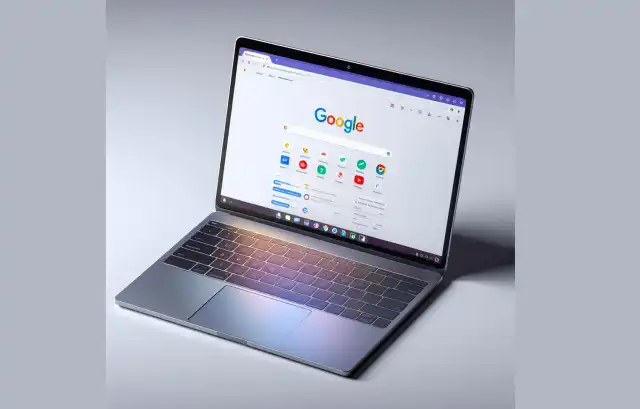
or A Chromebox
Most chromeboxes come with a ethernet port, so add another ethernet port via USB3.0 or M.2 (internal)
USD3.0 to Ethernet Adapter
Most Chromebooks didn’t come with Ethernet port, so it’s better to get USB3.0 to Ethernet Adapter to better networking connection.
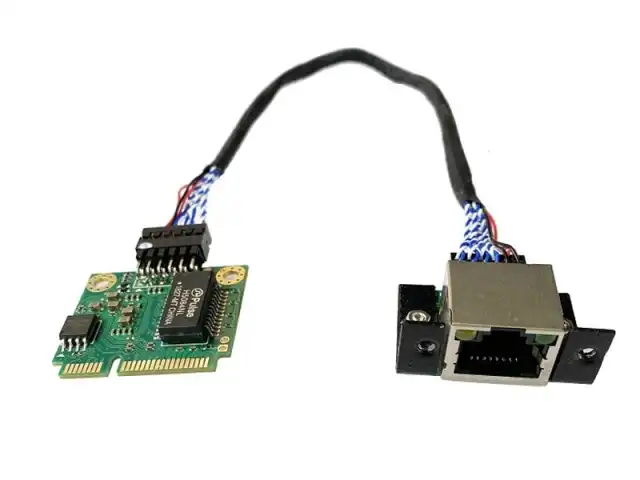
M.2 to Ethernet
Most of Chromebooks come with a M.2 slot for Wireless network card. In order to get better network connect.
We will replace this card by below adapter.
However, you need to drill a hole to let cable go through.
Swipe off Chrome OS and install customerized BIOS, then modify it to a Soft Router
In order to install Soft Router OS on chromebook, you need to replace factory BIOS by customerized one.
- Go to Mr.Chromebox.tech to check if your chromebook is supported
- Remove security limit (screw, switch or jump) if haivng one on supported chromebooks.
- Enter developer mode to flash BIOS by scripts from mrchromebox.tech.
Software for Chrome as Router
OpenWRT for PC is recommended if you are new on soft router.
Install OpenWRT on Chromebook as Router
After flashing factory and set down on two network cards
- Download the image for PC from OpenWRT official website
- Write image file to USB drive by balenaEthcher
- Boot Chromebook from this USB drive
- USE a PC and set this PC’s IP as 192.168.1.2
- Use a network cable to conect both PC and chromebook.
- Open browser and PC and input IP address: 192.168.1.1
- Login with user: root, leave this blank for your first connection
- Configure this soft router per your wish.
Other options:
After you know more about soft router and network working pricinples, you can continue to try other Soft Router OS.
How to DIY a Soft Router (Soft-Routing)?