Microsoft may support more compressed file formats in Windows 11
Microsoft may support more compressed file formats in Windows 11
- 60% of MD5 Password Hashes Can Be Cracked in Under an Hour with a Single GPU
- Dirty Frag: Root Access on Every Major Linux Distribution — No Patch, No Warning
- Ubuntu 26.04 LTS (Resolute Raccoon): The Most Ambitious Ubuntu LTS in a Decade
- Proton Mail: Data Transferred to FBI Again!
- How Close Are Quantum Computers to Breaking RSA-2048?
- How to Prevent Ransomware Infection Risks?
- What is the best alternative to Microsoft Office?
Microsoft may support more compressed file formats in Windows 11
Microsoft is currently testing expanded support for more compressed file formats in Windows 11.
A few weeks ago, Windows 11 version 23H2 and its capabilities can process various file compression formats.
One of its drawbacks, apart from its performance not matching dedicated applications, was its inability to package files in formats other than ZIP. Fortunately, this flaw is about to be fixed.
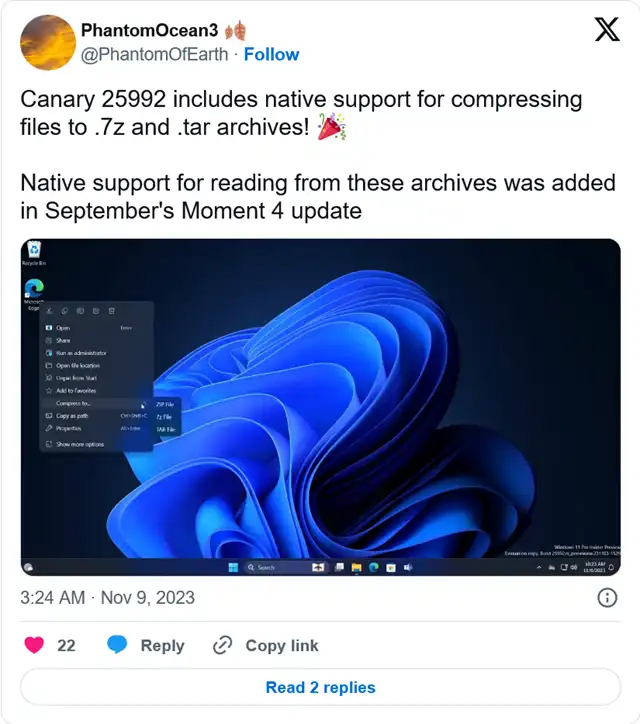
As discovered by @PhantomOfEarth on X (formerly known as Twitter), the latest Windows 11 Canary version allows you to compress files into two additional archive formats: 7z and TAR. RAR format is still missing, but at least you are no longer limited to ZIP, even though it is one of the most popular and universal compression formats across various platforms.
For some reason, Microsoft did not mention this change in the release notes for build 25992. Furthermore, it is enabled by default, so there is no need for special commands to have Windows 11 package files in 7z and TAR formats. After updating your system to version 25992, select the files you want to archive, and then choose “Compress to” from the right-click menu to achieve this.
In addition to handling more archive types, Windows 11 build 25992 also improves performance when dealing with large ZIP files. The release notes mention this:
We’ve done some work that should significantly improve the performance of opening large .zip files in File Explorer.
Other changes in Windows 11 build 25992 include SMB upgrades, fixes for known issues, and improvements in HDR support in the Snipping Tool.


