Can Security Software Guard Windows 10 After October 14 2025?
Can Security Software Guard Windows 10 After October 14 2025?
- 60% of MD5 Password Hashes Can Be Cracked in Under an Hour with a Single GPU
- Dirty Frag: Root Access on Every Major Linux Distribution — No Patch, No Warning
- Ubuntu 26.04 LTS (Resolute Raccoon): The Most Ambitious Ubuntu LTS in a Decade
- Proton Mail: Data Transferred to FBI Again!
- How Close Are Quantum Computers to Breaking RSA-2048?
- How to Prevent Ransomware Infection Risks?
- What is the best alternative to Microsoft Office?
Can Security Software Guard Windows 10 After October 14 2025?
Security Risks of Using Windows 10 After October 14, 2025: A Technical Analysis
Executive Summary
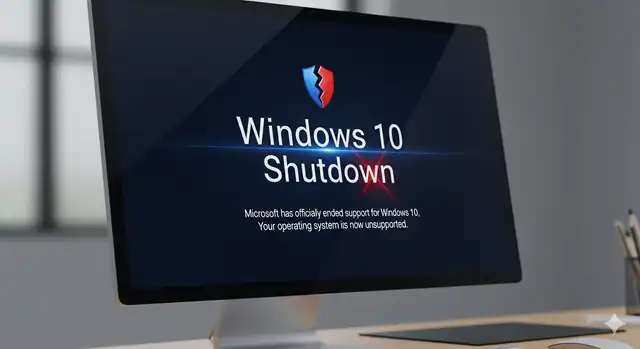
Microsoft will officially end support for Windows 10 on October 14, 2025, creating significant security implications for the estimated 750 million PCs worldwide still running this operating system.
While third-party security software like Norton, McAfee, and Kaspersky can provide some protection, they cannot fully compensate for the absence of operating system-level security updates.
This analysis examines the technical risks and limitations from a cybersecurity perspective.
Understanding End-of-Support (EoS) Implications
What Ends After October 14, 2025
When Microsoft discontinues support for Windows 10, several critical security mechanisms will cease:
- Monthly Security Updates: No more patches for newly discovered vulnerabilities in the Windows kernel, system services, device drivers, and core components
- Zero-Day Vulnerability Fixes: Critical security flaws discovered after the EoS date will remain permanently unpatched
- Security Intelligence Updates: Windows Defender’s threat intelligence database may become outdated
- Compatibility Updates: Security patches for newer hardware and software may not be available
Technical Architecture Vulnerabilities
The Windows operating system operates at multiple privilege levels, with the kernel running at the highest privilege (Ring 0). Third-party antivirus software typically operates at lower privilege levels and cannot:
- Patch Kernel-Level Vulnerabilities: Operating system flaws in memory management, process scheduling, or hardware abstraction layers
- Fix Driver Security Issues: Device driver vulnerabilities that could provide system-level access to attackers
- Address System Service Flaws: Critical Windows services that handle authentication, networking, and file system operations
- Remediate Boot-Level Threats: Rootkits or bootkits that infect the system before the operating system fully loads
Specific Security Risks After EoS
1. Unpatched Operating System Vulnerabilities
Technical Impact: Cybercriminals closely monitor EoS milestones because unpatched systems become prime targets. Common attack vectors include:
- Remote Code Execution (RCE): Exploiting network service vulnerabilities to gain system access
- Privilege Escalation: Using local vulnerabilities to gain administrator rights
- Buffer Overflow Attacks: Targeting memory management flaws in system components
- Side-Channel Attacks: Exploiting hardware-level vulnerabilities like Spectre and Meltdown variants
Risk Assessment: High – These vulnerabilities exist at the operating system level where third-party software has limited visibility and control.
2. Driver and Hardware Security Gaps
Technical Impact: Device drivers operate with kernel-level privileges, making them attractive targets:
- Vulnerable Network Drivers: Could allow network-based attacks to bypass firewall protections
- Graphics Driver Exploits: Increasingly targeted due to their complexity and system access
- USB and Storage Driver Flaws: Potential for BadUSB-style attacks and data exfiltration
Risk Assessment: Medium-High – Third-party security software cannot patch driver vulnerabilities.
3. Web Browser and Application Framework Risks
Technical Impact: While browsers may continue receiving updates, Windows-specific integration vulnerabilities will remain:
- ActiveX and COM Object Exploits: Legacy Windows technologies still used by web applications
- Windows Script Host Vulnerabilities: PowerShell and VBScript security flaws
- Inter-Process Communication (IPC) Attacks: Exploiting Windows messaging and shared memory mechanisms
Risk Assessment: Medium – Some protection possible through application-level security tools.
Limitations of Third-Party Security Software
What Antivirus Can and Cannot Do
Capabilities of Security Software:
- Detect known malware signatures and behavioral patterns
- Monitor file system changes and suspicious network activity
- Provide application-level protection and email security
- Block access to known malicious websites and downloads
- Offer some exploit protection through heuristic analysis
Critical Limitations:
- No Kernel Patching: Cannot fix operating system vulnerabilities at their source
- Limited System Access: Operate within the constraints of the existing (potentially vulnerable) OS
- Reactive Protection: Primarily detect threats after they’ve interacted with the system
- Driver Dependencies: Rely on potentially vulnerable Windows driver subsystems
- Performance Impact: Additional scanning overhead on an aging, unpatched system
Technical Analysis: Defense in Depth Breakdown
A comprehensive security strategy relies on multiple layers of defense:
- Hardware Level: TPM, Secure Boot (may have unfixable vulnerabilities)
- Firmware Level: UEFI security (no longer updated)
- Operating System Level: [MISSING AFTER EoS] – Critical gap in defense
- Application Level: Antivirus software operates here
- Network Level: Firewalls and network monitoring
- User Level: Security awareness and best practices
The absence of OS-level security updates creates a fundamental gap that cannot be fully compensated by other layers.
Compensating Controls and Mitigation Strategies
Technical Recommendations for Extended Windows 10 Use
1. Network Segmentation:
- Isolate Windows 10 systems from critical network resources
- Implement strict firewall rules and network access controls
- Use VPNs for all internet access to add encryption layers
2. Application Hardening:
- Disable unnecessary Windows services and features
- Remove or disable legacy components (ActiveX, Windows Script Host)
- Implement application whitelisting solutions
3. Enhanced Monitoring:
- Deploy endpoint detection and response (EDR) solutions
- Implement comprehensive logging and security information and event management (SIEM)
- Use behavioral analysis tools to detect zero-day attacks
4. Alternative Security Measures:
- Consider Microsoft’s Extended Security Updates (ESU) program ($30/year for consumers)
- Implement virtual desktop infrastructure (VDI) solutions
- Use sandboxing technologies for high-risk applications
Risk Assessment Timeline
Months 1-6 Post-EoS: Low to Medium Risk
- Existing security software provides adequate protection
- Known vulnerabilities are already patched or mitigated
Months 6-18 Post-EoS: Medium to High Risk
- New vulnerabilities discovered but not patched
- Attackers begin developing targeted exploits for Windows 10
18+ Months Post-EoS: High to Critical Risk
- Accumulation of unpatched vulnerabilities creates significant attack surface
- Windows 10 becomes preferential target for cybercriminals
Conclusion and Recommendations
While premium security software from vendors like Norton, McAfee, and Kaspersky can provide valuable protection against many threats, they fundamentally cannot replace operating system-level security updates. The protection they offer operates within the constraints of a potentially compromised foundation.
Key Technical Conclusions:
- Third-party antivirus provides partial protection but cannot patch OS-level vulnerabilities
- Risk increases exponentially over time as unpatched vulnerabilities accumulate
- Defense-in-depth strategies are essential but incomplete without OS updates
- Business-critical systems should migrate to supported operating systems
Strategic Recommendations:
- Immediate: Plan migration to Windows 11 or alternative supported operating systems
- Short-term: Implement enhanced monitoring and network security controls
- Medium-term: Consider Microsoft’s ESU program as a bridge solution
- Long-term: Complete migration to supported platforms by 2026-2027
The cybersecurity landscape continues to evolve rapidly, and maintaining an unpatched operating system, regardless of third-party protection, represents an increasingly untenable security posture in modern threat environments.