Android 17 “Cinnamon Bun”: The Glass Revolution and a Linux Power-Up
Android 17 “Cinnamon Bun”: The Glass Revolution and a Linux Power-Up
- Linux Kernel Removes strncpy After Six Years and 362 Patches
- Linux Kernel Drops 40-Year-Old AppleTalk Protocol — AI-Generated Patch Flood Was the Last Straw
- Apple’s Native Linux Container Tool Has Arrived — But Can It Really Replace Docker?
- 60% of MD5 Password Hashes Can Be Cracked in Under an Hour with a Single GPU
- Dirty Frag: Root Access on Every Major Linux Distribution — No Patch, No Warning
Android 17 “Cinnamon Bun”: The Glass Revolution and a Linux Power-Up
Leaked details of Google’s 2026 OS reveal a stunning “Liquid Glass” redesign and a system-level Linux terminal that turns your phone into a workstation.
While Android 16 is still settling into the hands of users, the tech community has already caught a glimpse of the future.
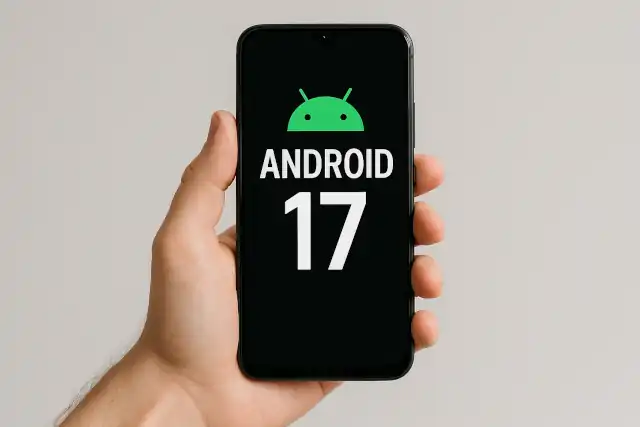
Internal builds of Android 17, codenamed “Cinnamon Bun,” have leaked, confirming that Google is preparing for a “grand-scale” evolution. This isn’t just a maintenance update; it is a fundamental shift in how Android looks and how much power it places in the hands of its users.
1. The “Liquid Glass” Visual Overhaul
The most immediate change in Android 17 is a radical departure from the flat, solid colors that have defined the Material Design era since 2014. Google is moving toward a translucent, layered aesthetic often called “Liquid Glass” or “Material 3 Expressive.”
-
System-Wide Translucency: Gone are the opaque backgrounds. The volume slider, power menu, and notification shade now feature a “frosted glass” effect.
-
Visual Hierarchy: This design allows your wallpaper and underlying apps to shimmer through system menus, maintaining visual context and making the UI feel “lighter” and more immersive.
-
Dynamic Tinting: The translucent layers aren’t just gray; they are intelligently tinted by Android’s Dynamic Color engine to match your wallpaper, ensuring the new “glass” look remains cohesive with your personal theme.
-
Refined Shadows & Depth: By utilizing background blurring rather than solid blocks, Google is creating a sense of depth that feels natural to the human eye, similar to the high-end aesthetics found in premium desktop OS environments.
2. A Native Linux Terminal Environment
For the first time, Android is officially embracing its Linux roots at the system level. This isn’t a third-party hack; it’s a native feature built directly into the OS.
-
The Power of AVF: Using the Android Virtualization Framework (AVF), Android 17 runs a dedicated Debian-based virtual machine. This allows the phone to execute Linux code in a secure, sandboxed environment without compromising the stability of the main Android system.
-
Full Terminal App: A new system app simply titled “Terminal” will allow users to run professional tools. You can install packages via
apt, manage files, and run complex scripts directly on your device. -
GPU Acceleration: Perhaps most impressively, the environment supports full GPU acceleration. This means the terminal can handle graphical Linux applications (GUI) with high performance—paving the way for running desktop-grade code editors like VS Code or even photo manipulation tools like GIMP.
-
Hardware Compatibility: While the feature is a core part of Android 17, it currently requires specific hardware support for “non-protected” VMs, found in Google’s Tensor chips, MediaTek Dimensity 9400+, and Samsung’s Exynos 2500.
3. More Than Just Looks: Productivity Buffs
Beyond the major highlights, “Cinnamon Bun” includes several quality-of-life upgrades that refine the user experience:
-
Revamped Screen Recorder: The chunky pop-up menu is replaced by a sleek, floating “pill” interface similar to ChromeOS. It allows for quick annotations (doodling) while recording and easy access to audio settings.
-
Native App Locking: Google is finally adding a built-in “Lock App” feature. Users can secure specific apps with biometrics or a PIN by long-pressing the app icon—no third-party “App Locker” required.
-
Split Quick Settings: Android 17 makes it official: the Notification Shade and Quick Settings can now be separated (iPhone style). Users can swipe from the left for notifications and the right for toggles, though this remains an optional setting.
-
The Return of Lock Screen Widgets: After a long hiatus, lock screen widgets are expected to make a full return for phones, allowing for a more glanceable and interactive lock screen.
The Road to June 2026
Following Google’s new accelerated release schedule, the stable version of Android 17 is expected to launch in June 2026, with the first “Canary” and Developer Previews arriving as early as February 2026.
By combining an elegant “glass” aesthetic with the raw power of a Linux environment, Google is sending a clear message: the smartphone is no longer just a content consumption device—it’s a transparent, high-powered workstation that fits in your pocket.
Would you like me to create a comparison table showing which current Pixel and Galaxy devices will be compatible with these new Linux features?