Google Apps on Huawei P10 Smartphones Flagged as TrojanSMS-PA Virus
Google Apps on Huawei P10 Smartphones Flagged as TrojanSMS-PA Virus
- Linux Kernel Removes strncpy After Six Years and 362 Patches
- Linux Kernel Drops 40-Year-Old AppleTalk Protocol — AI-Generated Patch Flood Was the Last Straw
- Apple’s Native Linux Container Tool Has Arrived — But Can It Really Replace Docker?
- 60% of MD5 Password Hashes Can Be Cracked in Under an Hour with a Single GPU
- Dirty Frag: Root Access on Every Major Linux Distribution — No Patch, No Warning
Google Apps on Huawei P10 Smartphones Flagged as TrojanSMS-PA Virus
In a peculiar occurrence in the overseas smartphone market, Huawei phones are reportedly flagging Google applications as viruses.
This is an unusual issue, and despite the warnings, users with Huawei phones affected by this problem have not actually been infected by a Trojan horse virus.
One user reported this issue on Google Support:
https://support.google.com/android/thread/241207833
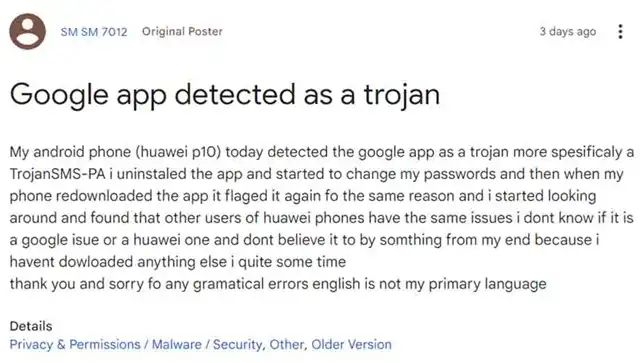
The user’s Huawei P10 indicated that the official Google applications were identified as Trojan horse viruses. Following this incident, the user decided to remove the application and change all device credentials, suspecting it to be some kind of virus attack. The user clarified that they had not installed any applications on the device before this happened.
This post is just the beginning, as many other Huawei users have also reported the same problem. Apparently, for some reason, Google applications running on the devices are being flagged as containing a virus named TrojanSMS-PA.
Original discussion thread:
[Link to the original discussion on Reddit]
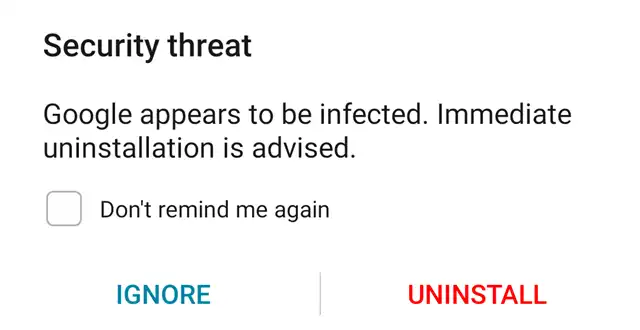
At the time of writing this article, this issue appears to affect only Huawei devices that still run Google Mobile Services. It is unclear why this problem has arisen. All other devices are running Google applications without issues, but users report that the problem seems to be related to optimization programs on the affected phones. Disabling optimization programs and ensuring that Google applications are not scanned appears to resolve this problem.
Currently, this is the only way to circumvent the issue. The good news is that there is no evidence to suggest that this is an actual malicious virus attempting to attack devices running Google Mobile Services.