How Cloudflare Temp Email Works and How to Configure It?
How Cloudflare Temp Email Works and How to Configure It?
- Linux Kernel Removes strncpy After Six Years and 362 Patches
- Linux Kernel Drops 40-Year-Old AppleTalk Protocol — AI-Generated Patch Flood Was the Last Straw
- Apple’s Native Linux Container Tool Has Arrived — But Can It Really Replace Docker?
- 60% of MD5 Password Hashes Can Be Cracked in Under an Hour with a Single GPU
- Dirty Frag: Root Access on Every Major Linux Distribution — No Patch, No Warning
“`html
How Cloudflare Temp Email Works and How to Configure It
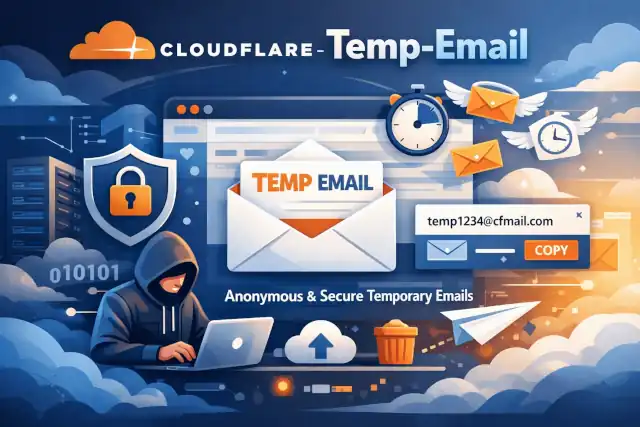
Cloudflare Temp Email is a fully featured, self‑hosted temporary email service built entirely on Cloudflare’s free stack—Workers, Pages, D1, KV, Email Routing, and optional R2/S3 and SMTP/IMAP integrations. It lets you create disposable addresses on your own domain, receive and send mail, and manage users and mailboxes without running traditional servers.
1. High‑level architecture
The system is a serverless, edge‑first application. All core logic runs on Cloudflare’s network, and you only bring your domain and configuration.
1.1 Main components
- Cloudflare Workers (backend): Handles API requests, mailbox logic, email processing, AI extraction, admin APIs, and Telegram bot endpoints. The main entry is a Worker app (using Hono) that routes all HTTP and email events.
- Cloudflare Pages (frontend): Hosts a Vue 3 single‑page application that provides the user interface for viewing mail, logging in, managing addresses, and accessing the admin console.
- Cloudflare D1 (database): Stores users, addresses, raw emails, settings, and other persistent data. Schema migrations are applied via SQL files executed with Wrangler.
- Cloudflare KV: Used for fast key‑value storage such as Telegram bindings, webhooks, and cache entries.
- Cloudflare Email Routing: Receives mail for your domain and forwards it into the Worker for parsing and storage.
- Optional R2/S3 storage: Used for storing and serving email attachments when configured.
- Optional SMTP/IMAP & Resend: Enables sending mail from temporary addresses and accessing mailboxes from traditional email clients.
1.2 Email flow overview
- Incoming email:
A message is sent to an address on your domain (for example,
abc@yourdomain.com). - Email Routing: Cloudflare Email Routing receives the message and forwards it to the Worker endpoint you configured.
- Worker processing: The Worker uses a Rust‑based WebAssembly parser to decode the email, extract headers, body, and attachments, and optionally uses Workers AI to extract verification codes or important links.
- Storage: Parsed metadata and content are stored in D1; attachments can be stored in R2/S3 if enabled.
- Delivery to user: The frontend (Pages) calls the Worker APIs to list and display messages. Optional forwarding rules, auto‑reply, and Telegram notifications can also be triggered.
- Outgoing email: When sending from a temp address, the Worker uses configured SMTP/Resend settings and DKIM keys to send authenticated messages.
2. Core features in practice
2.1 Temporary addresses and access
- Custom names:
Users can create addresses with custom local parts (for example,
github-signup@yourdomain.com). - Address passwords: You can enable per‑address passwords so only users who know the password can reopen a mailbox later.
- User accounts: The system supports full user registration and login, allowing multiple addresses per user and persistent access across sessions.
2.2 Email processing and security
- Rust WASM parsing: Emails are parsed via a Rust WebAssembly module for high performance and robust handling of complex MIME messages.
- AI extraction (optional): Workers AI can automatically extract verification codes, login links, and other key information from incoming messages.
- Spam and lists: Blacklist/whitelist and spam‑related configuration options help control which senders are accepted.
- DKIM and sending: The system supports sending emails with DKIM signatures for better deliverability when you configure the appropriate DNS records and sending provider.
2.3 Admin and integrations
- Admin console: A password‑protected admin area lets you manage users, addresses, blacklists, and global settings.
- Telegram bot & mini app: You can connect a Telegram bot to receive notifications, manage mailboxes, and interact with the service from Telegram.
- SMTP/IMAP proxy: Optional proxy components allow standard email clients to connect to temp mailboxes using IMAP/SMTP.
3. Prerequisites
Before configuring Cloudflare Temp Email, you should have:
- A Cloudflare account with a domain added and DNS managed by Cloudflare.
- Cloudflare Email Routing enabled for that domain.
- Wrangler CLI installed (the official Cloudflare CLI tool).
- Node.js and a package manager (pnpm, npm, or yarn) for building and deploying.
- Git to clone the repository.
4. Step‑by‑step configuration
4.1 Clone the repository and install Wrangler
Step 1 · Get the code and tools
# Install Wrangler globally (if you haven't already)
npm install -g wrangler

# Clone the Cloudflare Temp Email repository
git clone https://github.com/dreamhunter2333/cloudflare_temp_email.git
cd cloudflare_temp_email
4.2 Create the D1 database and KV namespace
Step 2 · Provision storage
The project uses Cloudflare D1 for relational data and KV for fast key‑value storage. Use Wrangler to create them and then wire them into your configuration.
# Create a D1 database (for example, named "dev")
wrangler d1 create dev

# Initialize the schema
wrangler d1 execute dev --file=db/schema.sql --remote

# If you are upgrading from an older version, apply patch files as needed:
# wrangler d1 execute dev --file=db/2024-01-13-patch.sql --remote
# wrangler d1 execute dev --file=db/2024-04-03-patch.sql --remote

# Create a KV namespace (for caching, Telegram bindings, etc.)
wrangler kv:namespace create DEV
Copy the generated D1 and KV binding names into your wrangler.toml so the Worker can access
them.
4.3 Configure the Worker (wrangler.toml)
Step 3 · Set environment variables and bindings
In the worker directory, there is a wrangler.toml.template. Copy it to
wrangler.toml and adjust it to match your environment.
cd worker
pnpm install

cp wrangler.toml.template wrangler.toml
Key fields you will typically configure include:
name = "cloudflare_temp_email"
main = "src/worker.ts"
compatibility_date = "2024-09-23"
compatibility_flags = ["nodejs_compat"]

[vars]
# Default language for the UI
# DEFAULT_LANG = "en"

# Site title
# TITLE = "My Temp Mail"

# Prefix for addresses handled by this service (e.g. tmp-xxxx@yourdomain.com)
PREFIX = "tmp"

# Optional: address length limits
# MIN_ADDRESS_LEN = 1
# MAX_ADDRESS_LEN = 30

# Optional: announcement banner
# ANNOUNCEMENT = "Welcome to my temp email service"
# ALWAYS_SHOW_ANNOUNCEMENT = true

# Optional: regex to validate allowed address names
# ADDRESS_CHECK_REGEX = "^(?!.*admin).*"

# Optional: regex to normalize address names
# ADDRESS_REGEX = "[^a-z0-9]"

# Optional: passwords for accessing the site (private mode)
# PASSWORDS = ["user-password-1", "user-password-2"]

# Optional: admin console passwords
# ADMIN_PASSWORDS = ["strong-admin-password"]

# Optional: disable admin password check (not recommended)
# DISABLE_ADMIN_PASSWORD_CHECK = false

# Optional: enable address-level passwords
# ENABLE_ADDRESS_PASSWORD = true
Also ensure your D1 and KV bindings are declared in wrangler.toml under
[d1_databases] and [kv_namespaces] using the names created earlier.
4.4 Deploy the Worker backend
Step 4 · Push backend to Cloudflare
# From the worker directory
pnpm run deploy
On first deploy, Wrangler may prompt you to create a project and associate it with a production branch. Once deployed, you will have a Worker URL that will be used by the frontend and by Email Routing.
4.5 Deploy the frontend with Cloudflare Pages
Step 5 · Build and host the UI
The frontend is a Vue 3 application located in the frontend directory. You can deploy it
using Cloudflare Pages either via the dashboard (connecting the GitHub repo) or via a Pages project
that builds the frontend and points it at your Worker APIs.
# Example local build (actual commands may vary by branch/version)
cd ../frontend
pnpm install
pnpm run build
In Cloudflare Pages, configure the build command and output directory as documented in the project’s deployment guide, and set environment variables so the frontend knows the Worker API base URL.
4.6 Configure Cloudflare Email Routing
Step 6 · Wire incoming mail into the Worker
- Enable Email Routing: In the Cloudflare dashboard for your domain, enable Email Routing if it is not already enabled.
- Set destination:
Configure routing rules so that emails to your chosen addresses (for example,
tmp*@yourdomain.comor all addresses) are forwarded to the Worker route that handles inbound mail. - Verify DNS: Ensure MX and related DNS records are correctly set as instructed by Cloudflare Email Routing.
Once this is done, any email sent to your configured domain pattern will be processed by the Worker, parsed, stored in D1, and visible in the web UI.
4.7 Optional: enable sending, DKIM, and integrations
Step 7 · Enhance deliverability and integrations
- Sending email: Configure SMTP or Resend credentials in your environment variables so the Worker can send mail from your domain. Follow the project’s documentation for the exact variable names and formats.
- DKIM: Generate DKIM keys and add the corresponding DNS TXT records for your domain. Then configure the Worker to sign outgoing mail with those keys so recipients can verify authenticity.
- Telegram bot: Create a Telegram bot, obtain its token, and configure the relevant bindings and environment variables. The Worker includes a Telegram bot handler that can send notifications and provide a mini‑app experience.
- R2/S3 attachments: If you expect large or numerous attachments, configure R2 or S3 storage and update the Worker settings so attachments are stored externally instead of only in D1.
5. Operating and updating the service
5.1 Daily usage
- Users: Visit the Cloudflare Pages URL, create or open a mailbox, and read or send emails as allowed by your configuration.
- Admins: Log in to the admin console using the configured admin password(s) to review addresses, manage blacklists, and adjust settings.
5.2 Cleaning and maintenance
You can configure a cron trigger in wrangler.toml to periodically clean up old messages
or perform maintenance tasks:
# Example (uncomment in wrangler.toml if you want auto cleanup)
# [triggers]
# crons = ["0 0 * * *"]  # runs daily at midnight UTC
5.3 Staying current
The project is actively maintained, with frequent updates to dependencies, features, and schema patches. To stay aligned with the latest changes:
- Pull new tags or main branch: Regularly fetch the latest code and check the changelog for breaking changes or new configuration options.
- Apply schema patches: When new SQL patch files are added (for example, dated patch files), run them against your D1 database using Wrangler as shown earlier.
- Review release notes: Pay attention to notes about new environment variables, AI features, or integration changes so your deployment remains compatible and secure.
6. Quick mental model
If you keep one picture in mind, it’s this: your domain’s email flows into Cloudflare Email Routing, which hands messages to a Worker that parses and stores them in D1, while a Vue 3 app on Cloudflare Pages talks to that Worker to show users their mailboxes. Everything else—DKIM, SMTP, Telegram, AI extraction, R2/S3—is layered on top of that core pipeline.
Once you’ve wired up D1, KV, the Worker, Pages, and Email Routing, you have a zero‑server, globally distributed temporary email platform running entirely on Cloudflare’s edge.