Open-Source Solution Simplifies Excel-to-LibreOffice Macro Migration
Open-Source Solution Simplifies Excel-to-LibreOffice Macro Migration
- 60% of MD5 Password Hashes Can Be Cracked in Under an Hour with a Single GPU
- Dirty Frag: Root Access on Every Major Linux Distribution — No Patch, No Warning
- Ubuntu 26.04 LTS (Resolute Raccoon): The Most Ambitious Ubuntu LTS in a Decade
- Proton Mail: Data Transferred to FBI Again!
- How Close Are Quantum Computers to Breaking RSA-2048?
- How to Prevent Ransomware Infection Risks?
- What is the best alternative to Microsoft Office?
Open-Source Solution Simplifies Excel-to-LibreOffice Macro Migration
Excel Like UNO: Bridging the Gap Between Excel VBA and LibreOffice Calc
A New Python Library Simplifies Migration from Excel to Open Source
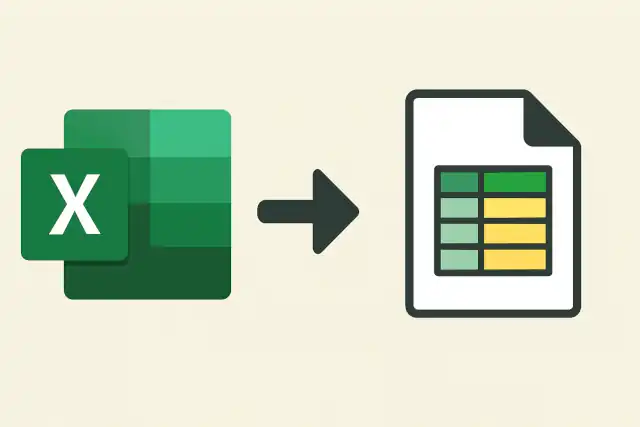
The open-source office productivity landscape has welcomed a significant new tool: ExcelLikeUNO, a Python library that brings Excel VBA-style programming to LibreOffice Calc.
Released on GitHub, this library addresses one of the most persistent challenges facing organizations considering migration from Microsoft Excel to open-source alternatives—the complexity of porting existing macro-based workflows.
What is the best alternative to Microsoft Office?
The Challenge of LibreOffice Automation
While LibreOffice has long supported automation through its Universal Network Objects (UNO) API, developers have consistently noted that the API presents a steep learning curve. The interface-oriented architecture requires extensive knowledge of LibreOffice’s internal structure, and documentation has historically been fragmented across multiple sources. As one developer noted in a 2025 forum discussion, “LibreOffice Python macro documentation is very poor currently,” highlighting a pain point that has hindered adoption.
For organizations with substantial investments in Excel VBA macros, this complexity has represented a significant barrier to migration. Converting VBA code to work with LibreOffice’s UNO API requires not just translating syntax, but fundamentally rethinking how to interact with spreadsheet objects.
The Most Windows-Friendly Linux Distributions for General Consumers: A Complete Guide
Enter ExcelLikeUNO
The ExcelLikeUNO library takes a different approach. Rather than requiring developers to learn the intricacies of the UNO API, it wraps these complex interfaces in familiar, Excel-like method and property names. The result is code that closely resembles VBA while running natively in LibreOffice.
The library enables developers to write Python code using intuitive syntax such as sheet.cell(col, row).value, mirroring the straightforward object model that Excel VBA developers know well. This dramatically reduces the cognitive overhead of migration projects and makes LibreOffice automation accessible to a broader developer base.
Key Features and Capabilities
ExcelLikeUNO provides comprehensive access to Calc’s functionality through a simplified interface. Developers can manipulate cell values, apply formatting, work with ranges, and control document properties using familiar patterns. The library includes:
- Cell manipulation with natural indexing methods
- Range operations including merging and formatting
- Font styling, colors, and cell properties
- Formula setting and calculation
- Row and column dimension control
- Rich type hints for IDE code completion
A simple example demonstrates the library’s accessibility. Setting cell values and formatting becomes straightforward:
from excellikeuno import connect_calc

desktop, doc, sheet = connect_calc()
cell = sheet.cell(0, 0)
cell.text = "Hello, World!"
cell.font_size = 16
cell.font_color = 0xFF0000
This code is immediately comprehensible to anyone familiar with spreadsheet programming, regardless of their previous exposure to LibreOffice’s UNO architecture.
Replacing Microsoft Outlook on Linux: The Best Email Clients Compared
Installation and Deployment
The library integrates seamlessly with LibreOffice’s built-in Python environment. Installation is accomplished via pip using LibreOffice’s bundled Python interpreter:
'C:\Program Files\LibreOffice\program\python' -m pip install excellikeuno
For macro development, the library supports both embedded scripts (stored within the spreadsheet document) and standalone automation scripts. Developers can create macros that appear in LibreOffice’s standard Tools > Macros > Run Macro interface, providing a familiar user experience.
When and Why You Need Antivirus on Linux (and How to Install ClamAV)
The Broader Context: Office Automation in 2025
ExcelLikeUNO emerges at a pivotal moment for office automation. Microsoft has been aggressively integrating AI capabilities into Excel through Copilot, introducing features like automatic formula suggestions, pattern prediction, and intelligent data cleanup. Excel 2025 and Microsoft 365 continue to receive substantial updates, with Python integration now generally available and new functions regularly added to the platform.
Despite these advances, Excel faces growing competition. With approximately 500 million paying users generating nearly $95 billion in subscription revenue for Microsoft in 2025, Excel remains dominant. However, Google Sheets offers cloud-native collaboration, and organizations increasingly seek alternatives to avoid vendor lock-in.
The challenge of Python library integration for Excel automation has also spawned numerous solutions. Libraries like OpenPyXL, XlsxWriter, xlwings, and PyXL each address different aspects of Excel automation, from file manipulation to live interaction with Excel processes. The emergence of ExcelLikeUNO demonstrates that the open-source community is developing comparable solutions for LibreOffice.
Technical Considerations
The library currently shows strong Windows support, with Linux compatibility available through LibreOffice’s headless mode. This enables server-side document processing and integration with containerized environments, opening possibilities for automated document generation pipelines.
Developers benefit from comprehensive type hints, enabling modern IDE features like autocomplete and static analysis. This significantly improves the development experience compared to traditional UNO API programming, where type information was often implicit and required consulting extensive documentation.
One limitation noted by the developer community is that the library requires LibreOffice’s bundled Python interpreter. External Python environments lack the necessary UNO modules, necessitating careful configuration of development environments. However, helper scripts and clear documentation help mitigate this constraint.
Essential Security Measures to Implement Immediately After Linux OS Installation
Implications for Organizations
For organizations evaluating office suite options, ExcelLikeUNO reduces a significant migration risk. Legacy macros no longer represent insurmountable technical debt. While complete automation of migration remains challenging, the library provides a clear path forward that preserves existing programming knowledge.
The timing is particularly relevant as organizations reassess software costs and vendor relationships. With Microsoft Office 2024 and 2025 available as perpetual licenses alongside subscription-based Microsoft 365, purchasing decisions have become more complex. For cost-conscious organizations, LibreOffice combined with tools like ExcelLikeUNO presents a viable alternative.
Six Free Antivirus Solutions for Linux OS
Current Status and Future Outlook
The library represents an early but functional release. The GitHub repository includes working examples, comprehensive documentation, and sample code demonstrating practical applications from simple cell manipulation to complex formatting scenarios. While the project acknowledges its preliminary status, the core functionality is operational and ready for testing in real-world scenarios.
As the office productivity landscape continues to evolve with AI integration, cloud-first architectures, and platform diversification, tools that enable interoperability become increasingly valuable. ExcelLikeUNO exemplifies how the open-source community can address practical migration challenges, lowering barriers to adoption of open-source alternatives.
For developers and organizations invested in spreadsheet automation, ExcelLikeUNO represents more than a convenience—it’s a bridge between ecosystems, demonstrating that open-source solutions can match proprietary software not just in features, but in developer experience and ease of migration.
Conclusion
The release of ExcelLikeUNO marks a meaningful development in office productivity tools. By abstracting LibreOffice’s complex UNO API behind familiar Excel-like interfaces, it addresses a genuine pain point for organizations considering migration to open-source solutions. While still in its early stages, the library demonstrates the kind of practical problem-solving that advances the entire open-source office suite ecosystem.
As organizations continue balancing cost, functionality, and vendor independence, tools like ExcelLikeUNO ensure that technical barriers don’t force decisions. Whether this particular library gains widespread adoption or inspires similar efforts, it represents the kind of innovation that keeps the office productivity market competitive and gives users genuine choice in how they work.