sudo rm -rf Is the Most Destructive Command in Linux?
sudo rm -rf Is the Most Destructive Command in Linux?
- Apple’s Native Linux Container Tool Has Arrived — But Can It Really Replace Docker?
- 60% of MD5 Password Hashes Can Be Cracked in Under an Hour with a Single GPU
- Dirty Frag: Root Access on Every Major Linux Distribution — No Patch, No Warning
- Proton Mail: Data Transferred to FBI Again!
- How Close Are Quantum Computers to Breaking RSA-2048?
- What is the best alternative to Microsoft Office?
Linux Security & Systems Administration
sudo rm -rf Is the Most Destructive Command in Linux?
A documented chronicle of the catastrophes it has caused
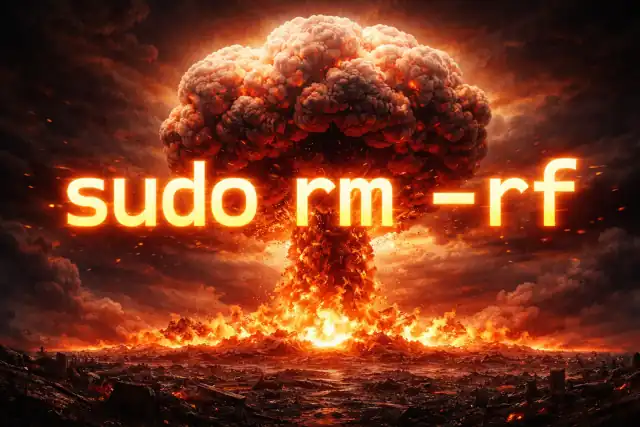
In the Unix world, a handful of keystrokes can erase decades of work, bring down million-dollar platforms, and bankrupt entire companies — all within seconds. sudo rm -rf is the most feared sequence in computing, and the disasters it has caused are not warnings from fiction. They are history.
Anatomy of a “Nuclear” Command
To understand why this command is treated with such gravity, you must first understand what each component actually does when they combine.
| sudo | Execute as superuser (root). All filesystem protections are bypassed. |
| rm | The remove command. Unlike graphical deletion, there is no recycle bin. |
| -r (recursive) | Descend into every subdirectory. Nothing is left untouched. |
| -f (force) | Suppress all confirmation prompts. Errors are silently ignored. |
| / (root) | The top of the entire filesystem tree — every file on the machine lives below this point. |
Together, these components form a command that will silently, forcefully, and recursively delete every single file the operating system can see — with root-level authority and no opportunity to intervene. The machine typically begins to fail mid-execution as the very programs it needs to keep running are erased beneath it.
The Case Files: When It Actually Happened
These are not hypotheticals. The following incidents are documented, verified, and in some cases broadcast live to the world as they unfolded.
It was approaching midnight UTC when a GitLab systems administrator, working remotely from the Netherlands under extreme fatigue, began troubleshooting a database replication crisis. Spammers had flooded the platform earlier that evening, causing a lockup on writes and bringing down GitLab.com. One of the company’s two production databases — a secondary replica — had fallen 4 gigabytes behind the primary and refused to sync.
The plan was straightforward: wipe the secondary database’s data directory, then run pg_basebackup to copy fresh data from the primary. The engineer prepared the command — rm -rf /var/opt/gitlab/postgresql/data/ — and executed it. Within a second or two, he realised with horror that his terminal was connected to the primary database server, not the secondary. By the time he cancelled the command, approximately 295.5 GB of 300 GB had been permanently erased.
What followed was equally devastating. The team discovered that their five separate backup mechanisms had all quietly failed:
Regular automated backups had stopped running months earlier due to a misconfiguration. Database snapshots were taken only once every 24 hours, and the most recent had been done six hours before the incident. S3 backups had never been properly configured. The remaining two methods were also non-functional. The last usable snapshot contained data from six hours prior to the deletion. GitLab permanently lost 5,000 projects, 700 user accounts, and an untold number of merge requests and comments.
In a moment of radical transparency that the tech industry had never seen before, GitLab took the extraordinary step of streaming their entire recovery process live on YouTube, including a shared Google Doc that showed in real time which backup options had failed and why. The sysadmin later noted that it was “best for him not to run anything with sudo any more today.”
During the production of Toy Story 2, a Pixar employee performing what was described as routine storage cleanup on the studio’s Unix-based network typed a variation of the deletion command at the root level of the project directory. The command rm -r -f * triggered an unstoppable cascade of deletions across the entire film’s file system.
A technical director named Larry Cutler watched in real time as Woody’s character files began to disappear. A directory that had contained 40 files dropped to 4. Entire animation sequences — years of work by hundreds of artists — vanished in minutes. The team immediately attempted to halt the process by cutting power to the machine, but the damage was done. Approximately 90% of the film’s assets had been destroyed.
Making matters worse, Pixar’s tape-based backup system had been silently malfunctioning for roughly a month due to a file-size limit bug: once individual files exceeded 4 gigabytes, new data was overwriting the oldest files on the backup drive. The error log that should have flagged this problem was also stored on the same full volume and had itself been zeroed out. Nobody at Pixar knew their backups were broken.
The film — and arguably Pixar’s future as a studio — was saved by chance. Galyn Susman, the film’s supervising technical director, had recently returned from maternity leave and had been working from home. To stay productive, she had kept a personal workstation with a copy of the project files, last synced approximately two weeks before the accident. Eight team members carefully wrapped her home computer in blankets, strapped it into the back seat of a Volvo with seatbelts, and drove it across the bridge to Pixar’s offices in Richmond.
Her backup saved 90% of what had been lost. Pixar has since embedded a quiet tribute to the incident in Toy Story 4 (2019), where a car bears the license plate “RMRF97.”
In April 2016, an Italian web hosting operator named Marco Marsala posted a desperate message on the professional forum Server Fault. He had been using Ansible, an automation tool, to run maintenance scripts across all of his servers simultaneously. The script contained the following line:
rm -rf {foo}/{bar}
The variables {foo} and {bar} were supposed to be populated with specific directory paths. However, a bug in the script left both variables undefined. In a Unix shell, an undefined variable evaluates to an empty string, which means the command the system actually executed across every one of his servers was effectively rm -rf / — delete everything from the root down.
Because the backup script had also mounted the remote backup drives before running, those too were wiped in the same sweep. Marsala reported that all servers belonging to approximately 1,535 customers had been erased, along with all offsite backups. Server Fault users were blunt: “You’re going out of business,” one wrote. “You don’t need technical advice, you need to call your lawyer.”
The story was later reported to have been a hoax by Marsala himself — described as a “viral marketing attempt” — which Server Fault’s moderators found deeply unfunny, subsequently deleting his post. Whether or not this specific incident was fabricated, it illustrates with uncomfortable precision a scenario that has befallen real administrators: an undefined variable in an automated script, silently turning a routine task into total destruction.
“We accidentally deleted production data and might have to restore from backup.”
— GitLab.com Status (@gitlabstatus), January 31, 2017 — live, to tens of thousands of usersModern Protections — and Why the Command Still Exists
Contemporary Linux distributions have added one significant safeguard: attempting to run rm -rf / directly will now produce an error message and halt execution:
rm: use –no-preserve-root to override this protection
The protection can be bypassed by explicitly passing --no-preserve-root — a deliberate design choice requiring the operator to consciously confirm they know what they are doing. Think of it as the second key required to launch a nuclear weapon: the capability remains, but the bar for accidental use is raised.
The command itself has not been removed and will not be. The Unix philosophy that has underpinned Linux since its inception holds that systems should grant administrators complete authority over their own machines. In legitimate operational contexts — clearing build caches, resetting containerised environments, bulk deprovisioning of infrastructure — rm -rf directed at specific directories is not just useful but irreplaceable. Removing it would break decades of automation scripts, violate the expectations of every professional systems administrator on earth, and drive engineers toward more obscure workarounds.
The danger is not in the tool. It is in the environment around the tool: how backups are managed, whether scripts validate their variables, whether operators are rested, and whether production systems are visually distinct from staging environments.
What Every Incident Teaches
Across all documented cases, the same failure modes appear with striking regularity. None of them are about the command itself.
| Failure Point | What Should Have Happened |
|---|---|
| Untested backups | Backup restoration must be tested on a regular schedule. A backup that has never been restored is a backup that may not work when needed most. |
| Fatigue & night ops | Destructive operations on production systems should require a second pair of eyes and should not be performed by operators who have been working for many hours. |
| Undefined script variables | Every shell script that constructs paths for deletion must include explicit null-checks. A variable that evaluates to empty must halt execution. |
| Identical terminal environments | Production terminals should be visually distinct — different colours, prominent banners, or hostname prompts — to prevent operators from running commands on the wrong server. |
| Backup drives mounted during cleanup | Offsite and remote backups must never be mounted in a writable state during scripts that perform deletion operations. |
| Excessive permissions | Daily operations should not require root access. The principle of least privilege exists precisely to limit the blast radius of human error. |
Conclusion
The disasters chronicled here were not caused by malice, and they were not caused by rm -rf. They were caused by the gap between what professionals assume is protected and what is actually protected — a gap that tends to become visible only at the worst possible moment.
GitLab assumed their backups worked. Pixar assumed their tape system was filling correctly. Any operator with an unvalidated automation script is making an assumption too.
The command remains because it is powerful and necessary. The lesson is not to fear it, but to build systems — and habits — that are worthy of the authority it carries.