Windows 11 Now Has a Built-In Internet Speed Test — No Browser Required
Windows 11 Now Has a Built-In Internet Speed Test — No Browser Required
- 60% of MD5 Password Hashes Can Be Cracked in Under an Hour with a Single GPU
- Dirty Frag: Root Access on Every Major Linux Distribution — No Patch, No Warning
- Ubuntu 26.04 LTS (Resolute Raccoon): The Most Ambitious Ubuntu LTS in a Decade
- Proton Mail: Data Transferred to FBI Again!
- How Close Are Quantum Computers to Breaking RSA-2048?
- How to Prevent Ransomware Infection Risks?
- What is the best alternative to Microsoft Office?
Windows 11 Now Has a Built-In Internet Speed Test — No Browser Required
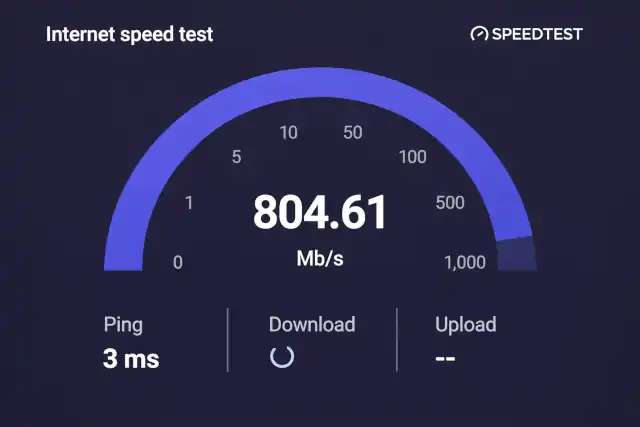
Microsoft’s April 2026 cumulative update KB5083769 delivers the long-tested Ookla Speedtest integration directly into the taskbar for all eligible 24H2 and 25H2 users.
Powered by Ookla Speedtest Web SDK · Via Bing
The speed test is accessible by right-clicking the network icon in the Windows 11 taskbar or through Quick Settings.
Microsoft has officially rolled out a built-in internet speed test to all eligible Windows 11 users running versions 24H2 and 25H2 through the April 2026 cumulative update KB5083769, released on April 14, 2026. The feature, developed in partnership with network intelligence company Ookla, gives users a direct shortcut to test their connection without opening a browser or installing any third-party application.
The rollout marks the conclusion of a months-long staged deployment. Microsoft first began testing the concept inside Windows Insider channels in 2025, before bringing it to a wider audience via the optional February 2026 update KB5077241. The March 2026 Patch Tuesday was expected to deliver the feature broadly, but coverage fell short — making the April patch the definitive “complete rollout” update for users who hadn’t received it yet.
Update KB
KB5083769April 2026 Patch Tuesday — targets Windows 11 24H2 & 25H2
Technology Partner
OoklaPowered by Speedtest Web SDK, introduced 2020, used by enterprises globally
Access Point
TaskbarRight-click network icon or open Wi-Fi / Cellular Quick Settings
Rollout Status
BroadOokla confirmed the feature is “now rolling out broadly to all eligible Windows devices”
How the Feature Works
Once KB5083769 is installed, users will find a new speed test entry accessible by right-clicking the network icon in the system tray, or by opening the Quick Settings panel for Wi-Fi or cellular connections. Clicking the option launches the speed test — though technically it still opens a Bing-hosted web instance powered by Ookla, rather than a fully native Windows application.
Despite this web-based implementation, the practical benefit is real: the number of steps to run a diagnostic drops significantly compared to manually opening a browser and searching for a speed test. The following connection metrics are measured:
Historically, diagnosing a slow connection meant manually opening a browser, navigating to a testing site, and running a secondary tool.
— Ookla, April 2026The Technology Behind It
The integration is built on Ookla’s Speedtest Web SDK, a JavaScript-based toolkit introduced in 2020 that enables service providers and enterprises to embed Speedtest capabilities directly into their websites and services. Microsoft’s implementation falls squarely into this use case — using the SDK to surface a customized, Windows-adapted speed test experience through Bing’s infrastructure.
Because the test is browser-rendered, users will notice the experience closely mirrors visiting speedtest.net directly. The underlying infrastructure, however, draws on Ookla’s global server network, which is the same backbone used by the standalone Speedtest app and website — ensuring accurate, real-world throughput and latency measurements.
Rollout Timeline
What It Means for Users
The Speedtest entry is available on Ethernet, Wi-Fi, and cellular connections. For home broadband users, it removes the friction of opening a separate application to verify network performance. For enterprise and IT environments, it provides a sanctioned, consistent diagnostic entry point — and enterprise administrators can control or disable the feature through Group Policy settings.
Microsoft has also confirmed that speed test results are not stored locally unless users explicitly choose to save them, and that the feature integrates with the system’s existing network status flyout rather than requiring new UI screens.
A Broader Platform Strategy
This integration fits a clear pattern in Microsoft’s approach to Windows 11: embedding commonly needed utilities — formerly the domain of third-party apps or browser searches — directly into the operating system. While the current implementation relies on a web layer rather than a fully native component, analysts expect Microsoft may refine the feature in future updates, potentially replacing the Bing-hosted interface with a natively rendered experience.
For users accustomed to reaching for the taskbar’s network icon when something feels slow, the speed test entry will now simply be there — a small but meaningful change in the day-to-day experience of diagnosing connection issues on Windows 11.