Apple Pay vs. Google Pay:Inside the Tech That Guards Your Money
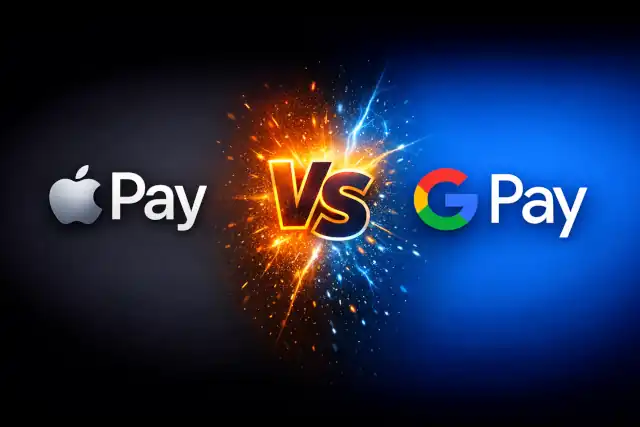
Apple Pay vs. Google Pay: Inside the Tech That Guards Your Money
- Linux Kernel Removes strncpy After Six Years and 362 Patches
- Linux Kernel Drops 40-Year-Old AppleTalk Protocol — AI-Generated Patch Flood Was the Last Straw
- Apple’s Native Linux Container Tool Has Arrived — But Can It Really Replace Docker?
- 60% of MD5 Password Hashes Can Be Cracked in Under an Hour with a Single GPU
- Dirty Frag: Root Access on Every Major Linux Distribution — No Patch, No Warning
Apple Pay vs. Google Pay:
Inside the Tech That Guards Your Money
Two giants, two philosophies — how the world’s leading mobile wallets actually work, and what the latest numbers say about which one is safer.
Every morning, millions of people tap their phones against a payment terminal and think nothing of it. Coffee bought, subway boarded, grocery run complete — all in under a second. But behind that effortless gesture lies a surprisingly deep divide in how Apple and Google have each chosen to protect the money moving through their systems. Understanding that divide matters more than ever as mobile wallets become the default way the world pays.
As of 2026, Apple Pay is projected to reach approximately 83.5 million active users in the United States, maintaining its lead over Google Pay’s estimated 50.9 million. Globally, however, the picture shifts: Google Wallet dominates markets like India, where roughly 72 percent of smartphone owners use it for payments. The race is close, and it is accelerating — but the two services are built on fundamentally different architectural philosophies.
How Your Card Is Stored: A Tale of Two Models
The first fork in the road appears the moment you add a bank card to your wallet. The difference is architectural, and it has implications for everything that follows.
Apple’s approach is deliberately local. When you enter your card details into Apple Wallet, the number is encrypted and sent directly to your bank. The bank verifies your identity and returns a Device Account Number (DAN) — a unique token tied to that specific device. That DAN is stored inside the iPhone’s dedicated Secure Element: a certified, tamper-resistant chip physically isolated from the rest of the processor. Apple’s own servers never receive, store, or see your actual card number. There is no central Apple database of card numbers to breach.
Google’s approach is cloud-first. Rather than relying on a dedicated hardware chip — an approach that would exclude the vast majority of Android devices, which lack a Secure Element — Google uses a technique called Host Card Emulation (HCE). Card tokens are managed on Google’s secure servers in the cloud, then delivered to your device on demand. This is what allows Google Pay to work across thousands of different Android hardware configurations, and why your payment cards sync instantly to a new Android phone without manual re-entry.
On-Device Secure Element
The DAN is stored in a dedicated hardware chip. Apple’s servers never hold your card number. No internet connection is required to authorize a payment at the point of sale.
Cloud-Based Token Management
Tokens are managed on Google’s servers via Host Card Emulation, enabling cross-device sync and compatibility with virtually any Android hardware. A network connection is generally required.
What Actually Happens When You Tap to Pay
The transaction flow differs just as much as the storage model.
With Apple Pay, the payment terminal communicates directly with the Secure Element via NFC. The chip provides a one-time-use dynamic security code alongside the DAN. That bundle goes from the terminal to your bank, which recognizes the DAN, maps it back to your real account, and authorizes the charge. Crucially, the iPhone’s main operating system — iOS itself — never “sees” the raw payment data. It passes through dedicated hardware only.
With Google Pay, the flow introduces an additional step. Your phone sends a payment token to the merchant terminal. That token is forwarded to Google’s servers, where it is matched to the underlying card, and a charge request is sent to your bank. Google effectively acts as an intermediary in the clearing process. This adds a node to the transaction chain — and with it, Google gains visibility into the mechanics of the payment, even if it does not expose your card number to the merchant.
“Both Apple and Google have made mobile payments dramatically safer than swiping a magnetic stripe — but they have reached that safety through entirely different architectural choices, each with its own trade-offs.”
Security by the Numbers in 2026
The abstract architecture differences translate into concrete, measurable outcomes. Both platforms have invested heavily in fraud prevention, and the results show.
Apple Pay’s fraud rate of around 0.01 percent reflects the strength of hardware-level isolation. With the DAN never leaving the Secure Element and biometric authentication (Face ID or Touch ID) required for every transaction, the attack surface is extremely narrow. There is no central server storing all users’ card numbers — so even a theoretical breach of Apple’s infrastructure would not yield card data.
Google has countered with scale and intelligence. Its cloud-based model allows for real-time, server-side risk analysis across the full transaction graph. In 2025, Google’s AI-driven systems blocked an estimated USD 1.4 billion in fraudulent transactions. The trade-off is that meaningful fraud prevention happens on Google’s servers, which means Google necessarily processes information about your transactions — something Apple’s architecture avoids entirely.
Biometrics: The New Password
In 2026, biometric authentication has effectively replaced the PIN as the standard verification method for mobile payments. Both platforms have moved decisively in this direction, though with different implementations.
Apple Pay mandates Face ID or Touch ID for every transaction. There is no fallback to a passcode for in-store payments under normal circumstances — the biometric requirement is by design, not optional. This has driven Apple Pay’s biometric authentication rate to near 100 percent for point-of-sale transactions.
Google Pay supports biometrics broadly, and approximately 72 percent of users relied on biometric authentication in 2025. The platform also now supports the Consumer Device Cardholder Verification Method (CDCVM), enabling higher-value contactless transactions that would previously have required a PIN or signature.
Apple has also deepened its integration between payment security and identity more broadly. iOS 26 expands passkey support across Apple devices, enabling passwordless authentication at checkout for online purchases — reducing both friction and fraud risk in the e-commerce context.
Privacy: The Harder Question
Security and privacy are related but distinct. A system can protect your money while still collecting data about how and where you spend it. The two platforms diverge clearly here.
Apple Pay is designed so that Apple itself cannot track transaction history. Payment information flows between your bank, the merchant, and your device’s Secure Element — Apple’s servers are not in that loop. The company does not receive data about what you bought, where, or for how much. This is not merely a policy commitment; it is a consequence of the architecture.
Google Pay, by design, routes transactions through Google’s infrastructure. Google states that transaction data is not used for ad targeting, but the structural reality is that Google’s servers are party to the payment flow. Users who are deeply concerned about behavioral data collection should weigh this difference carefully. For many users, the convenience and cross-device flexibility of Google’s model is a worthwhile trade-off; for others, the privacy guarantee of Apple’s architecture is the deciding factor.
At-a-Glance: How They Compare
| Dimension | Apple Pay | Google Pay | Edge |
|---|---|---|---|
| Card data storage | On-device Secure Element only | Cloud (Google servers) | Apple |
| Transaction routing | Device → Merchant → Bank | Device → Google → Bank | Apple |
| Works offline | Yes — DAN is already on device | Generally requires network | Apple |
| Cross-device sync | No — cards must be re-added on new devices | Yes — instant sync via Google account | |
| Hardware compatibility | Apple devices only | Virtually all Android devices | |
| Transaction privacy | Apple cannot see your purchases | Google processes transaction data | Apple |
| Fraud prevention model | Hardware isolation + biometrics | AI/ML server-side analysis | Context-dependent |
| Fraud rate | ~0.01% | $1.4B blocked by AI in 2025 | Both Strong |
What’s Coming Next
Neither platform is standing still. Apple is reportedly prototyping cryptocurrency and stablecoin integration within Apple Pay, with early versions potentially arriving by late 2026 — focused on verified, secure transactions rather than speculative assets. Apple Pay has also expanded beyond pure payments: London’s transport network now processes 90 percent of its contactless journeys through Apple Pay, illustrating how the platform is absorbing everyday identity and access use cases.
Google Wallet is deepening its identity and document storage capabilities, moving further beyond payments toward a broader digital identity use case. Google Pay now supports more than 65 currencies through multi-currency wallet functionality, reflecting its global ambitions and strength in emerging markets.
The Bottom Line
For the vast majority of daily purchases, both Apple Pay and Google Pay are secure far beyond what a physical card can offer. Tokenization, biometric authentication, and encryption are table stakes for both. The meaningful differences lie in architecture and values: Apple minimizes exposure through hardware isolation and removes itself from the data flow entirely; Google maximizes flexibility and fraud intelligence through cloud infrastructure, at the cost of processing your transaction data on its servers.
Which you choose will depend less on abstract security scores and more on what you actually value. Do you want a wallet that no cloud service can see into? Apple Pay. Do you want your cards to follow you seamlessly across every device you own, with AI actively hunting fraud in real time? Google Pay. In 2026, both are excellent choices — but they represent genuinely different philosophies about where trust should live.
Sources: Apple Platform Security Whitepaper; Google Pay Security Documentation; Electroiq mobile payments statistics (Nov. 2025); Chargeflow Apple Pay vs. Google Pay statistics (2026); Izipay security deep-dive (Jan. 2026); Kudos mobile wallet guide (2026). Statistics referenced reflect the most recently published figures available as of April 2026.