Has Google Finally Given Android Developers a Desktop Roadmap?
Has Google Finally Given Android Developers a Desktop Roadmap?
- Linux Kernel Removes strncpy After Six Years and 362 Patches
- Linux Kernel Drops 40-Year-Old AppleTalk Protocol — AI-Generated Patch Flood Was the Last Straw
- Apple’s Native Linux Container Tool Has Arrived — But Can It Really Replace Docker?
- 60% of MD5 Password Hashes Can Be Cracked in Under an Hour with a Single GPU
- Dirty Frag: Root Access on Every Major Linux Distribution — No Patch, No Warning
Platform News
Has Google Finally Given Android Developers a Desktop Roadmap?
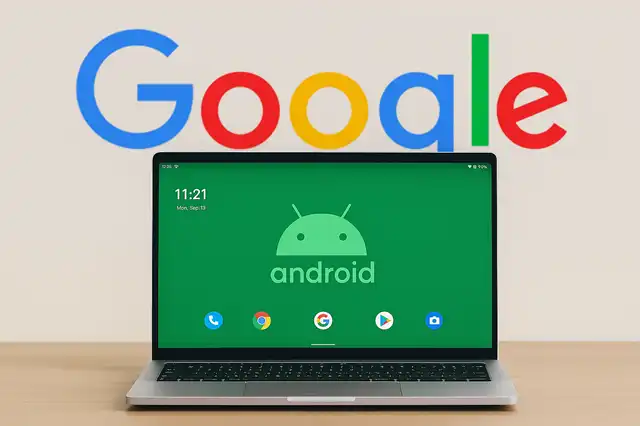
Google’s March 16 design update isn’t a minor patch. By publishing dedicated Desktop Experience guidelines and launching the Android Design Gallery, the company has made its clearest statement yet: desktop is no longer second-class on Android.
On March 16, 2026, the Android Developers Blog published a post by Ivy Knight, Senior Design Advocate at Android, announcing two significant additions to Google’s developer resources: dedicated Desktop Experience design guidance and a refreshed Android Design Gallery. The timing was not accidental — it followed the March 3 announcement that connected display support had reached general availability in Android 16 QPR3, bringing desktop windowing to supported Pixel and Samsung devices.
Together, these releases mark a deliberate shift in how Google expects developers to think about their apps. The question is no longer “does this run on a big screen?” but rather “does this work well when a user connects their phone to a 27-inch monitor and picks up a keyboard and mouse?”
01 / What Is a “Desktop Experience”?
Google’s definition is deliberately narrow. A desktop experience occurs when an app is in a desktop-like mode — typically because the user is operating it with a non-touch input device such as a keyboard or mouse, or because the app is running on an external display. This is not a new platform. It is still Android. Only the runtime environment has changed.
This distinction matters for developers. An app does not need two separate codebases. The same app that runs on a user’s phone may be rendered moments later on a connected monitor in a freely resizable window. If the layout was designed only for a 6-inch touch screen, the result on an external display will be visually stretched and functionally uncomfortable.
Hardware Availability — March 2026
Desktop mode (connected display) is available on Android 16 QPR3. Supported devices include:
The rollout began March 3, 2026, via an Android 16 QPR3 update to all supported Pixel devices.
02 / Three Core Design Principles
Google’s new Desktop Experience guidance rests on three pillars, each addressing a real pain point that developers face when their mobile apps land on a desktop environment.
Multitasking and Windowing
Desktop users will not run your app full-screen. They will have multiple windows open simultaneously — a browser on the left, a document editor on the right, a media player minimised at the bottom. Apps must support a Header Bar and work gracefully at a wide range of window dimensions, including small and unusual proportions. A layout that is perfectly functional at 1080p may break completely in a 400×300 window. Google now expects developers to test for this explicitly.
Information Density
Mouse input is considerably more precise than a finger on a glass screen. The long-standing Material Design recommendation of 48dp minimum touch targets is a mobile necessity, but a mouse pointer makes that constraint largely irrelevant. Google’s guidance encourages developers to take advantage of this: desktop mode should present higher information density, showing more content in less space and reducing unnecessary scrolling. As the official guidance states, the goal is that users can “be more productive.” This is a genuine shift in design philosophy — from “make it tappable” to “make it efficient.”
Present a UI with higher information density so your users can be more productive.
— Android Desktop Experience Guidance, Google, March 2026Cursor Interaction
Mobile apps have never needed to think about cursors. Desktop apps always have. Google’s new guidance addresses this gap directly: different UI elements should display different cursor types. Text fields should trigger the text-insertion cursor; draggable elements should show a move cursor; links and interactive controls should show a hand. These conventions are standard on the web and on traditional desktop operating systems, but are entirely new territory for most Android developers. Google also permits and encourages custom cursor icons for specialised interactions, while cautioning against anything that makes the pointer confusing or hard to locate.
03 / Why This Is Happening Now
Android’s aspiration to support large screens is not new. The company has pursued this direction — through tablets, foldables, Chromebooks running Android apps, and Samsung DeX — for the better part of a decade. What has changed is that the hardware ecosystem has caught up to the ambition.
Google and Samsung have collaborated to ship a genuine desktop windowing experience across multiple device families. The March 3, 2026 announcement confirmed that connected display support is now generally available — not experimental, not developer-preview, but a stable feature in a shipping OS release. Users are, at this moment, connecting their phones to monitors and opening your app in a resizable window on a large screen.
There is also a broader strategic context. Google is working to converge Android and ChromeOS into a single platform. Some Chromebooks already run Android apps natively. A desktop-grade Android experience is a necessary component of that convergence. The design guidelines published on March 16 are not independent advice — they are infrastructure for where the platform is going.
04 / The Android Design Gallery
Alongside the technical guidance, Google launched the Android Design Gallery, described as “a living catalog of inspirational examples across multiple verticals, form factors, and UX patterns.” It covers experiences across mobile phones, foldable screens, and desktop environments, and includes examples from third-party developers alongside Google’s own apps.
The practical value of the Gallery is significant for smaller teams. A developer without a dedicated designer can browse by industry and form factor, find a reference app that resembles their own product, and understand how a well-adapted desktop layout is constructed — without having to derive those patterns from scratch. Google has stated it will continuously expand the Gallery’s content.
05 / What Developers Should Do Now
If you develop Android apps, here is a practical sequence based on Google’s updated resources:
-
Work through the Adaptive Design Lab Google’s updated Codelab walks through the transition from a mobile layout to a desktop-ready one, step by step. Even developers not currently planning desktop adaptation will benefit from understanding the framework.
-
Test your app in free-form window mode Use an Android emulator or a supported Samsung device with DeX. Resize the window to small and unusual proportions. Identify where the layout breaks, overflows, or becomes unusable.
-
Review the Adaptive App Quality Guidelines Google has updated its quality standards for adaptive apps. These guidelines are increasingly tied to Google Play recommendations and ratings, making compliance consequential beyond the purely technical.
-
Audit input method support Check whether your app handles keyboard shortcuts, mouse hover states, and right-click (context) menus. These are the minimum desktop interaction expectations. Cursor state changes should also be addressed for interactive elements.
Android’s movement from a pocket device to a desktop operating environment has been gradual. But the publication of dedicated Desktop Experience design guidelines on March 16 — paired with the stable release of connected display support earlier in the month — represents a concrete inflection point. The message from Google is unambiguous: users are already running Android apps on large screens with keyboards and mice. The design guidance exists to help developers meet them there.
Sources
- Ivy Knight, Android Developers Blog — Get inspired and take your apps to desktop, March 16, 2026. android-developers.googleblog.com
- Francesco Romano, Android Developers Blog — Android devices extend seamlessly to connected displays, March 3, 2026. android-developers.googleblog.com
- Google — Get started with desktop, Android Developers. developer.android.com
- Google — Adaptive app quality guidelines, Android Developers, updated March 23, 2026. developer.android.com
- Paul Thurrott — Google Launches New Resources for Android Desktop Mode, Thurrott.com, March 2026. thurrott.com