Should You Upgrade to Ubuntu 26.04 LTS Now or Wait?
Should You Upgrade to Ubuntu 26.04 LTS Now or Wait?
- Linux Kernel Removes strncpy After Six Years and 362 Patches
- Linux Kernel Drops 40-Year-Old AppleTalk Protocol — AI-Generated Patch Flood Was the Last Straw
- Apple’s Native Linux Container Tool Has Arrived — But Can It Really Replace Docker?
- 60% of MD5 Password Hashes Can Be Cracked in Under an Hour with a Single GPU
- Dirty Frag: Root Access on Every Major Linux Distribution — No Patch, No Warning
Ubuntu 26.04 LTS — Resolute Raccoon:
Should You Upgrade Now or Wait?
A clear-eyed look at what’s new, what’s fixed, and what’s still rough around the edges — so you can decide if the timing is right for you.
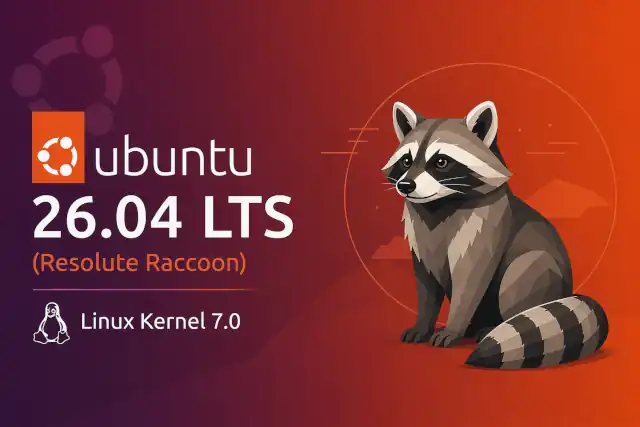
Ubuntu 26.04 LTS “Resolute Raccoon” landed on April 23, 2026 — right on schedule, as Canonical has managed for several cycles now. Unlike many .04 releases that ride mostly on interim improvements, this one brings a genuinely significant stack of changes: a full Wayland-only desktop, a new major kernel, and a set of infrastructure rewrites that touch almost every layer of the system. It earned its “Resolute” name — and the question is whether you should dive in right now, or hold your ground until the first point release.
What’s Actually New
This release is not a collection of incremental bumps. Several of the changes are categorical — things that have been years in the making and finally land in an LTS context.
A substantial jump from kernel 6.8 in Ubuntu 24.04. Brings hardware enablement for Intel Nova Lake, AMD Zen 6, the new sched_ext scheduling framework, and crash dumps enabled by default. NTSYNC, the long-awaited NT synchronisation driver that benefits Windows games via Wine and Proton, is included in mainline.
This is the first Ubuntu LTS to completely drop the native X11/Xorg session. GNOME sessions now run exclusively on Wayland. Legacy X11 applications are still handled via XWayland, but a full X11 login session is no longer available.
Canonical has invested heavily in FDE tied to the system’s TPM chip. This enables automatic unlocking on trusted hardware without exposing the passphrase manually — a major step for enterprise and security-conscious users.
rust-coreutils is now the default for core utilities, replacing GNU equivalents where possible. This is a memory-safety improvement that lands quietly but matters for long-term security posture. GNU tools are retained as fallback.
Native support for NVIDIA CUDA and AMD ROCm is now part of the official Ubuntu archive, making 26.04 LTS a credible AI development and production platform without third-party workarounds.
systemd 259 (dropping cgroup v1 entirely), APT 3.1 with a new dependency solver and history tracking, and Dracut replacing initramfs-tools as the default initramfs generator.
“This is the first Ubuntu LTS to remove the X11 session entirely — Wayland is no longer just the default, it is the only option for native sessions.”
Linux Gaming Gets a Real Boost
The NTSYNC driver — which models Windows NT synchronisation primitives directly in the kernel rather than emulating them in userspace — is confirmed included in Linux 7.0. This reduces CPU overhead when running Windows games through Wine or Proton. In benchmarks comparing vanilla Wine with and without NTSYNC, the gains can be dramatic for some titles, though users already running Proton with fsync-based approaches will see more modest improvements.
Combined with Mesa 26.0’s Vulkan 1.4 support, hardware video acceleration enabled by default for both AMD and Intel, NVIDIA Dynamic Boost on supported laptops, and full NVIDIA Wayland driver support, Linux gaming on 26.04 is meaningfully better than on 24.04.
System Requirements
| Component | Ubuntu 26.04 LTS (Desktop) | Notes |
|---|---|---|
| CPU | 2 GHz dual-core or better | x86-64-v3 variant packages available for modern CPUs |
| RAM | 6 GB minimum | Up from 4 GB in 24.04. Lighter flavors (Xubuntu, Lubuntu) work with 2 GB+ |
| Storage | 25 GB free space | For a comfortable experience |
| Display server | Wayland only | XWayland handles legacy X11 apps |
| Support period | Until April 2031 | Extendable to 10 years with Ubuntu Pro (free for up to 5 personal machines) |
Known Issues at Launch
These are documented issues confirmed at the time of release. Some will be resolved in point updates; others require workarounds.
-
NVIDIA suspend/resume: Visual corruption and system freezes when resuming from suspend under the Wayland session on some NVIDIA hardware. Users with NVIDIA GPUs should verify their specific card is supported before upgrading production systems.
-
Installer localisation: The live session is not localised. Non-English installations require internet access during setup to fetch language packs.
-
Screen reader support: Present in the installer but incomplete, with several open bug reports. Accessibility users should test carefully before committing.
-
TPM/FDE edge cases: Full disk encryption is incompatible with Absolute/Computrace-enabled systems and may require BIOS changes on NVMe RAID configurations.
-
Screen recording & streaming: Some screen recording tools and live streaming software (such as OBS Studio) can encounter issues under Wayland, particularly when combined with NVIDIA hardware. Check compatibility with your specific setup before upgrading.
-
GDM PreLogin/PostSession scripts removed: Corporate environments that rely on these scripts for home-directory sync or session cleanup will need to migrate to PAM session modules.
The Upgrade Path Timeline
Understanding the official upgrade cadence is key to making the right call on timing.
Reasons to Upgrade Now
- You have relatively recent hardware (post-2020) — especially AMD GPUs or recent Intel chips that benefit most from kernel 7.0
- You’re doing a fresh install on a new machine
- You’re an AI/ML developer wanting native CUDA or ROCm support out of the box
- You want the full Wayland experience and your hardware is confirmed compatible
- You’re a developer or power user comfortable troubleshooting edge cases
- You want to lock in a 5-year (or 10-year with Pro) support window from today
Reasons to Wait Until 26.04.1
- You rely on NVIDIA hardware and use suspend/resume regularly
- You use screen recording or live streaming tools (OBS Studio, etc.) as part of your workflow
- Your system is currently running well on 24.04 LTS and stability is the priority
- You’re managing production servers or enterprise desktops
- You depend on GDM login scripts that were removed in this release
- You use software that has a known dependency on a full X11 session (check your vendor’s support matrix)
When You Should Not Upgrade Yet
- You’re running on a system with Absolute/Computrace enabled in BIOS and want to use full disk encryption
- You’re running an Ubuntu MATE or Ubuntu Unity installation — these flavours do not have LTS status in 26.04
- You need a full native X11 session (e.g. for certain accessibility tools or older enterprise software)
- Your hardware RAM is below 6 GB and you use the standard GNOME desktop
The Bottom Line
Ubuntu 26.04 LTS “Resolute Raccoon” is a genuinely strong release with a clear direction. The move to a Wayland-only desktop, the Linux 7.0 kernel, NTSYNC gaming improvements, and a richer security baseline all make it more than a routine LTS bump. For most users doing fresh installs or running modern hardware, upgrading now is perfectly reasonable.
For those upgrading from a working 24.04 LTS system — especially with NVIDIA hardware, production workloads, or specific software dependencies — waiting for 26.04.1 in August 2026 is the prudent path. That point release will resolve the most common launch-day issues and open the official upgrade channel automatically.
New install, recent AMD/Intel hardware, developer workloads, AI/ML, or you’re comfortable handling edge cases
NVIDIA GPU, screen recording workflows, production systems, or you value zero-friction stability above all