CrystalDiskInfo v9.9.0 Can Now Detect and Label Fake Samsung SSDs
CrystalDiskInfo v9.9.0 Can Now Detect and Label Fake Samsung SSDs
- 60% of MD5 Password Hashes Can Be Cracked in Under an Hour with a Single GPU
- Dirty Frag: Root Access on Every Major Linux Distribution — No Patch, No Warning
- Ubuntu 26.04 LTS (Resolute Raccoon): The Most Ambitious Ubuntu LTS in a Decade
- Proton Mail: Data Transferred to FBI Again!
- How Close Are Quantum Computers to Breaking RSA-2048?
- How to Prevent Ransomware Infection Risks?
- What is the best alternative to Microsoft Office?
CrystalDiskInfo v9.9.0 Can Now Detect and Label Fake Samsung SSDs
The popular free disk-health utility gains a timely new feature — automatically flagging counterfeit Samsung drives with a visible [FAKE] label — as sophisticated SSD forgeries continue to flood online marketplaces.
Noriyuki “hiyohiyo” Miyazaki, the developer behind the long-running open-source disk utility CrystalDiskInfo, released version 9.9.0 on May 18, 2026 — and its headline addition is a direct response to a fast-growing consumer threat: counterfeit SSDs falsely branded as Samsung products.
The new release introduces counterfeit SSD detection logic that cross-checks a drive’s reported identity against hardware-level data. When a drive is determined to be inauthentic, CrystalDiskInfo prominently displays a [FAKE] label beside the drive name, making it immediately visible without any additional investigation required from the user.
How the Detection Works
The verification method focuses on hardware fingerprints that are difficult for counterfeiters to spoof. In a demonstration conducted with ITG Marketing, CrystalDiskInfo successfully flagged a Samsung 990 Pro clone by identifying two key inconsistencies: the drive’s PCI Vendor ID pointed to a controller chip manufactured by Maxio — not Samsung — and the firmware version string returned a clearly bogus value of 8888888.
The developer has confirmed that the detection database will receive periodic updates to keep pace with new forgery variants as they appear on the market, meaning the feature should remain effective over time rather than becoming stale against newer counterfeits.
Full Changelog — v9.9.0
- [NEW] [FAKE] label support for counterfeit Samsung SSDs
- [NEW] Support for JMicron JMS59x series controllers
- [FIX] JMS586 New was not functioning correctly
- [IMP] Improved security of the DLL loading process
About CrystalDiskInfo
CrystalDiskInfo retrieves data from the drive self-diagnostic system S.M.A.R.T. (Self-Monitoring, Analysis, and Reporting Technology) and displays it in a readable list. Users can monitor disk health, temperature, and wear indicators at a glance. The tool also supports proactive notifications — via sound or email — when a drive’s health status deteriorates, making it useful for both casual users and system administrators.
| Property | Details |
|---|---|
| Developer | Noriyuki “hiyohiyo” Miyazaki |
| Version | 9.9.0 (released 2026/05/18) |
| License | Freeware (installer includes optional ad-supported app) |
| OS — ZIP | Windows XP / Server 2003 and later |
| OS — Installer | Windows Vista / 7 / 8 / 8.1 / 10 / 11 · Server 2008–2025 (incl. 64-bit) |
| Download | Official site · Mado no Mori · Microsoft Store |
The installer version is the more commonly used distribution. Note that it bundles an optional advertising application to support the developer financially — users are given the opportunity to decline its installation during setup.
The Broader Counterfeit SSD Problem
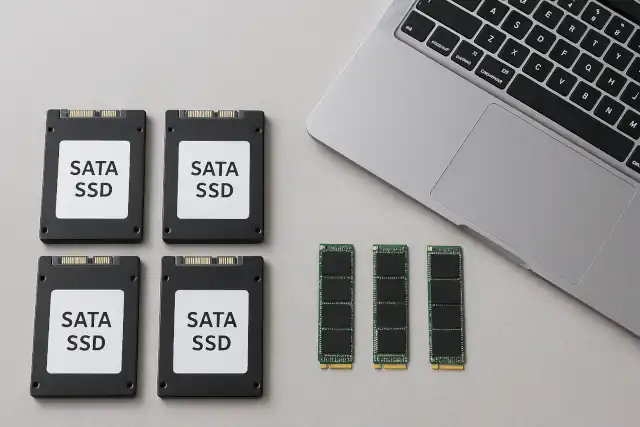
The timing of this update is no coincidence. Counterfeit SSDs — particularly those impersonating popular Samsung models such as the 870 EVO, 980 Pro, and 990 Pro — have been spreading across major online marketplaces including Amazon third-party listings and discount platforms. Modern forgeries are sophisticated enough that visual inspection of the drive and packaging is no longer a reliable safeguard.
These fakes typically use modified firmware to report the advertised capacity (e.g. 1 TB or 2 TB) while the actual underlying storage is a fraction of that amount. Once real storage is exhausted, the drive silently discards data — files appear to save successfully, but content is corrupted or filled with null bytes, leading to irreversible data loss.
While Samsung’s own Samsung Magician software also performs authenticity checks for Samsung drives, CrystalDiskInfo offers a valuable independent, third-party verification layer — and is useful regardless of the SSD brand installed in a system.
Official Download Link